QGIS is easiest to describe as a desktop GIS, but that label is now too small. The better way to read the project is as an ecosystem hub: a place where file formats, spatial databases, web services, cartographic design, field workflows, Python plugins, server publishing, and institutional geospatial habits meet in one operator-facing workbench. OSGeo calls QGIS the leading free and open-source desktop GIS and also frames it as a professional GIS application and developer platform, not merely a map viewer.[8]
That distinction matters because geospatial software punishes narrow products. Real users rarely have one clean data source, one clean projection, one clean output, and one clean audience. A city planner may need a GeoPackage from a consultant, a PostGIS layer from an internal database, a WMS from another agency, a raster from a survey, a field-collected point layer, and a print-ready map before a public meeting. QGIS is valuable because it keeps those materials close enough that the same person can inspect, edit, analyze, style, and publish them without turning every step into a separate procurement or scripting project.[2][3]
As of 2026-05-28T20:32:28Z UTC, the project's roadmap lists 3.44.10 as the current long-term release line and 4.0.2 as the current latest release, with the development version headed toward 4.2.[7] The GitHub API snapshot for qgis/QGIS shows 13,830 stars, 3,429 forks, 5,464 open issues, a most recent push at 2026-05-28T17:30:13Z, and master as the default branch.[9] Those numbers do not prove quality by themselves. They do show the scale of a live, old, widely used project whose real challenge is coordination across many kinds of geospatial work.
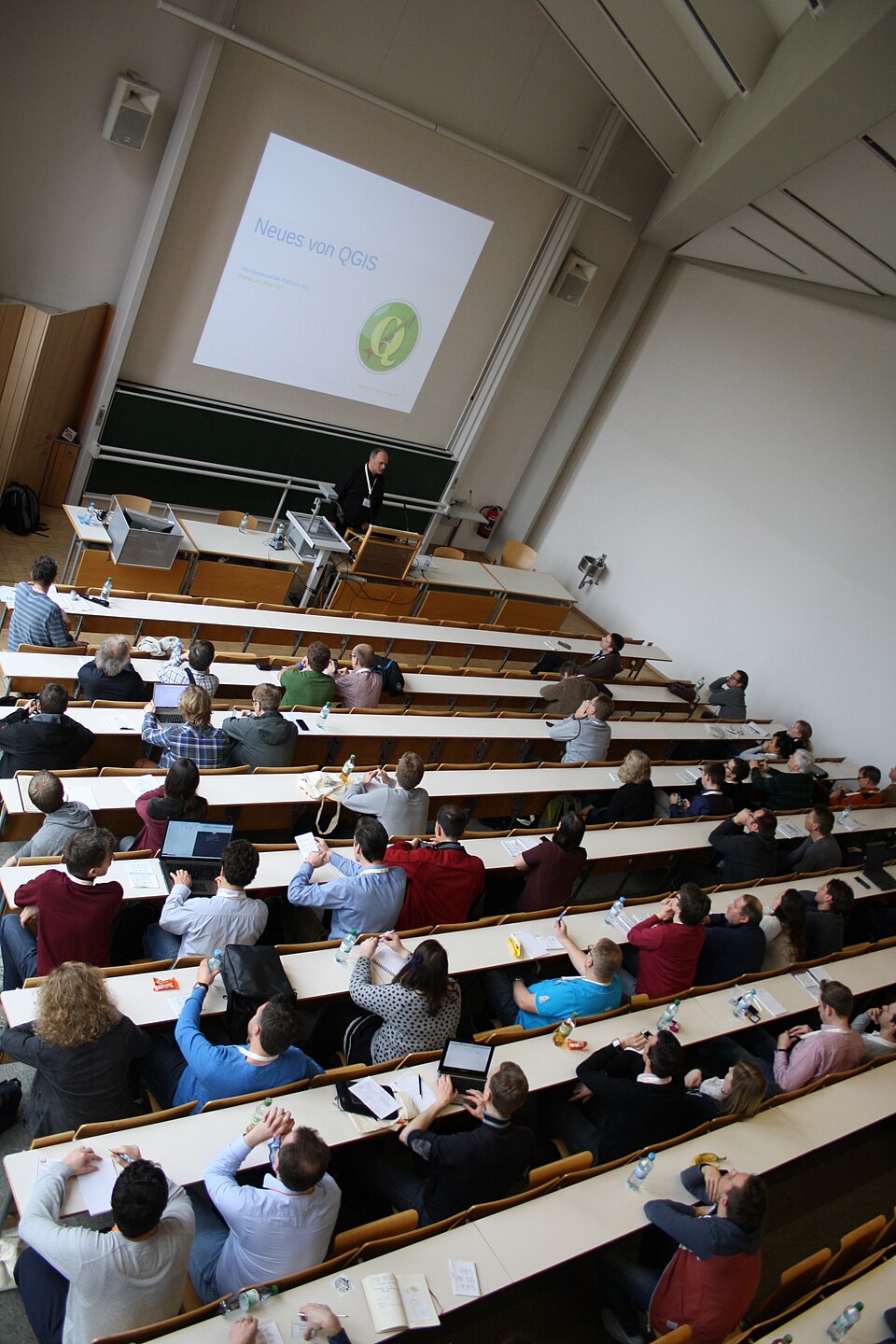
The conference photograph above is therefore more than decoration. It shows QGIS as it often exists in practice: a tool taught, extended, debated, and stabilized in rooms full of practitioners rather than only in repository metrics.[1]
The desktop is the control surface
QGIS still earns its keep first as desktop software. The official overview leads with map creation, layer editing, processing and analysis, and map sharing; it also says QGIS is available on Windows, Mac, and Linux.[2] The feature documentation gives the important technical reason this desktop role remains durable: QGIS can view combinations of vector and raster data in different projections without first forcing everything into one internal format.[3]
That is the ecosystem boundary. The desktop is not interesting because it is old-fashioned. It is interesting because it is the place where heterogeneous spatial material becomes inspectable. The features page names spatially enabled database tables and views, PostGIS, SpatiaLite, MS SQL Spatial, Oracle Spatial, OGR-supported vector formats such as GeoPackage and Shapefile, GDAL-supported raster and imagery formats such as GeoTIFF, mesh data, vector tiles, GRASS data, and OGC web services.[3] A browser-only tool can be excellent when the workflow is already productized. QGIS is strongest before that point, when someone still has to understand what the data actually is.
This is why the project should not be evaluated as "ArcGIS, but free" or "a map app with plugins." Its more defensible role is as a shared geospatial bench. It lets a small agency, researcher, environmental consultant, journalist, humanitarian mapping group, or infrastructure team keep many open formats and services in play while retaining human inspection. That human layer is not a weakness. In geospatial work, visual sanity checks often catch mistakes that pipeline logs will not: swapped coordinates, broken joins, wrong projections, missing features, stale basemaps, or a layer that is technically valid but cartographically misleading.
Processing turns analysis into a reusable lane
The second hub is Processing. QGIS documentation describes the Processing framework as a geoprocessing environment for calling native and third-party algorithms from QGIS.[4] It is installed as a core plugin, and the interface exposes a toolbox for running single algorithms or batch work, a model designer for chaining several algorithms into a workflow, and command-line and Python entry points elsewhere in the manual.[4]
That structure is more important than any individual algorithm. A desktop GIS becomes much more durable when analysis can move between click-driven exploration, batch operation, and repeatable models. The features page says QGIS can use integrated GRASS tools, including more than 400 GRASS modules, and can call native and third-party algorithms through Processing, including GDAL, SAGA, GRASS, OTB, R, and more.[3] In ecosystem terms, QGIS is not trying to own every analytical method. It is giving those methods a common place to appear.
The adoption implication is practical. A team that only needs one stable production pipeline may be better served by a scripted GDAL, PostGIS, or Python workflow. A team that has analysts iterating on messy spatial questions often benefits from QGIS sitting in front of those same tools. The analyst can discover the right operation visually, chain it in a model, then decide later whether that model should become a script, a server-side job, or a documented manual workflow.
Plugins widen the surface, but also widen responsibility
The plugin ecosystem is the most visible sign that QGIS is bigger than its core. The QGIS overview advertises 2000+ community-developed plugins.[2] The official plugin portal says plugins add functionality to the QGIS application, can be installed directly from the QGIS Plugin Manager, and are developed by independent organizations and developers.[5] Its popular list includes everyday geospatial workhorses such as QuickMapServices, QuickOSM, Semi-Automatic Classification Plugin, HCMGIS, and Lat Lon Tools.[5]
That flexibility is powerful, but it should be read with an operator's caution. The same portal states that the QGIS organization does not take responsibility for independently developed plugins and that bug or feature reports should go to each plugin's own tracker when available.[5] This is the right boundary. Plugins let QGIS become local, specialized, and fast-moving. They also mean organizations need a plugin policy: which plugins are approved, which versions are pinned for shared machines, where bug reports go, and what happens when a workflow depends on an unmaintained extension.
The PyQGIS cookbook shows why this surface is not accidental. Its table of contents covers loading projects, working with layers, map rendering, expressions, authentication infrastructure, background tasks, developing Python plugins, Processing plugins, plugin layers, network analysis, and QGIS Server and Python.[10] In other words, QGIS exposes enough of itself to let advanced users build real local tools without leaving the QGIS environment. That is often exactly what public-sector and research geospatial teams need: not a separate product, but a way to turn repeated local work into a maintained extension.
Server publishing keeps the desktop from becoming a dead end
QGIS would be narrower if its story ended at the desktop. It does not. The overview says QGIS Server can publish projects and layers as OGC-compatible WMS, WMTS, WFS, and WCS services, and that users can control which layers, attributes, layouts, and coordinate systems are exported.[2] The QGIS Server manual organizes that surface around installation, serving a project, configuring a project, services, catalog behavior, plugins, advanced configuration, development server use, and containerized deployment.[6]
This is a useful architectural handoff. A cartographer or analyst can author a project in the desktop environment, then publish parts of that work through standard web services. That does not make QGIS Server the best answer for every large-scale tile or API platform. It does make the desktop project file less of a terminal artifact. Styling, layer choices, service exposure, and map definitions can move from workstation into a web-serving lane without asking every organization to rebuild its geospatial stack from scratch.
The boundary condition is scale and governance. Teams with heavy public traffic, strict uptime targets, multi-tenant API access, CDN-backed vector tiles, or deep observability requirements may need a broader serving architecture. QGIS Server still matters because it gives smaller and medium-complexity teams a standards-based publishing path directly connected to their authoring tool.[2][6]
Release discipline is part of the ecosystem
An ecosystem hub has to move without breaking every dependent practice at once. QGIS's roadmap describes a time-based schedule: even version numbers are release versions, odd version numbers are development versions, a new release happens every four months, the first three months are active development, and the final month before release is used for freeze, testing, bug fixing, translation, and release preparation.[7] That cadence is not glamorous, but it is essential for a project that must satisfy desktop users, plugin authors, packagers, training providers, server operators, and institutions that prefer long-term support.
The 2026 transition makes the point visible. The changelog lists QGIS 4.0 on March 6, 2026, while the roadmap still keeps the 3.44 line as the current LTR.[11][7] That gives different users different risk budgets. Plugin developers and early adopters can move into the latest line. Organizations that train staff, certify procedures, or maintain shared workstations can stay on the hardened LTR lane while the ecosystem catches up.[7]
That is the main reason QGIS remains a high-signal OSS project. Its center is not one clever abstraction. It is a coordination achievement: desktop usability, geospatial interoperability, algorithm access, plugin extensibility, server publishing, community training, and release management all have to remain coherent enough that practitioners keep trusting the workbench.
The strongest adoption case is therefore bounded. Use QGIS when humans need to understand, repair, analyze, style, and publish spatial data across many sources. Pair it with PostGIS when spatial data needs transactional authority. Pair it with GDAL/OGR and Python when repeatable pipelines matter. Pair it with QGIS Server when desktop-authored work needs standards-based web exposure. Be careful when the requirement is a high-scale map platform, a fully governed enterprise API product, or an automated pipeline with no need for visual inspection.
QGIS works because it does not force every geospatial task into one layer of the stack. It gives practitioners a hub where many layers can meet and still remain legible.
Sources
- Wikimedia Commons, "File:FOSSGIS 2017 Neues von QGIS.jpg" - Stefan Schroeder's 2017 FOSSGIS conference photograph used as the article image.
- QGIS, "QGIS overview" - official overview of key features, 2000+ plugins, conference/community resources, QGIS Server, and platform availability.
- QGIS Documentation 3.44, "Features" - data formats, GDAL/OGR, PostGIS, GRASS, OGC services, Processing, plugins, and Python console capabilities.
- QGIS Documentation 3.44, "QGIS processing framework: Introduction" - Processing as a core plugin, toolbox, model designer, and batch-processing interface.
- QGIS Plugins, "QGIS plugins web portal" - plugin installation, popular plugins, independent plugin responsibility, and plugin-author resources.
- QGIS Documentation 3.44, "QGIS Server Guide/Manual" - server services, project serving, plugins, advanced configuration, and containerized deployment sections.
- QGIS, "Road Map" - current LTR/latest release labels and the time-based release, feature-freeze, testing, and packaging schedule.
- OSGeo, "QGIS Desktop" - independent project page describing QGIS as a leading free and open-source desktop GIS, developer platform, server/web-client ecosystem, and active community.
- GitHub API,
qgis/QGISrepository snapshot - stars, forks, open issues, default branch, license, and recent push timestamp at article creation. - QGIS Documentation 3.44, "PyQGIS Developer Cookbook" - API surface for projects, layers, rendering, expressions, authentication, plugins, Processing, network analysis, and server extension.
- QGIS Changelog, "QGIS Versions" - release-history page listing QGIS 4.0 and recent 3.x releases including 3.44.