Inkscape is easiest to describe as a free vector drawing program, but that phrase undersells the project. The more useful reading is this: Inkscape is a workstation for keeping SVG alive as an editable contract. The canvas matters, of course. Designers need paths, shapes, text, gradients, grids, filters, export controls, snapping, layers, and page handling. But Inkscape's deeper value is that those visible operations remain tied to an open XML-based file format, a command-line export surface, and an extension system that lets local workflows grow without replacing the editor.[2][4][5]
That is why Inkscape remains worth a fresh project introduction in 2026. Many design tools are excellent at producing finished visual artifacts while making the file format, automation path, or extension boundary feel secondary. Inkscape's center of gravity is different. It is a graphical editor, but it keeps reminding users that the drawing is also data: SVG elements, attributes, object IDs, pages, styles, filters, paths, and metadata that can be inspected, scripted, transformed, exported, or extended.[2][4][5]
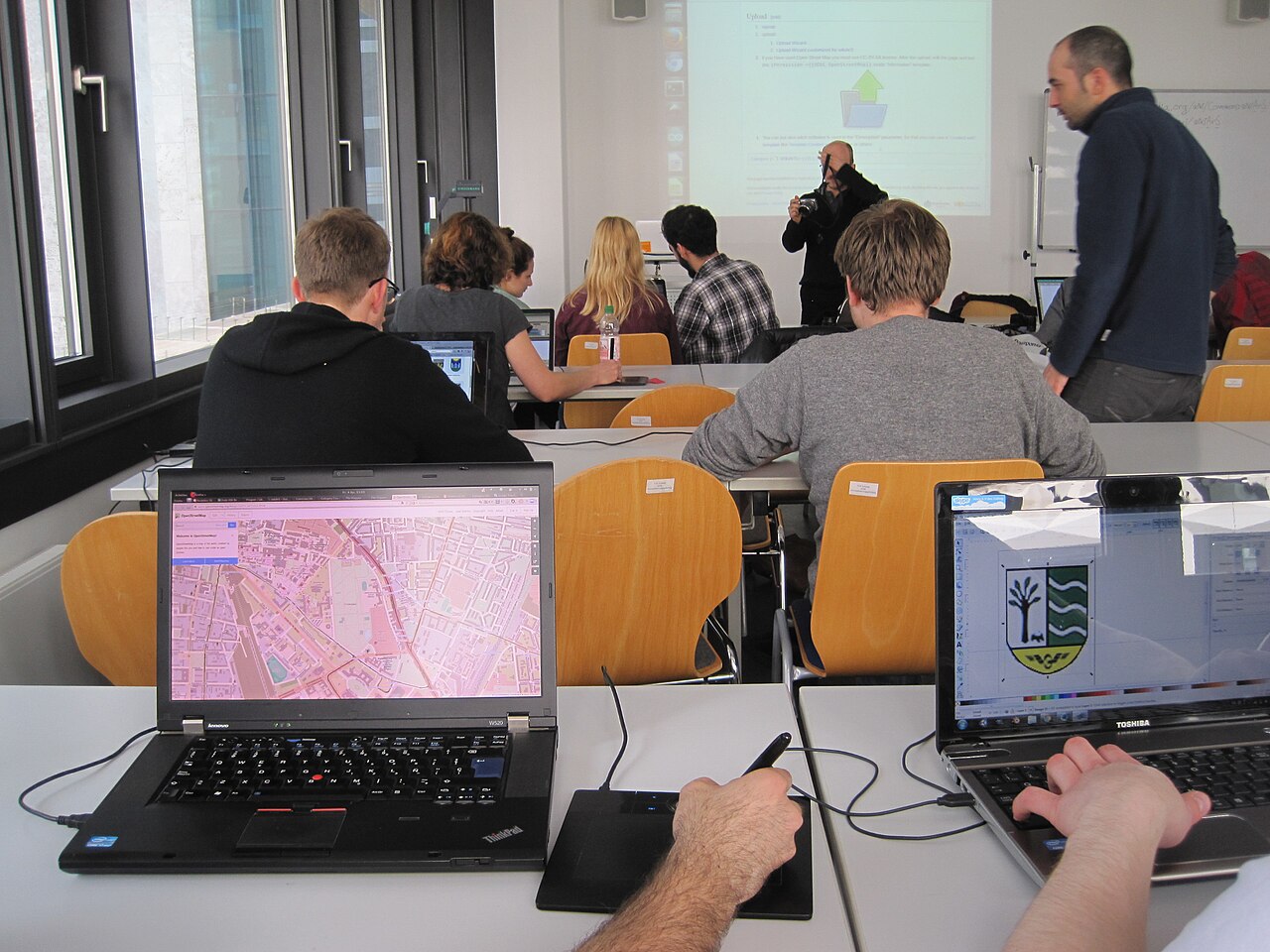
The photograph above comes from a WikiArS workshop at Libre Graphics Meeting 2014 in Leipzig.[1] It is not a product screenshot, logo, diagram, or generated visual. That distinction matters. Inkscape's strongest use cases often happen in rooms like this: people learning how to turn an open format into maps, icons, teaching materials, diagrams, posters, technical figures, laser-cut files, wiki graphics, and small production assets. The software is valuable because a human can work visually while the artifact remains open enough for machines and other humans to continue the job.
SVG is the operating boundary
The Inkscape FAQ gives the cleanest starting point: what sets the project apart is its use of Scalable Vector Graphics, an open XML-based W3C standard, as the native format.[2] That is not a trivia detail. It changes how teams should think about the tool. Inkscape is strongest when the output is not only a picture but a structured document that may need to survive version control, translation, web embedding, export automation, or downstream editing by another person.
This is where the project differs from a generic "free Illustrator alternative" frame. The alternative-tool comparison is useful for first contact, but it hides the stronger contract. If a product designer draws a logo, an academic builds a figure, a civic group edits an icon set, or a technical writer maintains documentation diagrams, the long-run question is not only "can I draw this?" The better question is "can I reopen, inspect, modify, export, and explain this later without surrendering the file to a closed format?" SVG gives Inkscape a better answer than many drawing programs can offer.[2]
The boundary is not perfection. SVG support is broad but not magical, and real files can still contain application-specific metadata, compatibility quirks, filters that render differently elsewhere, or imports from PDF, EPS, AI, and other formats that need cleanup.[2][3] The practical adoption point is narrower: Inkscape is best when the organization values an inspectable vector source file enough to tolerate the discipline that comes with it. Treat object IDs, text handling, layers, style choices, and export assumptions as part of the work, not as hidden implementation details.
The 1.4 line is a usability release with production consequences
Inkscape 1.4 was released on October 13, 2024, and its official release notes read less like one headline feature than a broad sweep across daily editing friction: Filter Gallery, modular and improved axonometric grids, palette handling, a unified font browser preview, customizable handles, Shape Builder raster clipping, and Affinity Designer file import.[3] Phoronix's outside readout reached the same general conclusion, describing 1.4 as a large enhancement release for the cross-platform open-source vector graphics editor, with both new features and preparation work toward GTK4.[8]
Those details matter because Inkscape is a hands-on tool. A single spectacular feature is less important than reducing the number of tiny interruptions between idea and file. A filter is easier to choose when it has previews and search. A grid is more useful when it can support isometric and icon work. A font browser changes the typography loop only if it makes exploration less painful. Importing Affinity Designer files is not a philosophical victory over proprietary design tools; it is a rescue path for users who receive work made somewhere else.[3][8]
The release index also shows the maintenance shape underneath the feature surface: Inkscape 1.4 is the current stable branch while 1.5 is the development branch.[6] That split matters for organizations that need drawings to stay reproducible. If your team uses Inkscape for documentation, fabrication, UI assets, or recurring print work, the question is not only whether the newest feature is attractive. It is whether the stable branch is good enough for routine work while the next branch changes file behavior and internals. Inkscape's own release notes make that line visible.[6]
Command-line export turns drawings into build artifacts
The command-line surface is the feature many casual users miss. Inkscape's command-line guide explains that files given on the command line can be opened, processed through action options, exported, and closed; it also shows examples that export specific object IDs, set export backgrounds, perform multiple exports from one SVG, and use shell mode to avoid launching a new instance for each operation.[4]
That changes the role of an SVG file. It can be a designer-edited source artifact and a build input at the same time. A documentation repository can keep one SVG source and export PNG or PDF targets during release. A product team can keep icon artwork editable while exporting individual IDs for app assets. A research group can maintain figures visually, then use command-line export to produce consistent output sizes for papers, web pages, or slide decks.[4]
The useful boundary is that Inkscape is not a general graphics build system by itself. If a team needs linting, naming conventions, generated variants, or export matrices, those still belong in scripts, Makefiles, CI jobs, or repository policy. Inkscape supplies the editor and the export engine; the team supplies the operational discipline. That division is healthy. It keeps Inkscape from pretending every visual workflow is the same while still making automation practical.
Extensions make local practice first-class
Inkscape's extension documentation shows why the project is more than a monolithic desktop app. Extension types include input, output, effect, and print; extensions may be implemented internally in C++ or externally through scripts such as Python, Perl, console scripts, or XSL transformations. The user-facing shape is defined by Inkscape Extension Definition files, or .inx XML files, which can describe parameters such as integers, strings, floats, booleans, enums, option groups, and colors.[5]
That architecture is pragmatic. A local design shop may need a custom export cleanup. A wiki graphics team may need repeatable map treatments. A maker space may need SVG preparation for cutters or plotters. A documentation team may need figure normalization. Not every one of those jobs deserves to become a core Inkscape feature. The extension boundary gives those workflows a place to live without forcing the whole project to absorb every local requirement.[5]
There is a cost. Extensions widen the trust and maintenance surface. Teams should know where extensions are installed, who maintains them, which Python or dependency assumptions they carry, and whether they transform source files destructively. But the upside is real: Inkscape can remain a shared editor while letting specialized communities adapt it to their materials and formats. That is a better model than pretending one upstream release can predict every classroom, workshop, lab, city office, and small studio workflow.
Governance explains the project's slower kind of strength
Inkscape's governance page is unusually direct about responsibility. The project has a board of developers that looks after policy, funding, fundraising, finances, budgeting, brand management, and inter-project collaboration, while technical direction remains with the developer community. It also says Inkscape is a Software Freedom Conservancy member, with Conservancy providing fiscal sponsorship and legal support infrastructure.[7]
That arrangement is not decorative. A mature graphics application has unglamorous needs: website hosting, release packaging, trademarks, contributor coordination, bug triage, funded repair work, platform support, documentation, and legal continuity. Inkscape's current strength is not that it moves as fast as a venture-backed design product. It is that the project has enough institutional shape to keep a complex open graphics tool available across Windows, macOS, and GNU/Linux while still grounding the work in a community-driven technical culture.[2][7]
The adoption case is strongest when that culture matches the user's needs. Inkscape is a good fit when source editability, open file custody, SVG literacy, scripting, and extension hooks matter. It is weaker when a team wants a fully managed commercial workflow, cloud-native collaboration by default, guaranteed compatibility with every proprietary design file, or vendor support that turns every production issue into a ticket with an SLA.
The practical conclusion is simple: use Inkscape when the drawing should remain a living document. Keep the .svg source. Name objects that need export. Test PDFs and PNGs in the pipeline that will actually publish them. Be deliberate about extensions. Watch stable-branch release notes before moving shared workstations. Inkscape's promise is not that vector graphics become effortless. Its promise is that the file, the editor, the command line, and the extension surface can remain close enough that a user keeps control of the work.[2][3][4][5][6]
Sources
- Wikimedia Commons, "File:WikiArS workshop at LGM 2014 07.jpg" - real photograph from a WikiArS workshop at Libre Graphics Meeting 2014 used as the article image.
- Inkscape, "FAQ" - official explanation of SVG as Inkscape's open XML-based native format and supported import/open formats.
- Inkscape, "Inkscape 1.4 Release Notes" - official release notes for Filter Gallery, modular grids, swatches, font browser, customizable handles, Shape Builder clipping, and Affinity Designer import.
- Inkscape Wiki, "Using the Command Line" - command-line actions, export examples, ID-specific export, shell mode, and batch-processing behavior.
- Inkscape, "Extensions" - official extension guide covering extension types,
.inxfiles, Python/script implementation, and parameter definitions. - Inkscape Wiki, "Release notes" - release index identifying the 1.4 stable branch, 1.5 development branch, and historical release-note structure.
- Inkscape, "Governance" - board responsibilities, community technical direction, Open Invention Network pledge, and Software Freedom Conservancy fiscal/legal support.
- Michael Larabel, "Inkscape 1.4 Brings Numerous Enhancements To This Vector Graphics Editor." Phoronix, October 14, 2024 - independent release readout and GTK4 preparation context.