OpenSCAD is easy to misunderstand if you arrive from mainstream CAD. It is not trying to be a friendlier solid-modeling canvas. It is a programming environment for 2D and 3D solid models, where the design is a script, the object is generated from that script, and the output can be rendered into mesh or other 2D/3D formats.[2][3] That makes it unusually powerful for makers, engineers, educators, and small hardware teams whose real asset is not one exported STL, but the parametric source that can keep producing correct variants.
The practical thesis is narrow: OpenSCAD matters when the geometry should behave like source code. If a bracket needs five bolt patterns, a jig needs three stock thicknesses, or a teaching model needs readable dimensions instead of mouse gestures, text becomes an advantage. You can name measurements, split repeated shapes into modules, keep the file in Git, pass dimensions at export time, and review the change that moved a hole by 0.8 mm.[3][4][5]
As of 2026-05-30T06:31:55Z UTC, the public GitHub API describes openscad/openscad as "The Programmers Solid 3D CAD Modeller" and shows 9,490 stars, 1,531 forks, 858 open issues, and a most recent push timestamp of 2026-05-22T19:12:31Z.[6] The release surface is unusual: GitHub's latest stable release remains OpenSCAD 2021.01, while the project's download page also exposes development snapshots, release candidates, package-manager routes, Docker images, and a newer Manifold geometry-engine path in nightly builds.[6][7] That split is part of the evaluation. OpenSCAD is mature enough to be a durable tool, but active users should understand whether they are standardizing on stable releases, distribution packages, or snapshots.
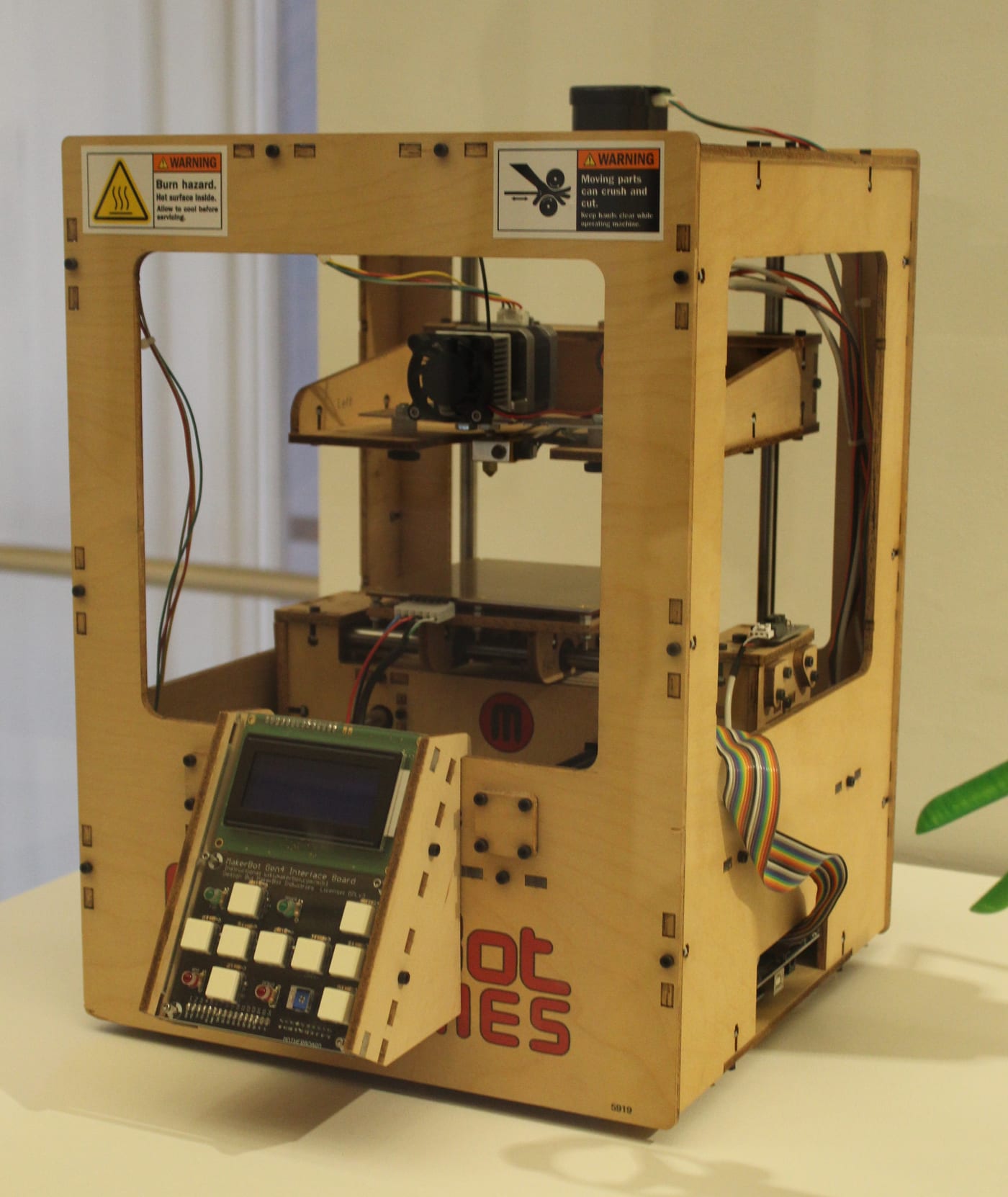
Image context: the cover is not a logo, screenshot, render, or generated model. It is a real photograph of a 2010 MakerBot Thing-O-Matic in the Victoria and Albert Museum. That physical setting is useful because OpenSCAD's strongest story is not visual polish; it is the path from parameterized model source to a manufactured object that can be revised, re-exported, and made again.[1]
The script is the design surface
OpenSCAD's general manual says a script in the OpenSCAD language creates 2D or 3D models from statements, objects, and operators.[3] That is the mental reset. The viewport is important, but it is not the primary authoring contract. The primary contract is a file whose numbers, modules, transforms, booleans, and exports can be inspected like any other code artifact.
That changes collaboration. In a direct-manipulation CAD tool, a design review often depends on screenshots, exported files, or a person walking the team through feature history. In OpenSCAD, a reviewer can ask a more software-like question: what parameter changed, which module owns this repeated geometry, and what downstream variants will that affect? The file may still need visual inspection, test prints, and tolerance checks, but the decision trail is more explicit than a saved binary project file.
The language shape supports that habit. The official cheat sheet puts variables, functions, modules, include, use, booleans, list comprehensions, transforms, difference(), union(), intersection(), extrusion, and special variables such as $fa, $fs, and $fn on one compact reference surface.[2] Those are not decorative syntax items. They are the vocabulary of a small geometry program: define dimensions, generate shape, transform it, subtract or combine it, then control how smooth or coarse the generated facets should be.
This makes OpenSCAD strongest where design intent is already structured. Boxes, enclosures, brackets, knobs, spacers, gears, adapters, calibration objects, mathematical forms, laser-cut profiles, and configurable fixtures are natural fits. The file can say what the object is made of logically. A module can stand for "mounting ear," "screw boss," or "rounded slot" rather than leaving those ideas as unnamed geometry in a scene tree.
Modules make parts feel like libraries
The most important OpenSCAD habit is not clever math. It is decomposition. The user-defined functions and modules documentation draws the line clearly: functions calculate and return values, while modules define reusable geometry operations.[4] A good OpenSCAD file therefore starts to look less like a sketch and more like a small library for a family of parts.
That distinction is useful in practical hardware work. A function can calculate clearance, pitch, radius, wall thickness, or derived dimensions. A module can produce the repeated geometry that uses those values. Once a screw hole, clip, shell wall, or label plate becomes a module, the design stops being one object and becomes a controlled generator for related objects.[4]
This is also where OpenSCAD's "variables" need careful interpretation. The manual explains that OpenSCAD is functional in spirit: variables are bound to expressions and behave more like constants during their lifetime, even though later assignments can override earlier ones in the source-order model.[3] For programmers, that can be reassuring. For users expecting mutable state and step-by-step imperative modeling, it can feel strange. The benefit is that a design can remain largely declarative: dimensions and expressions describe what should exist rather than a sequence of edits applied to a hidden modeling state.
The boundary is readability. A too-clever OpenSCAD file can become just as hard to review as any other dense program. The better pattern is boring and named: top-level parameters, small modules, explicit tolerances, comments only where geometry is non-obvious, and filenames that distinguish source, generated exports, and print profiles. Treating OpenSCAD like source code includes accepting ordinary source-code discipline.
The command line turns models into build artifacts
OpenSCAD becomes much more interesting once it leaves the GUI. The command-line manual says OpenSCAD can handle command-line arguments and, with -o, execute a .scad file and export according to the output extension rather than opening the GUI.[5] It also documents -D for pre-defining values, dependency-file output with -d, PNG camera controls, and multiple export formats including STL, 3MF, DXF, SVG, PDF, and PNG in current development usage.[5]
This is the feature that makes OpenSCAD feel like an engineering tool rather than only a modeling language. A team can keep part.scad as source, run openscad -o bracket.stl -D 'thickness=6' part.scad, and produce a repeatable artifact. A documentation job can render a PNG. A fabrication workflow can export SVG or DXF for a 2D profile. A Makefile or CI job can rebuild outputs when included files change.[5]
That does not mean every hardware workflow should put CAD in CI. Printed parts still need slicer settings, material choices, dimensional compensation, and real-world validation. But the command-line path lets teams separate "source changed" from "someone manually clicked export on the right machine." That separation is valuable. It makes generated files reproducible enough to audit, even if the final manufacturing step remains physical and empirical.
The release surface matters here. The download page says the stable release is available across platforms, while nightly builds expose newer features and improvements, including the Manifold geometry engine preference for a major performance boost.[7] If an organization automates exports, it should pin the OpenSCAD version or image it uses. Geometry engines, STL defaults, and development-snapshot features are exactly the sort of thing that can turn an apparently harmless rebuild into a changed artifact.[5][7]
The weakness is visual and spatial feedback
The honest adoption case has to include the downside. A 2024 HCI study on programming-based CAD users interviewed 20 users and found motivations around structured geometries and abstraction, but also recurring challenges: 3D spatial understanding, validation, code debugging, organic shapes, and code-view navigation.[8] That is a precise description of OpenSCAD's trade. Text gives you abstraction, but abstraction can distance you from the thing your hands and eyes need to judge.
This is why OpenSCAD is not a universal replacement for FreeCAD, Fusion-style workflows, Blender, or specialist mechanical CAD. If the job depends on sculptural surfaces, freeform ergonomics, interactive constraints, assembly-level collision checking, or fast visual dragging, OpenSCAD may feel like solving the wrong problem. It shines when the object has a logic that can be expressed cleanly. It weakens when the object needs continuous visual negotiation.
The best users treat this as a tool boundary rather than a moral ranking. OpenSCAD can generate a parametric insert, jig, or adapter. Another CAD tool may handle a complex mating surface. A slicer may prove printability. Calipers may expose tolerance error. The point is not to make every shape textual. The point is to keep the shapes that benefit from text in a form that can be inspected, varied, and rebuilt.
When OpenSCAD is the right bet
OpenSCAD is a strong fit when three conditions are true. First, the design has meaningful parameters: sizes, counts, clearances, radii, material thicknesses, or family variants. Second, the team values source control and repeatable export more than high-speed direct manipulation. Third, the geometry is regular enough that code expresses intent instead of hiding it.[2][3][4][5]
It is a weaker fit when the model is mostly organic, when non-programmers need to make frequent spatial edits, when visual exploration is the main design method, or when the organization cannot tolerate the gap between code correctness and physical fit. The common failure mode is treating the generated mesh as proof. It is not. A generated STL only proves that the script produced a mesh. It does not prove the part will print well, snap in cleanly, survive load, or match the manufacturing process.
That is the right way to read OpenSCAD in 2026: not as a nostalgia tool for programmers who dislike CAD, and not as a universal CAD replacement. It is a durable open-source modeling environment for cases where the design source matters as much as the exported object. When CAD needs parameters, names, modules, diffs, scripted exports, and rebuild discipline, OpenSCAD gives physical design a software-shaped spine.[2][3][4][5][8]
Sources
- Wikimedia Commons, "Thing-O-Matic 3D printer, V&A Museum.jpg" - photographic cover image, object description, date, author, and file metadata.
- OpenSCAD, "Cheat Sheet" - official quick reference for syntax, special variables, primitives, transformations, boolean operations, list comprehensions, flow control, and language links.
- OpenSCAD User Manual, "General" - script-based model creation, data types, functional-language behavior, and variable/constant semantics.
- OpenSCAD User Manual, "User-Defined Functions and Modules" - functions, modules, local parameters, reuse, and geometry abstraction.
- OpenSCAD User Manual, "Using OpenSCAD in a command line environment" -
-o,-D, dependency files, export formats, camera output, and scripting implications. - GitHub API snapshot for
openscad/openscad- repository description, stars, forks, open issues, latest push timestamp, and latest stable release metadata at article creation time. - OpenSCAD Downloads - stable release paths, development snapshots, package routes, Docker images, WebAssembly note, and Manifold/nightly-build context.
- J. Felipe Gonzalez, Thomas Pietrzak, Audrey Girouard, and Gery Casiez, "Understanding the Challenges of OpenSCAD Users for 3D Printing" (arXiv, 2024) - independent HCI study on programming-based CAD motivations and pain points.