OpenDroneMap is easiest to misunderstand when it is introduced as "free drone mapping software." That phrase is true enough to get someone started, but it hides the engineering boundary that matters. ODM is not a magic map button. It is a command-line photogrammetry pipeline that turns image sets into georeferenced assets, then relies on surrounding tools, APIs, machines, and field practice to make those assets useful.[1][2]
As of 2026-06-06T02:32:31Z UTC, the OpenDroneMap/ODM repository showed 6,139 stars, 1,283 forks, 105 open issues, and a push timestamp of 2026-05-27T13:24:24Z through the GitHub API. The latest GitHub release was v3.6.0, published on 2025-10-24, with notes covering Ubuntu 24.04, Windows runner, Python 3.12, CUDA, GDAL, and dependency updates.[8][9] Those numbers do not prove fit. They are a freshness check for a project that sits between field capture and downstream geospatial decisions.
The sharper way to evaluate OpenDroneMap is to ask where the image pile becomes accountable data. If that boundary is vague, every later output looks more certain than it is.
The core contract is input photos to geospatial artifacts
The ODM project describes itself as a command-line toolkit for processing aerial drone imagery. Its README says the tool turns 2D images into classified point clouds, textured 3D models, georeferenced orthorectified imagery, and georeferenced digital elevation models.[2] The project site frames the same idea in plainer operational terms: put JPGs in an images folder, run the Docker command, and receive outputs such as orthorectified imagery, digital surface models, digital terrain models, textured 3D models, and classified point clouds.[1]
That list is the first architecture lesson. A drone flight does not produce a map in one step. It produces overlapping photographs, metadata, and field assumptions. ODM then reconstructs camera positions, geometry, surfaces, and raster products through a compute-heavy workflow. The useful output is not "a picture from above." It is a set of artifacts with different failure modes: a GeoTIFF orthophoto for map overlay, a point cloud for measurement and inspection, a DEM for surface analysis, or a textured model for visual context.[1][2]
This matters because teams often evaluate photogrammetry tools as if the only question were visual quality. Visual quality is only one axis. The real contract includes coordinate reference expectations, ground-control discipline, overlap, camera metadata, sensor quality, disk layout, RAM, CPU time, and how downstream users will open the results. ODM's own README points users toward QGIS for generated GeoTIFFs, CloudCompare for LAZ point clouds, and MeshLab for mesh formats.[2] That is a quiet but important signal: the pipeline ends in an ecosystem, not in a self-contained product screen.
NodeODM is the service boundary
ODM can run directly from a shell, which is perfect for scripts, power users, and reproducible batch jobs. The moment teams need a UI, an internal service, or a repeatable queue, the boundary changes. NodeODM is described as a standard API specification for processing aerial images with engines such as ODM or MicMac, with clients such as WebODM, CloudODM, and PyODM using that API. The reference implementation is written in NodeJS and is commonly run through Docker on port 3000.[3]
That split is useful because it keeps the processing engine and the orchestration surface separate. ODM owns the expensive photogrammetry work. NodeODM turns that work into an addressable task service. A browser UI, command-line client, or Python automation layer can then submit jobs without pretending that the compute engine is a web app.[3]
This is the right mental model for adoption. If a team only needs repeatable local processing, the command-line Docker shape may be enough. If several people need to submit jobs, inspect status, or connect a UI, NodeODM becomes the service boundary. If an institution wants a friendlier workflow, WebODM has historically been the obvious user-facing layer, though its current repository explicitly says WebODM has officially decoupled from OpenDroneMap and now supports multiple processing engines.[4]
That decoupling makes the architecture clearer, not weaker. It warns teams not to treat "WebODM" and "ODM" as the same operational object. The UI layer, API layer, and processing engine can have different release clocks, support expectations, storage needs, and governance questions. A serious deployment should pin which engine is being used, which API layer is being exposed, where projects are stored, and who owns upgrades for each piece.
Large jobs are scheduling problems
OpenDroneMap's large-dataset documentation makes the scaling boundary explicit. Since ODM 0.6.0, large datasets can be split into submodels and then merged back into DEMs, orthophotos, and point clouds. The docs explain that split-merge helps reduce memory pressure on one machine and can also process submodels in parallel across multiple networked machines.[5]
The local form uses --split and --split-overlap to define average images per submodel and overlap distance. The distributed form uses NodeODM nodes orchestrated by ClusterODM, with the main ODM process pointing at a cluster URL through --sm-cluster.[5] That is not merely a performance tweak. It is a statement about where complexity goes.
Once a job is split, the pipeline has more moving parts: submodel boundaries, overlap choices, node availability, network paths, task logs, merge behavior, and the final artifacts that must be consistent enough to trust. Horizontal scaling helps only if the team can observe failures and reproduce the run. The same documentation exposes cluster commands for listing nodes, locking and unlocking nodes, inspecting tasks, viewing task output, and canceling work.[5] Those controls matter because photogrammetry workloads can run long enough that "try again" is an expensive operational strategy.
The practical rollout test should therefore include one deliberately uncomfortable dataset, not only a postcard-sized demo. Run a small job to prove the basic toolchain, then run a larger job to test memory, disk, split settings, node behavior, and output review. If the larger job fails, the lesson is not necessarily "OpenDroneMap is bad." It may be that the deployment has no real scheduling model yet.
Field constraints are part of the system
An independent University of Florida extension guide on WebODM is useful because it describes the user-facing side in operational terms. It defines common outputs such as point clouds, orthophotos, orthomosaics, digital surface models, and photogrammetry itself, then lists minimum Windows requirements including an x86_64-class CPU, 20 GB free disk, and 4 GB RAM. It also warns that minimum requirements handle no more than roughly 100 to 200 images, while more disk, RAM, CPU cores, and compatible GPU acceleration improve task capacity and speed.[6]
That is the adoption boundary many teams miss. The hard part is not installing a free tool. The hard part is matching flight size, sensor settings, processing capacity, and output expectations. A small conservation group, farm office, inspection team, or research lab may be able to run useful projects locally. A city-scale mapping group needs more explicit storage, queueing, backup, and review paths.
OpenDroneMap is strongest when the pipeline is treated as accountable infrastructure: images arrive in a known folder shape, jobs run through a known engine, APIs expose processing deliberately, large datasets have a split-merge plan, and outputs are handed to GIS tools with the right caveats.[1][2][3][5] It is weaker when deployed as a black box that promises "drone in, map out" without field discipline or compute planning.
The clean pilot is narrow. Pick one repeatable mission type: a small construction site, crop plot, shoreline segment, road corridor, or research transect. Define the number of images, expected outputs, coordinate needs, ground-control expectations, machine profile, and acceptable turnaround time. Process it once through ODM directly. Then decide whether NodeODM, WebODM, or distributed split-merge is actually needed.[3][4][5]
That sequence keeps the architecture honest. OpenDroneMap's value is not that it hides photogrammetry. It makes enough of the pipeline open, scriptable, inspectable, and locally owned that teams can decide where precision, cost, and operational responsibility should live.
Sources
- OpenDroneMap project site, "ODM" - supported inputs, outputs, Docker command, platform notes, and WebODM pointer.
- GitHub,
OpenDroneMap/ODMREADME - command-line toolkit description, output folders, Docker workflow, API note, and dependency ecosystem. - GitHub,
OpenDroneMap/NodeODMREADME - API role, Docker setup, and relationship to ODM, WebODM, CloudODM, and PyODM. - GitHub,
WebODM/WebODMREADME - user-friendly processing interface, engine support, license, and decoupling note. - OpenDroneMap documentation, "Large Datasets" - split-merge, local and distributed processing, NodeODM, ClusterODM, and cluster task controls.
- University of Florida IFAS Extension, "WebODM: An Open-Source Alternative to Commercial Image Stitching Software for Uncrewed Aerial Systems" - terminology and hardware-capacity constraints.
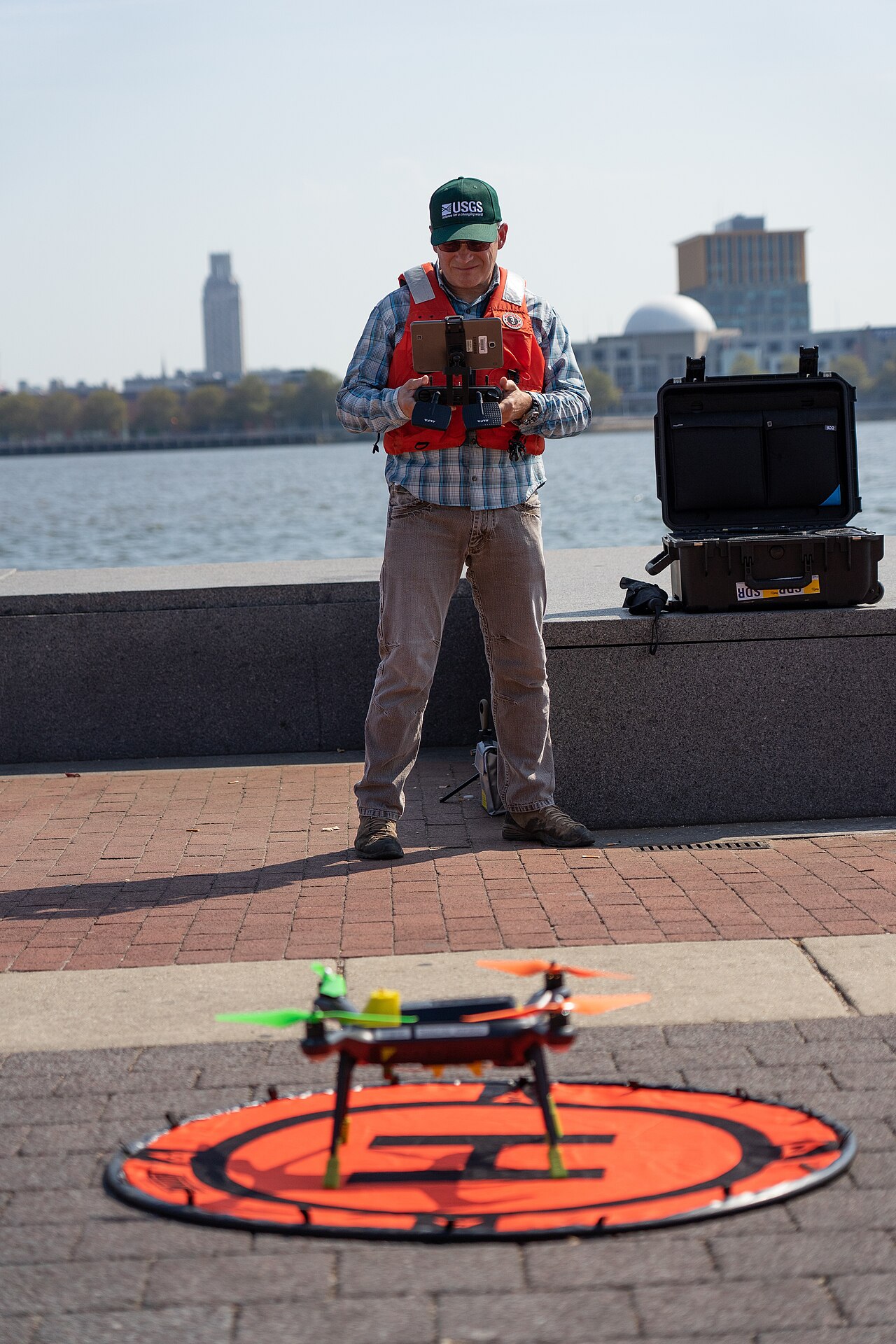
- Wikimedia Commons, "USGS employee prepares unmanned aerial vehicle for takeoff.jpg" - real USGS field photograph used as the article image source.
- GitHub API,
OpenDroneMap/ODMrepository metadata sampled on 2026-06-06 - stars, forks, open issues, and push timestamp. - GitHub releases,
OpenDroneMap/ODMv3.6.0 - release timestamp and release-note scope used for the freshness check.