GStreamer is usually introduced as a multimedia framework, which is accurate but undersells the design. The more useful way to read it is as a negotiation engine for media systems. It lets applications assemble sources, demuxers, parsers, decoders, filters, encoders, muxers, sinks, and hardware-specific pieces into one graph, then makes those pieces agree on data shape, timing, state, errors, and latency before frames and samples can move reliably.
That distinction matters in 2026 because media stacks are getting less uniform, not more. A desktop player might touch Wayland color management, HDR metadata, Vulkan decode, software AV1, subtitles, and a browser surface. A production pipeline might combine capture cards, ancillary data, WebRTC, translation, speech-to-text, object detection, VMAF scoring, adaptive streaming, and cloud services. GStreamer's 1.28 release notes show that expansion clearly: AMD HIP support, Vulkan Video improvements, Rust-based inference and audio elements, WebRTC work, speech plugins, ST-2038 ancillary data handling, and new elements across containers and sinks all landed in the same release family.[1] Phoronix's independent release coverage read 1.28 the same way: not as one killer feature, but as steady widening of a mature open-source media substrate.[7]
The adoption question is therefore not "Does GStreamer know enough codecs?" The sharper question is whether your application needs media work to stay composable after the easy cases end. If the answer is yes, the architecture to inspect is not the feature list. It is the contract between elements, pads, caps, the pipeline clock, and the bus.
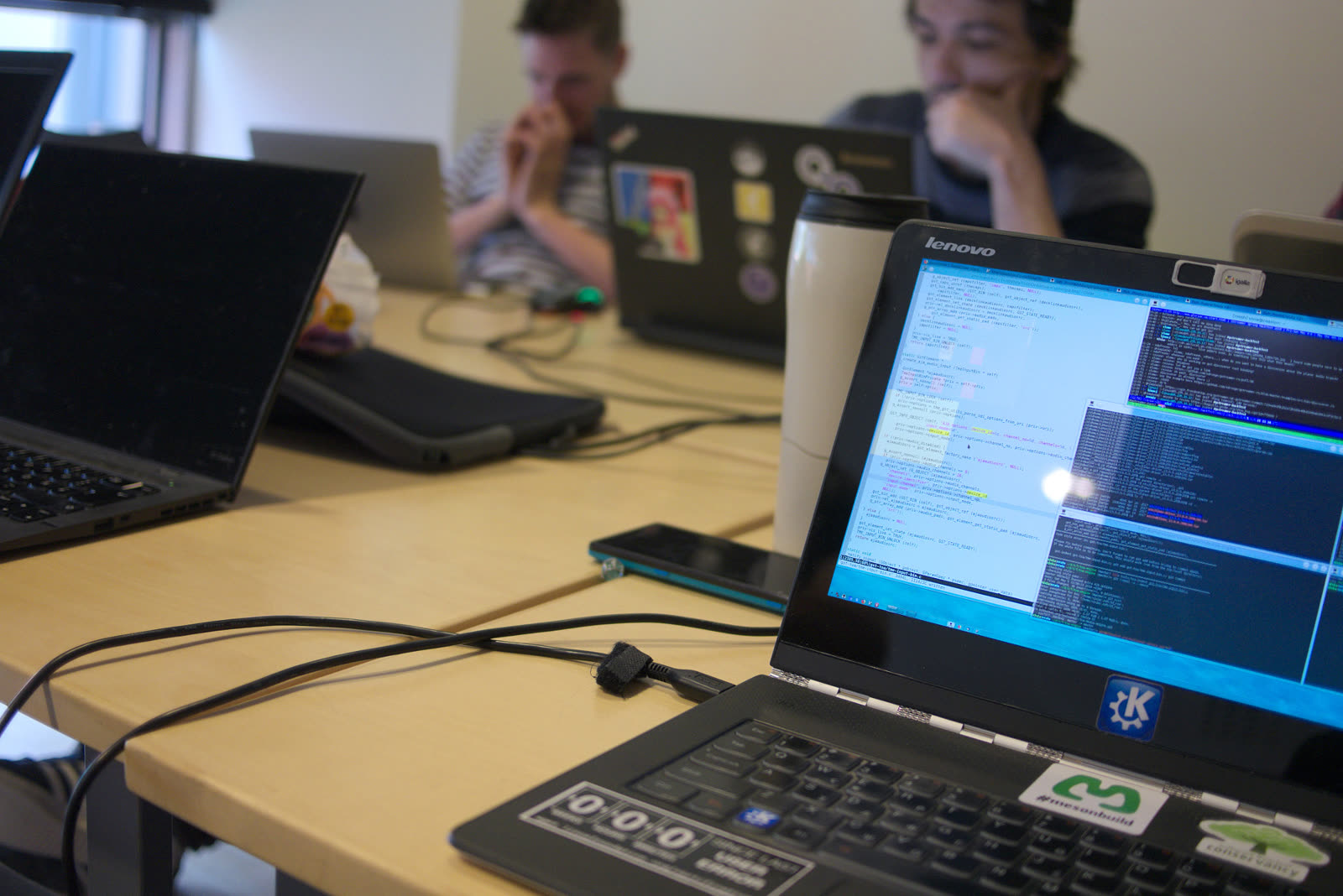
Image context: the cover photograph shows people at a GStreamer Spring hackfest, not a diagram of a media graph. That is deliberate. GStreamer's hard problem is social as well as technical: many independently maintained elements must keep behaving like one media system when linked together by applications.[8]
Elements Make Media Work Replaceable
The GstElement is the practical unit of composition. GStreamer's application-development guide describes elements as the building blocks of a pipeline: decoders, encoders, demuxers, outputs, and other high-level components all appear as elements from the application's point of view.[2] That is the first boundary worth preserving. If a media stack hard-codes every step as local application logic, a new codec, sink, parser, or hardware path becomes a rewrite. If the stack treats each step as an element, the application can change graph shape without pretending every operation is the same kind of code.
This is why a simple launch-line demo can mislead new adopters. A line like filesrc ! decodebin ! videoconvert ! autovideosink looks like a shell trick, but it is really a compact expression of ownership. The source owns byte input. Autoplugging elements discover what kind of stream appears. Converters handle format transitions. The sink owns final presentation. The application does not need to understand every codec-specific branch as long as the graph's contracts are explicit.
The design becomes more valuable when the graph is not simple. A capture workflow may need one branch for preview, another for recording, and another for live streaming. A computer-vision application may need decoded frames for inference while preserving timestamps for output. A broadcast pipeline may need ancillary metadata to travel alongside video. In each case, the core advantage is not that GStreamer hides complexity. It gives complexity a place to live.
The boundary condition is also clear. GStreamer is a poor fit when an application only needs one narrow decode path and the team wants a tiny dependency surface. It becomes compelling when media behavior changes by device, platform, stream, codec, output target, or operational mode. That is where element composition stops being ceremony and starts being risk control.
Pads And Caps Are The Real Interface
Elements are only useful because they do not connect by hope. They connect through pads. The pads documentation frames pads as the outside-facing interfaces of elements: source pads produce data, sink pads receive it, and their availability can be always present, created sometimes, or requested by the application.[3] That small classification explains a lot of real GStreamer behavior. Some media graphs are static. Others reveal their shape only after a demuxer discovers streams. Others require explicit request pads for branches, mixers, muxers, or dynamic routing.
Capabilities, or caps, are the second half of the interface. Caps describe the media type and properties that can flow through a pad, and negotiated caps describe what is actually flowing once the graph is set up.[3] This is the point where GStreamer becomes more than a chain of callbacks. A link is valid only if the connected pads can agree on format. A raw video stream is not just "video"; it may carry pixel format, width, height, colorimetry, memory type, framerate, and other constraints. An audio stream is not just "audio"; layout, rate, format, and channel structure matter.
That is why many hard GStreamer bugs feel like negotiation bugs. The application may have the right elements in roughly the right order, but one branch cannot settle on caps, one hardware sink expects a different memory feature, or a dynamic pad appears after the application already assumed the graph was complete. Treating caps as the real API changes debugging posture. You stop asking only "Why did this element fail?" and start asking "What did this pad promise, what did its peer accept, and where did negotiation narrow the stream?"
The 1.28 release notes reinforce that this model is still central. New analytics components use tensor negotiation to validate compatibility earlier. Vulkan Video caps are generated from actual hardware and driver capabilities. ST-2038 and metadata handling show up as stream types and caps-level behavior rather than as out-of-band magic.[1] Those changes are all different features, but they point to the same principle: media systems scale when compatibility is negotiated at explicit boundaries.
The Pipeline Owns Time
If pads and caps make data compatible, the pipeline makes time coherent. The GstPipeline API documentation describes the pipeline as the top-level container for the filter graph and says it manages a global clock while providing a bus to the application.[4] The design note adds the operational detail: during the state change into playback, the pipeline selects a clock, sets base time, calculates latency, distributes timing information, and coordinates state transitions across its children.[5]
This is where GStreamer differs from a simple function chain. Media is not only bytes transformed in order. It is synchronized time. Audio and video must align. Live inputs must pace against a clock. Network sources drift. Hardware devices expose their own timing behavior. Non-real-time transcodes may want throughput rather than wall-clock playback. Sinks may need latency queries. The pipeline is the place where those timing pressures become one contract.
For application engineers, this has two practical consequences. First, state changes are not incidental. Moving from NULL to READY, PAUSED, and PLAYING is how resources, preroll, timing, and clock selection become meaningful. Second, timestamps are part of the data path. If an application injects buffers through appsrc, branches through queues, or synchronizes multiple live sources, it has to respect pipeline time instead of treating frames as anonymous blobs.
This is also why GStreamer can feel strict. It will surface timing mistakes that a hand-written prototype might ignore until users see drift, stutter, or missing frames. That strictness is a feature when the product must support live capture, conferencing, playout, synchronized recording, or real-time analysis. It is less attractive for one-off batch processing where an application can own the whole loop more simply.
The Bus Keeps Threads Out Of Application Logic
The bus is the other top-level pipeline contract. GStreamer's bus documentation explains that the bus forwards messages from streaming threads into the application's thread context, so an application does not need to become thread-aware just to receive errors, end-of-stream messages, state changes, tags, or other pipeline messages.[6] Every pipeline has a bus by default, and applications attach handlers or poll it depending on their main-loop model.[6]
That design choice is easy to overlook until something fails. A media pipeline is heavily threaded internally. Decoders, sources, queues, sinks, and hardware components may run in different execution contexts. If every element reported directly into arbitrary application code from its own thread, ordinary error handling would become hazardous. The bus gives the application one controlled surface for lifecycle and diagnostics.
For production systems, bus handling is not boilerplate. It is where media infrastructure becomes observable. A player that ignores bus errors will look like it "just stopped." A capture service that logs element messages without context will be hard to debug under device churn. A live-streaming application that treats end-of-stream, clock loss, state changes, and warning messages as the same event will recover badly.
The correct posture is to design bus behavior early. Decide which messages terminate a pipeline, which trigger retries, which require user-visible state, which should be exported as metrics, and which should be sampled into logs. When the graph becomes dynamic, the bus is also where your application learns that one branch failed while the rest of the process is still alive.
Where GStreamer Fits In 2026
GStreamer is strongest when a team needs media graphs to stay modular under changing formats, devices, and platforms. It fits products that ingest or emit multiple stream types, applications that need hardware acceleration without hard-coding one vendor path, systems that need live timing, desktop software that crosses Linux display-server and codec boundaries, and services where media metadata matters as much as frames.[1][4][5]
It is weaker when the team wants the smallest possible dependency, one fixed codec path, or a fully managed black-box player. GStreamer gives control, but control brings negotiation, state, plugin selection, and debugging responsibilities. A team adopting it should be ready to inspect pads and caps, understand state changes, read bus messages, and test pipelines with the same seriousness it gives API contracts.
The cleanest pilot is a pipeline where replacement matters. Start with one concrete media path: camera to preview and recording, file import to analysis, WebRTC ingest to transcription, or decode to GPU presentation. Draw the elements. Identify dynamic pads. Write down the caps you expect at each boundary. Decide who owns timing. Build bus handling before the demo is declared done. Then change one real-world variable: a different camera, codec, container, sink, or hardware target.
That is where GStreamer earns its place. It is not just a multimedia toolbox with a long plugin shelf. It is a system for making independent media components negotiate enough shared reality to run as one pipeline.
Sources
- GStreamer, "GStreamer 1.28 Release Notes" - 1.28.0 release date, 1.28.3 bug-fix status, plugin additions, analytics negotiation, Vulkan, WebRTC, speech, and container changes.
- GStreamer Application Development Manual, "Elements" -
GstElementas the basic building block for source, decoder, encoder, demuxer, and sink components. - GStreamer Application Development Manual, "Pads and capabilities" - pad direction, pad availability, caps, caps filtering, and negotiation concepts.
- GStreamer API reference, "GstPipeline" - top-level filter graph container, global clock management, bus access, and pipeline APIs.
- GStreamer design documentation, "GstPipeline" - clock selection, running time, base time, latency calculation, and state-change behavior.
- GStreamer Application Development Manual, "Bus" - message forwarding from streaming threads into application context and main-loop usage.
- Michael Larabel, "GStreamer 1.28 Released With More Rust Code," Phoronix, January 27, 2026 - independent release coverage and summary of new Rust, inference, looping, container, and plugin work.
- Wikimedia Commons, "Computer With People At The Gstreamer Spring 2018 Hackfest (257698651).jpeg" - real photograph by Oliver Propst used as the article cover image source.
Editor’s Pick Review
This piece earns the standard editor-pick slot because it turns a technical framework article into a clear architecture judgment. The strongest move is the shift from feature inventory to negotiated contracts: elements, pads, caps, the pipeline clock, and the bus each become a place where media complexity is made explicit. That gives the article practical value for engineers without flattening it into a setup guide, and the 2026 release evidence is used to show why the model still matters under GPU, WebRTC, speech, analytics, and heterogeneous-device pressure.
It also clears the stricter visual bar. The cover is a real GStreamer hackfest photograph, so it grounds the article in the maintenance culture that keeps the plugin ecosystem coherent rather than substituting an analytical diagram. The Chinese version is especially strong for an OSS post: terminology is stable, English technical names remain searchable, and the prose keeps the contract-and-boundary argument readable without turning into literal translation or jargon drift.