GIMP is easiest to argue about when it is treated as a Photoshop replacement scorecard. That frame misses the useful engineering story. The important change in GIMP 3.x is not that every professional image-editing gap disappeared. It is that the editor's internal contract became much more explicit: filters can stay live, layer types can remain editable, plug-ins have a clearer v3 API surface, and GEGL and babl sit closer to the center of the image pipeline.[1][2][3]
That makes GIMP worth reading as an architecture note. A bitmap editor has to reconcile contradictory demands: photographers want high-bit-depth color paths, illustrators want brush responsiveness, retouchers want reversible effects, extension authors want stable APIs, packagers want predictable dependencies, and long-time users want old XCF files to keep opening. GIMP 3.0 and 3.2 do not solve all of those pressures, but they move the boundary from "tools that immediately alter pixels" toward "operations that remain visible enough to revise."[1][2]
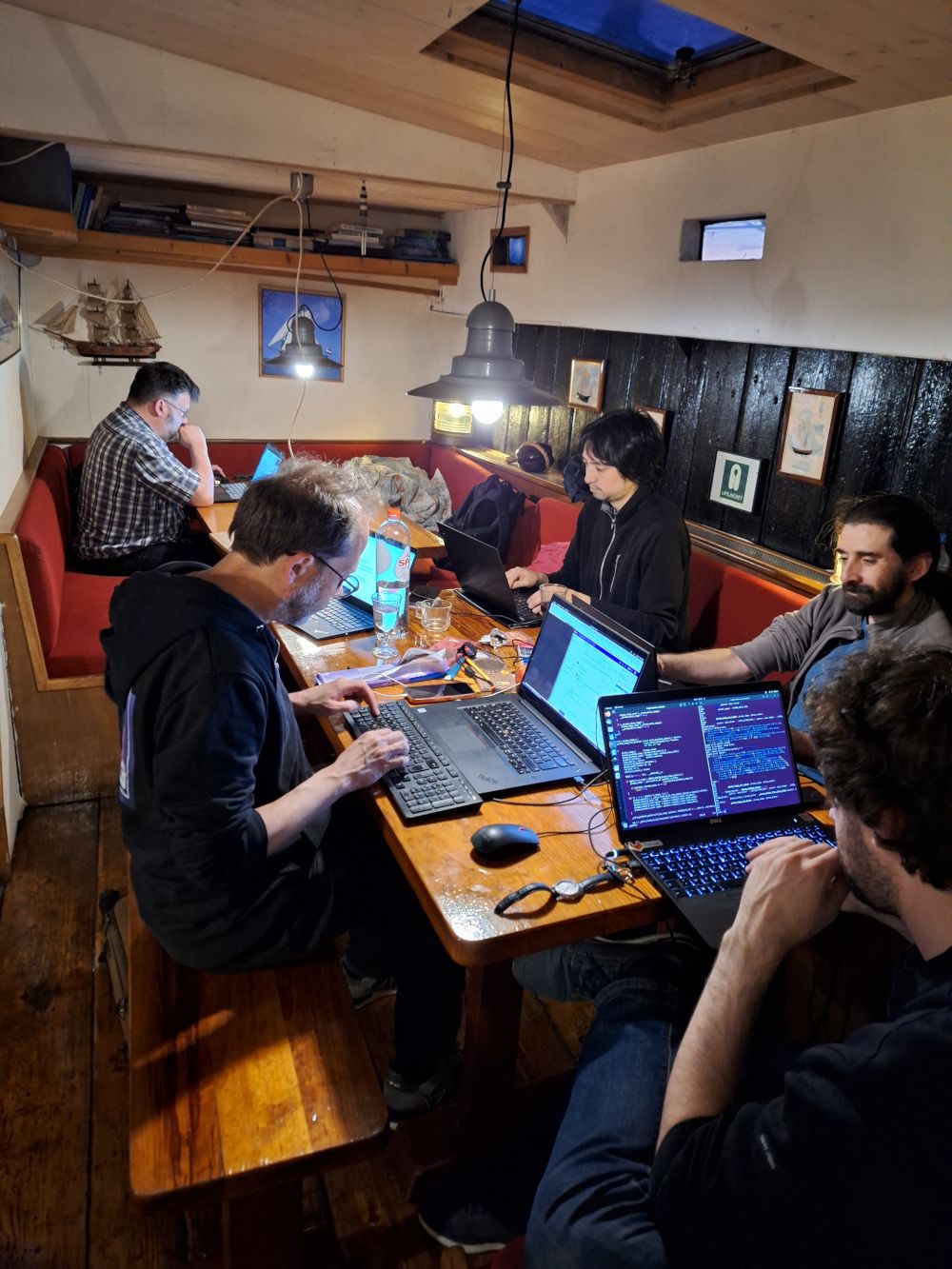
The cover photo comes from GIMP's Wilber Week 2023 report, where contributors met after a long pause and worked through bugs, plug-in API work, GTK and Wayland issues, color-management discussions, and GEGL integration.[8] That setting is a useful reminder: this is not a vendor suite with a single product manager forcing a clean yearly story. GIMP changes by aligning a graphics stack, a file format, a volunteer developer base, and user muscle memory.
The 3.x shift is editability
GIMP 3.0 introduced non-destructive filters as a default workflow. The release notes describe the old behavior plainly: in GIMP 2.10, filters were merged onto the layer, so changing parameters later usually meant undoing or reapplying work. In 3.0, most GEGL filters can remain active, be toggled, edited, selectively deleted, or merged down when the user wants destructive output.[2]
GIMP 3.2 extends that idea from filters to layer identity. The release's central roadmap item was non-destructive layers: text layers, new link layers, and new vector layers now share a workflow where destructive edits require a conscious Rasterize step, and that rasterization can be reverted in supported cases.[1] Link layers let an external image stay connected to a composition, so an SVG logo edited elsewhere can update inside GIMP. Vector layers let paths carry stroke and fill settings without immediately becoming pixels.[1]
The point is not that GIMP suddenly became a node compositor. It is still a layer-based image editor. The architectural change is smaller and more practical: more objects in the document now have an editable contract before they become raster data. That is the boundary artists notice when a text layer survives, a filter stack can be reopened, or a linked asset can update without rebuilding a whole composition.
GIMP 3.2 also makes non-destructive filters less isolated. Filters can be applied to channels, layer groups, and the new non-destructive layer types. An empty layer group in Pass through mode can receive an NDE filter that affects layers below it, which the release notes explicitly frame as a way to recreate an adjustment-layer style workflow.[1] That is not only a feature. It is a sign that the layer stack is becoming a place where operations can be staged, not only a pile of painted results.
GEGL is the processing boundary
The project language around GEGL is precise. The developer API page calls GEGL GIMP's image-processing engine and babl its pixel encoding and color-space conversion engine.[3] The plug-in guide goes further: GEGL filters are also known as GEGL operations or layer effects, and GEGL supports sequences or graphs of operations.[4] In practice, that is the reason non-destructive filters are possible at all. Parameters can remain attached to an operation, and the visible result can be recomputed without overwriting the original layer immediately.
This is why the most important GIMP 3.x question is not "Which menu item is new?" It is "Which edits are now represented as operations?" GIMP 3.2's new Vibrance filter, for example, comes through the GEGL path and can be reached through GEGL Operations or action search.[1] For script and plug-in developers, 3.2 adds a GEGL Filter Browser so filter names, parameters, data types, and descriptions are easier to discover when building non-destructive operations.[1]
The independent LWN preview of GIMP 3.0 captured the same architecture shift before the stable release landed: GIMP was increasing its integration with GEGL, gaining the first stable non-destructive editing workflow, and improving performance and color-management foundations through the graphics stack rather than through surface UI changes alone.[6] That matters because the practical limit of non-destructive editing is not a label in the Layers dock. It is whether the underlying operation can preserve enough information, recompute quickly enough, and behave consistently across color spaces.
There is a real adoption boundary here. GEGL-backed filters are strongest when the operation fits the graph model. Some older workflows, file-format plug-ins, or one-shot scripts still behave more like destructive procedures. A team writing extensions should decide early whether it is building a visual effect that belongs as a GEGL operation, an import/export or automation plug-in that belongs in GIMP's plug-in system, or a script that should simply call existing procedures. Treating all extension work as "a plug-in" hides the boundary the new docs are trying to expose.[4]
Plug-ins are not one mechanism
GIMP's plug-in model is often discussed as if every extension were the same kind of thing. The developer guide deliberately separates them. A GEGL filter is usually a C or C++ shared library for visual effects and binds to GEGL. A GIMP C plug-in can handle any role, including import and export, and links to GIMP and GEGL. A Python or other introspected plug-in can use GObject Introspection. Script-Fu remains a Scheme path for scripting.[4]
The loading model is just as important. The same guide distinguishes filters loaded by GEGL and run in the GIMP process from plug-ins loaded by GIMP and run in a separate process or interpreter.[4] That choice affects crash isolation, debugging, packaging, and what kind of user interface can be provided. It also affects non-destructive behavior: GEGL filters are inherently non-destructive, while other plug-ins can participate in layer effects only when built through the right APIs and contracts.[4]
GIMP 3.2 sharpens the developer path. The release notes say GIMP 3.0 introduced GimpDrawableFilter for scripts to create non-destructive filters, and 3.2 adds the GEGL Filter Browser plus new public API surface. The same section names GimpLinkLayer, GimpVectorLayer, new PDB access for text outline options, GimpCurve objects for the curves filter, and 111 new libgimp functions with no removals because the API is guaranteed stable across the v3 series.[1]
That is the part extension maintainers should read closely. The v3 API is not just a porting chore after the GTK 3 move. It is a stronger separation between procedure calls, filters, layer objects, resources, and generated plug-in dialogs. The 3.2 notes also deprecate older drawable functions in favor of applying named filters such as "gimp:curves", "gimp:levels", "gegl:invert-linear", and "gimp:hue-saturation" directly.[1] The architecture is telling plug-in authors to stop treating color and layer edits as opaque commands when they can be represented as filter operations.
The failure mode is predictable. A studio or Linux distribution can install GIMP 3.x and still carry a brittle old plug-in estate. If those extensions assume one selected drawable, ignore run modes, open dialogs during batch work, or rely on older destructive procedures, the user experience will feel inconsistent. The guide's "well-behaved plugins" section is not etiquette. It is an operating contract: respect run mode, image mode, and active layers so GIMP can enable, disable, or run procedures sensibly.[4]
GTK 3 was infrastructure, not paint
The GTK 3 port is easy to dismiss as a UI modernization story. It is more than that. GIMP's 3.0 release notes say one main goal was moving from GTK 2 to GTK 3, and that the effort touched every aspect of the user interface. The benefits include HiDPI scaling, tablet input, CSS themes, native Wayland support, and bug fixes that could not be backported to GTK 2.[2]
Those details matter because image editors are input devices as much as windows. A brush stroke, a tablet event, a high-DPI monitor, a color picker, a dock, a gesture, and a Wayland cursor all meet in the UI toolkit before the user thinks about file formats. LWN made the same point in preview form: GTK 3 brought Wayland compatibility, HiDPI scaling, multitouch input, and better behavior for complex peripherals such as drawing tablets.[6]
The post-3.0 maintenance stream shows why this was not a one-release victory lap. GIMP 3.2.4, released on April 19, 2026, focused on bug fixes and UX updates, including more cases where tools accidentally rasterized link, text, or vector layers; fixes for XCF compatibility; image import security hardening; Wayland cursor behavior; and a new Windows WIA scanner plug-in after 32-bit Windows builds were dropped.[5] Phoronix's independent coverage highlighted the same themes: the 3.2.4 point release was mainly about fixing rasterization edge cases, XCF behavior, crashes, and Wayland issues.[7]
That is what a platform transition looks like when it is real. The project does not only ship link layers and declare victory. It then has to make crop, fill, text, XCF loading, import plug-ins, scanners, cursors, and selection performance obey the new boundaries. Non-destructive layers are only convincing when ordinary tools stop accidentally turning them into pixels.
Where GIMP fits
GIMP 3.x is strongest when the user wants a local, inspectable image editor whose core objects are becoming more editable over time: layer effects, linked assets, vector paths, text, file-format plug-ins, and scripts. It is also strong for teams that care about open file workflows, Linux-first packaging, automatable edits, and an extension model that can be audited rather than rented.
It is weaker when the requirement is "Photoshop parity by Friday." The 3.2 release adds real compatibility work, including PSB export, more Photoshop layer-style import, Photoshop preset import for curves and levels, JPEG 2000 export, better archival and game texture format support, CMYK selector improvements, and RAW handoff through ART alongside darktable and RawTherapee.[1] Those are useful bridges. They do not remove the need to test the exact production chain: XCF round trips, linked assets, print handoff, tablet behavior, color profiles, plug-ins, and batch scripts.
For an individual artist, the practical adoption path is simple: use 3.2 or later, test the NDE filter stack on real work, keep XCF as the project file, rasterize deliberately, and learn where GEGL-backed filters differ from old one-shot effects. For a team, the path is stricter: inventory plug-ins, port scripts to the v3 API, decide which effects should become GEGL filters, run compatibility tests on representative files, and keep a rollback path for critical production jobs.
GIMP's open-source value is not that it became a perfect clone of anything else. Its value is that the editing pipeline is becoming more legible. GEGL handles operations. babl handles pixel formats and color conversion. GTK handles modern input and display behavior. The v3 API gives plug-ins a steadier target. The layer stack can now hold more intent before it turns into pixels. That is the right way to read GIMP in 2026: not as a toolbox frozen in old arguments, but as an image pipeline learning how much of an edit it can keep alive.
Sources
- GIMP, "GIMP 3.2 Release Notes" - non-destructive layers, link layers, vector layers, NDE filter updates, GEGL Filter Browser, public API additions, and file-format changes.
- GIMP, "GIMP 3.0 Release Notes" - GTK 3 port, non-destructive layer effects, GEGL-backed filter workflow, Wayland support, and 3.0 platform changes.
- GIMP Developer, "API References" - GIMP 3.0 API, babl as pixel encoding and color-space conversion engine, and GEGL as image-processing engine.
- GIMP Developer, "About Plug-ins and Filters" - filter versus plug-in terminology, GEGL operations, loading model, NDE behavior, PDB role, and plug-in contracts.
- GIMP, "GIMP 3.2.4 Released," April 19, 2026 - bug fixes, rasterization edge cases, XCF compatibility, security hardening, Wayland fix, scanner plug-in, and release stats.
- Roland Taylor, "GIMP 3.0 - a milestone for open-source image editing." LWN.net, November 28, 2024 - independent preview of GTK 3, GEGL integration, NDE, performance, and color-management implications.
- Michael Larabel, "GIMP 3.2.4 Released With A Fix For Its XCF Code That Has Existed Since 1999." Phoronix, April 19, 2026 - independent 3.2.4 release coverage.
- Jehan, "Wilber Week 2023: report." GIMP, June 29, 2023 - source page for the real Wilber Week retreat photograph and project-context discussion.