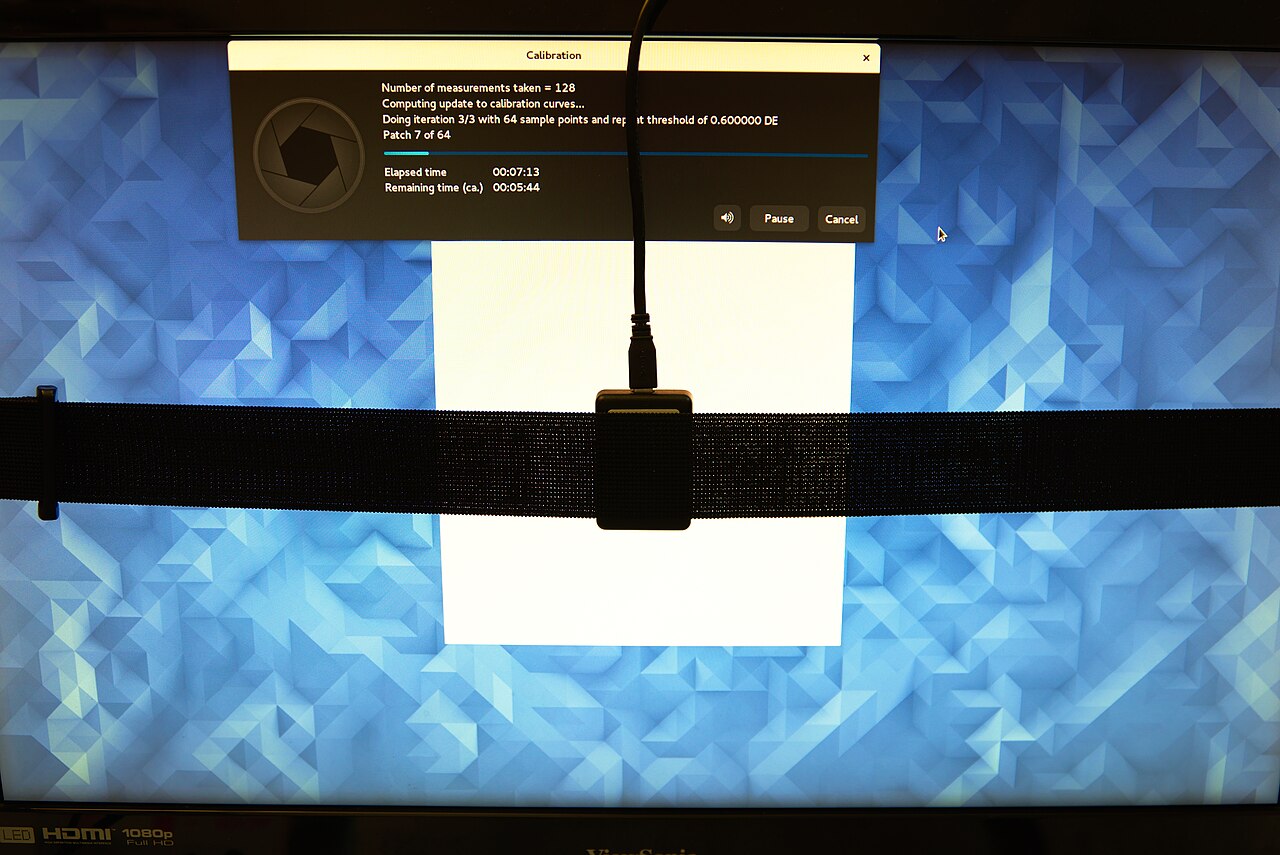
Imagine returning to a photo edit after restarting the computer. The display profile still has the right name, but a neutral gray looks different. ArgyllCMS, Graeme Gill's open-source color-management toolkit, gives this puzzle a useful structure: adjusting a display, measuring its response, and telling other software about that response are separate operations. Following its files explains how the profile can survive while the conditions behind it change.[1][2]
The distinction begins at the screen. Calibration changes behavior; characterization describes behavior. The International Color Consortium explains that calibration establishes the desired response, while the profile communicates the display's color behavior to the rest of the workflow.[2] ArgyllCMS makes those jobs visible through small command-line tools and the records they exchange.
First, establish the state you intend to measure
In the conventional desktop workflow, dispcal helps the operator adjust the monitor and builds calibration curves. These curves alter the red, green, and blue channel responses through the video lookup tables, commonly called VideoLUTs. The saved .cal file records the calibration. With -o, the same tool can also produce a simple shaper/matrix ICC profile; the longer route separates profiling into further steps.[3]
This is already more specific than saying a monitor has been “calibrated.” Some adjustments happen through its physical controls; others depend on curves loaded into the display path. Argyll's dispcal -r measures the current response with the loaded calibration, while -R measures the uncalibrated response. The distinction lets an operator ask which state an observation actually describes.[3]
The room also belongs in the preparation. The ICC advises controlling glare, letting the display warm up, and keeping its controls from being changed inadvertently after adjustment.[2] A brightness button remains capable of changing the screen after the software has finished.
A list of colors becomes a measurement record
For a separate profiling run, targen creates a .ti1 file containing test values. It chooses the colors to request; it does not observe the monitor. Its -d option selects the device color space, and options for white, black, gray, and distributed patches shape the sampling. A target is therefore an experimental design: it determines which parts of the response will be observed.[4]
Sampling matters because a profile must describe more colors than the instrument can practically measure one by one. Argyll's usage guide explains that profiling relies on a limited set of samples and interpolation between them.[8] Increasing the patch count changes the evidence available to the model, but it cannot make an unstable screen hold still.
dispread then presents the patches, reads the instrument, and writes a .ti3 measurement file. In the usual calibrated workflow, -k file.cal loads the specified curves into accessible VideoLUTs and carries their calibration data into the measurement record. Without -k or -K, it measures whatever calibration state is present and saves no calibration information.[5]
That last detail explains a subtle failure. A completed measurement run may be perfectly real yet insufficiently connected to a reproducible display state. The filenames alone cannot establish which curves were active.
Build the description from the observations
colprof turns the .ti3 measurements into an ICC profile. Its choices include a shaper/matrix model and multidimensional lookup-table models. The documentation explicitly connects profile choice to application compatibility: -aX, for example, can create display XYZ lookup-table tags alongside fallback shaper/matrix tags.[6]
The output can also carry the calibration. When the input contains calibration curves and marks the VideoLUTs as accessible, colprof stores those curves in a vcgt tag. One profile file can consequently hold both a description of the measured display and curves needed to restore its calibrated state.[6]
Packaging them together does not merge their jobs. The characterization is used for color conversion; the calibration must reach the appropriate display controls. A file can preserve both while the running system applies only part of what the workflow needs.[2][7]
There is a similarly useful distinction in the build report. With verbose output, colprof reports how closely the resulting profile fits its input measurements.[6] That is evidence about the fit. It is not a fresh observation of the screen after a restart.
Loading curves is a different test from measuring light
dispwin handles another handoff. Its -I option installs a profile for the selected display and applies its calibration; -L loads calibration from the installed profile. The documentation also warns that other calibration loaders can interfere with its control on Windows.[7]
Crucially, dispwin -V checks whether the loaded lookup-table calibration matches the supplied calibration or profile. It does not use a colorimeter to establish that the monitor is still emitting the expected light.[7] A matching table and a changed brightness setting can coexist. The former answers a software-state question; measuring patches answers a physical one.
My practical inference is that a small photography or digitization team should preserve the measurement files, calibration, chosen monitor settings, and resulting profile together. Someone comfortable with the command line must own that record and know how the display is selected. For a shared workstation, restoring the curves after a restart and checking the actual application are part of the handoff.
The boundary is the display path
This account follows ArgyllCMS's documented workflow with accessible VideoLUTs, consulted on October 19, 2026. It is not a universal recipe for every desktop compositor, HDR mode, or remotely driven screen. Argyll describes alternatives when lookup-table access is unavailable, including profiling without calibration and incorporating calibration elsewhere in the processing chain.[8]
Even displaying the patches has consequences. dispread -dweb serves them to a browser, but that route lacks VideoLUT access and can be affected by the browser's own color management.[5] The instrument measures the light produced by the whole route it is given.
For the photographer returning to that gray patch, ArgyllCMS offers a sequence of answerable questions: which state was measured, which profile describes it, which calibration is loaded, and what does the instrument see now? Its separate tools keep the evidence for those answers available. A familiar profile name is only the beginning of the investigation.
Sources
- Graeme Gill, ArgyllCMS documentation index, V3.5.0 — project scope, command-line tools, and supported instruments, including ColorHug2; consulted October 19, 2026.
- International Color Consortium, “Display calibration” — independent explanation of calibration, profiling, viewing conditions, and the display workflow.
- ArgyllCMS, “dispcal” — adjustment, calibration files, optional profile creation, and current versus uncalibrated measurement; consulted October 19, 2026.
- ArgyllCMS, “targen” — device color spaces, test-patch composition, and
.ti1output; consulted October 19, 2026. - ArgyllCMS, “dispread” — measurement records, calibration handling, and browser-based patch display; consulted October 19, 2026.
- ArgyllCMS, “colprof” — profile models, fallback tags, calibration storage, and fit reporting; consulted October 19, 2026.
- ArgyllCMS, “dispwin” — profile installation, calibration loading, and the scope of lookup-table verification; consulted October 19, 2026.
- ArgyllCMS, “Usage Scenarios” — display profiling in separate steps, sampling precision, and workflows without VideoLUT access; consulted October 19, 2026.
- MathieuMD, “ColorHug2 - 03.jpg,” Wikimedia Commons, May 27, 2017 — photograph of the instrument attached to a monitor, with provenance and CC BY-SA 4.0 attribution.