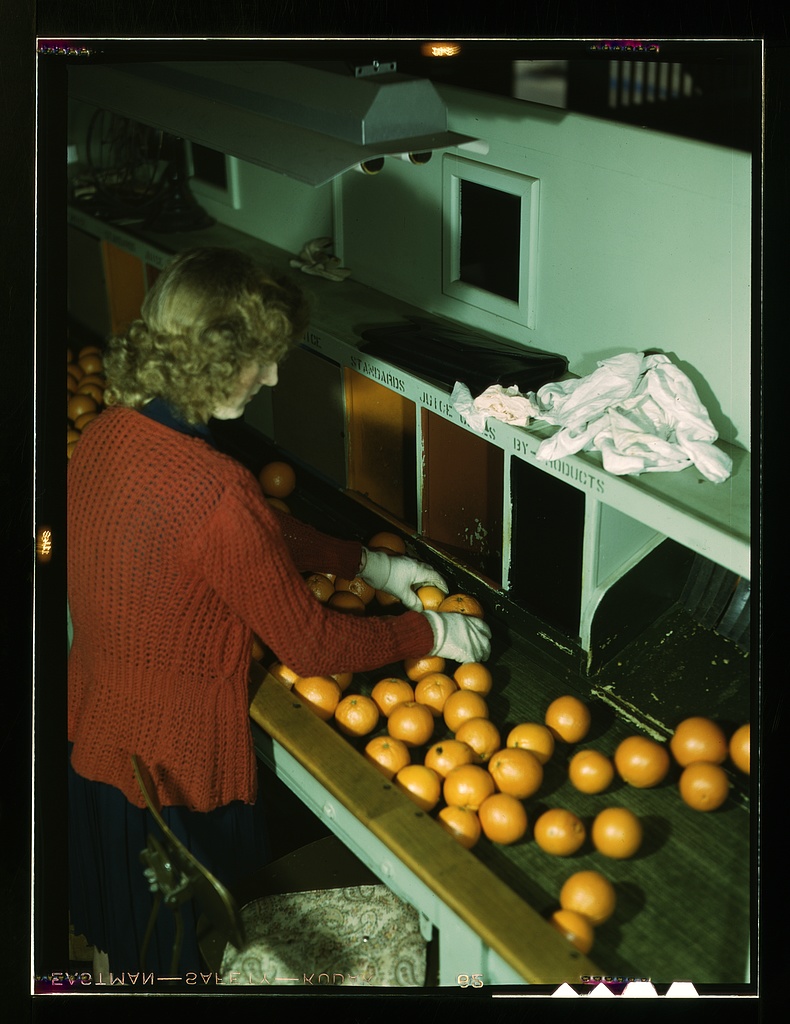
In March 1943, Jack Delano photographed a woman in a red cardigan grading oranges at a packing plant in Redlands, California. Suppose a picture editor opens a scan like this one and the fruit looks wrong. A colleague suggests saving the file as sRGB for the web. Before the editor touches a pixel, there is a question to settle. What did the red, green and blue numbers in the file mean to the scanner software that wrote them? Give the open-source color engine Little CMS two different answers and it will calculate two different oranges. [1][2]
One swatch through two transforms
Start with a single pixel whose eight-bit RGB values are (192, 96, 32). Tell Little CMS that the pixel came from an sRGB file and ask for sRGB output. The result is (192, 96, 32). Now give the engine the same three bytes, identify their source as Display P3, and again ask for sRGB. This time the result is (206, 89, 0). Both outputs can go to the same web page with the same sRGB label. The disagreement arose at the input. [2][3][4]
An ICC profile supplies the connection between stored channel values and a shared color reference. Display P3 and sRGB use different red and green primaries. Even if both files devote eight bits to red, a value of 192 contributes a different color in each space. The shared reference, called the profile connection space, gives the engine a way to join the source profile to the destination profile. An application can ask for that whole trip as one transform. It has no need to write a halfway image to disk. [2][5]
Here is the second pass in Python, using Pillow’s interface to Little CMS and the two named files from the Compact ICC Profiles collection. I used Little CMS 2.19 and relative colorimetric rendering for both passes. To reproduce the first pass, use sRGB-v4.icc for both profiles. [3][4]
from PIL import Image, ImageCms

to_web = ImageCms.buildTransform(
    "DisplayP3-v4.icc", "sRGB-v4.icc", "RGB", "RGB",
    renderingIntent=ImageCms.Intent.RELATIVE_COLORIMETRIC,
)
swatch = Image.new("RGB", (1, 1), (192, 96, 32))
print(ImageCms.applyTransform(swatch, to_web).getpixel((0, 0)))
The two calls do different amounts of work. Building the transform settles which profiles, pixel formats and rendering intent to use. Applying it runs pixels through that decision. An archive can reuse the transform across a tray of scans made with the same settings and source profile. If the next tray arrives tagged with a different scanner profile, its files can still open as ordinary RGB images. Reusing the old transform would quietly interpret every pixel according to the first scanner. [3]
Where a shade disappears
Change just the blue value of the Display P3 swatch from 32 to 16 and run it again. The sRGB result is still (206, 89, 0). Raise blue to 40 and the output finally moves, to (206, 89, 12). Some saturated colors available in Display P3 fall outside the range sRGB can describe. Here the blue channel has reached its lower limit. Two distinct source swatches now occupy the same three bytes. Given only that web copy, even an editor who knows exactly which profiles were used cannot tell which swatch went in. [3][4][5]
That leaves the picture editor with two distinct repairs. If the scan lost its tag and the digitization record identifies its encoding, assigning the documented profile restores the meaning of the existing numbers. If the scan already has the right tag and the editor needs an sRGB copy, converting it calculates destination values, and embedding the destination profile tells the next reader how to interpret them. A conversion can carry a known color into a new file within the limits of its gamut. It cannot establish what color the scanner operator meant in the first place. That answer belongs in the digitization record, where the next editor can find it. [5][6]
Sources
- Library of Congress, Jack Delano’s photograph of orange grading in Redlands, March 1943, from the library’s Flickr Commons collection.
- Little CMS, project repository and description of the open-source ICC transform engine.
- Pillow, ImageCms module reference for transform construction, application and rendering intents.
- Clinton Ingram, Compact ICC Profiles, including the Display P3 and sRGB v4 profiles used in the swatch test.
- International Color Consortium, introduction to the profile connection space and color rendering.
- Adobe, assigning and converting document color profiles in Photoshop.