WordPress is easy to underestimate if you still read it as a blogging tool that happened to become a CMS. In 2026, the more useful map is bigger and more operational: WordPress is a governed plugin economy with a release train, a block-editor application layer, a massive extension directory, a security coordination surface, and a hosting ecosystem that has to absorb change without breaking half the web.
That scale is not rhetorical. W3Techs' July 5, 2026 survey says WordPress is used by 41.5% of all websites and by 59.2% of sites whose CMS is known.[7] The WordPress.org Plugin Directory says users can browse over 66,000 free plugins.[4] WordPress 7.0, released on May 20, 2026 after a delayed cycle, credits more than 750 contributors and ships changes that touch navigation, AI connectors, visual revisions, patterns, performance, accessibility, fonts, and admin design.[1][2] Those numbers describe a platform where architecture and governance are the same conversation.
The Release Train Is The First Boundary
The first thing to understand is that WordPress moves by release process, not by a single vendor roadmap. The Core Handbook describes a release cycle that usually lasts about four months, moving through planning, development, beta, release candidate, launch, and follow-up minor releases.[3] That sounds ordinary until you remember the deployment surface: small blogs, newsrooms, agencies, universities, nonprofits, WooCommerce stores, managed hosts, custom enterprise stacks, and plugins with years of compatibility assumptions.
The 2026 cycle makes the constraint visible. The handbook says a release cycle usually lasts around four months, but WordPress 7.0 still slipped when the release team needed more time.[3] The release page shows April 9 crossed out, additional release candidates in May, a dry run on May 19, and final release on May 20.[2] The updated schedule framed the delay as a stability and performance decision that needed host feedback and continued testing.[2]
That is the right kind of slowness for this project. A platform at WordPress scale should not optimize for headline speed. It should optimize for release decisions that plugin authors, theme authors, hosts, agencies, and site owners can see early enough to test. The release train is therefore a compatibility contract. If you run WordPress seriously, your operations calendar should track beta windows, release candidates, field guides, plugin test matrices, and managed-host rollout behavior rather than waiting for an admin dashboard badge to appear.[2][3]
Blocks Became The Application Contract
The block editor is now the center of gravity. WordPress 7.0 is not only a content-editing release; it widens the block model into navigation overlays, pattern handling, responsive visibility, icon placement, font management, visual revisions, and performance behavior.[1] The feature list reads like product polish, but the deeper shift is architectural: blocks are how the platform turns content, design controls, reusable patterns, editor state, and extension points into a shared object model.
That matters because WordPress historically let plugins and themes reach into nearly every corner of the experience. The block model does not eliminate that openness, but it gives the ecosystem a more structured place to attach work. A pattern can behave like one block until the user chooses advanced editing. A navigation overlay gets its own canvas. The Connectors screen gives external services, including AI providers, a central management surface rather than leaving every plugin to invent its own credential panel.[1]
For developers, this means "WordPress extension" no longer only means PHP hooks and admin pages. It increasingly means block variations, editor components, design tokens, block bindings, interactivity behavior, REST surfaces, and compatibility with Gutenberg's continuing development path. For site owners, the practical question is not whether the block editor is "good now." It is whether the plugins they depend on respect the block-era contract or keep dragging the site back into shortcodes, brittle page-builder islands, and private settings screens.
The Plugin Directory Is Distribution Plus Law
The plugin directory is the biggest source of WordPress leverage and the biggest source of WordPress risk. Its public page advertises more than 66,000 free plugins, with popular plugins such as Elementor, Yoast SEO, Contact Form 7, Classic Editor, LiteSpeed Cache, and WooCommerce showing multi-million installation footprints.[4] That is why WordPress can feel larger than its core: many sites are assembled from a regulated commons of extensions rather than from one monolithic application.
But the directory is not just a download shelf. The detailed plugin guidelines are a governance layer. They require GPL-compatible licensing, make developers responsible for everything inside the plugin, require a stable directory version, prohibit deliberately non-human-readable code, restrict trialware patterns, require consent for tracking, and bar plugins from sending executable code through third-party systems in ordinary plugin behavior.[5] They also police admin-dashboard abuse, spammy readmes, review manipulation, undisclosed external behavior, and malicious or dishonest conduct.[5]
That policy layer is easy to miss because most users experience plugins through a search box and an install button. Operators should read it differently. WordPress.org is trying to make a giant extension marketplace behave more like public infrastructure than a random ZIP exchange. The directory rules do not guarantee that every plugin is safe, maintained, fast, or compatible. They do create a baseline: source visibility, licensing discipline, directory-hosted distribution, consent boundaries, and removal or closure paths when a plugin violates trust.[5]
The adoption rule follows. A WordPress site is only as governable as its plugin inventory. Serious teams should know which plugins are business-critical, which ones load third-party services, which ones modify authentication or checkout, which ones add block types, which ones are abandonable, and which ones would be hard to replace under a security deadline. WordPress makes extension cheap; operations must make extension deliberate.
Security Is An Ecosystem Operation
WordPress security is often discussed badly because it gets reduced to either "core is safe" or "WordPress sites get hacked." The official security page gives the better map. The project encourages responsible disclosure for core, plugins, themes, and the wider ecosystem; the Security Team works across core hardening, vulnerability resolution, guidance, releases, host coordination, and WAF mitigations; and while only the latest version is officially supported, critical fixes are backported to older versions as a courtesy through auto-updates.[6]
The reporting boundary is intentionally private. Core, plugin, and theme vulnerability reports should be kept confidential and routed through the Security Team, plugin developer and plugins team, or theme developer and theme review team rather than turned into public support threads.[6] That is a mature disclosure model, but it depends on a lot of actors doing their jobs: researchers, core committers, plugin teams, theme reviewers, hosts, firewall vendors, site owners, and update systems.
This is why plugin discipline and host discipline matter as much as core discipline. A site with automatic core updates but a pile of unowned plugins still has a weak control plane. A managed host that can stage, test, and roll out security fixes reduces risk. A team that treats WordPress as "just content" and gives editors unlimited plugin install rights increases risk. In the WordPress ecosystem, security is less a checkbox than a coordination problem.
Market Share Forces Backward Compatibility
The scale numbers explain many WordPress tradeoffs that otherwise look conservative. W3Techs shows both market dominance and version spread: as of July 5, 2026, version 7 accounts for a large share of WordPress usage, while version 6 remains even larger.[7] Its subtechnology table also shows how much of the platform's user experience is mediated by extensions and builders: Elementor and WooCommerce alone represent large visible slices of WordPress sites in that survey.[7]
Those figures are not endorsement metrics. They are compatibility pressure. If WordPress core changes an editor API, a script-loading behavior, a design control, or a security assumption, the effect propagates through themes, plugins, hosting defaults, agency workflows, training material, and end-user habits. That is why WordPress often ships infrastructure in layers: first as Gutenberg work, beta plugins, dev notes, and field guides; then as core behavior once enough of the ecosystem can tolerate it.[1][2][3][4]
For an engineering team, that makes WordPress neither a toy nor a universal platform. It is strong when the problem is content ownership, editorial workflow, marketing-site extensibility, ecommerce adjacency, multilingual publishing, SEO workflows, and a large labor market of people who know the system. It weakens when the problem demands a schema-first application platform, strict deployment immutability, minimal extension attack surface, or a product boundary where every runtime dependency must pass the same internal review as application code.
The Practical Map
The clean adoption question is not "Should we use WordPress?" It is "Which part of the WordPress ecosystem are we actually adopting?"
If the answer is core publishing plus a small controlled plugin set, WordPress can be a stable, pragmatic choice. Track the release cycle, keep staging realistic, test major versions before production, enforce plugin ownership, and make the block editor the main authoring contract.[1][3][5] If the answer is dozens of plugins, multiple page builders, custom checkout, AI connectors, membership logic, analytics tags, and agency handoffs, then WordPress becomes an integration platform. That can still work, but it needs platform operations: inventories, update windows, rollback plans, access controls, audit logging, and a clear rule for when a plugin is no longer acceptable.
The strongest reading of WordPress in 2026 is that its old tradeoff has become explicit. Openness is still the product, but openness now has to be managed through release governance, block contracts, directory policy, security coordination, and host compatibility. WordPress is not merely a CMS with plugins. It is a public software economy whose health depends on keeping those boundaries visible.
Sources
- WordPress.org, "WordPress 7.0" - official release page covering navigation overlays, AI connectors, visual revisions, pattern behavior, performance, accessibility, new blocks, and contributor count.
- Make WordPress Core, "WordPress 7.0" - release squad, delayed schedule, beta/RC milestones, dry run, and May 20, 2026 final release note.
- Make WordPress Core Handbook, "How the Release Cycle Works" - four-month release-cycle model, planning, beta, release candidate, launch, and minor-release process.
- WordPress.org, "Plugins" - Plugin Directory scale, beta/popular plugin examples, active-installation signals, and directory positioning.
- WordPress Developer Resources, "Detailed Plugin Guidelines" - GPL compatibility, directory distribution, readable code, tracking consent, external-code limits, dashboard behavior, and policy enforcement surface.
- WordPress.org, "Security" - Security Team scope, responsible disclosure paths, backport policy, host/WAF coordination, and ecosystem guidance.
- W3Techs, "Usage Statistics and Market Share of WordPress, July 2026" - daily survey of WordPress CMS share, all-site usage, version distribution, and subtechnology usage.
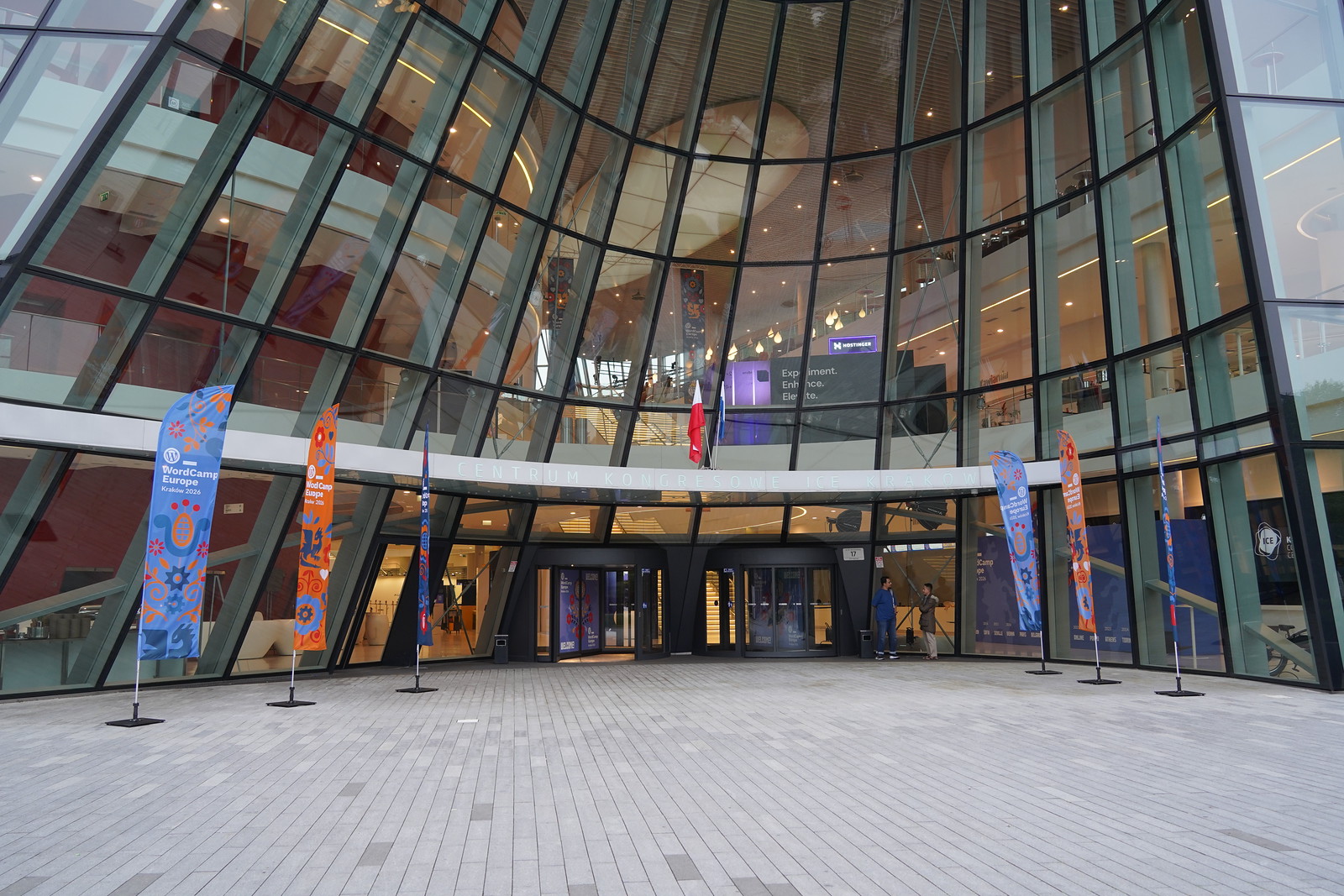
- WCEU on Flickr, "WordCamp Europe 2026 - Contributor Day Morning" - source page for the real June 4, 2026 WordCamp Europe venue photograph used as the article image.