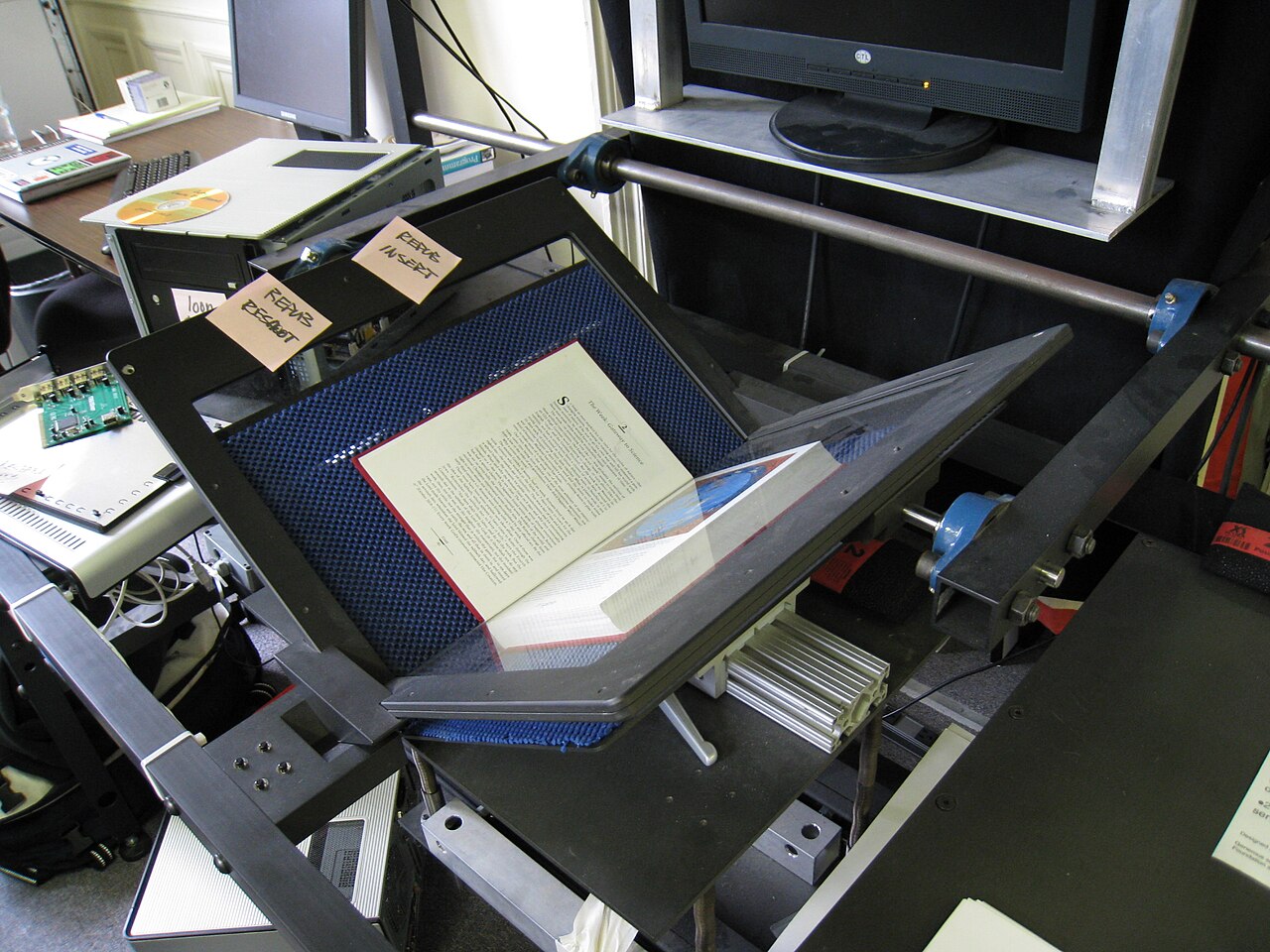
Tesseract is often introduced with a tiny command: point it at an image and get text back. That is useful, but it hides the system. The project is better understood as an OCR pipeline boundary: a scanner or camera produces pixels, Leptonica and Tesseract clean and segment the image, an engine recognizes lines, traineddata constrains language and script behavior, and output renderers decide whether downstream systems receive plain text, hOCR, TSV, ALTO, PAGE, or searchable PDF.[1][2]
That shape matters because OCR failures rarely come from one mystical "bad model" cause. They come from mismatched assumptions. A full page was treated like a receipt. A single line was treated like a book page. A skewed scan entered the engine without correction. A historic font problem was treated as a retraining problem before image cleanup was tested. A downstream search system needed coordinates, but the integration saved only raw text. Tesseract gives teams enough controls to avoid those mistakes, but only if they treat the controls as architecture rather than command-line trivia.
As of this post's creation on 2026-07-06, the public release notes list Tesseract 5.5.2 from December 26, 2025 after 5.5.1 in May 2025 and 5.5.0 in November 2024.[6] The exact point release is less important than the maintenance signal: this is mature infrastructure with a long compatibility tail, not a greenfield OCR API. The adoption question is therefore not "Can Tesseract read this one screenshot?" It is "Can our capture, preprocessing, segmentation, model, and output choices be made repeatable enough that the errors are inspectable?"
The first boundary is input quality
Tesseract's README is blunt about the package shape: it contains libtesseract and a command-line program, supports common image inputs such as PNG, JPEG, and TIFF, and depends on Leptonica for opening and handling image data.[1] The improvement guide then explains why input quality is not a cosmetic step. Tesseract performs internal image processing, but there are cases where its internal processing is not enough; the docs recommend inspecting tessinput.tif via tessedit_write_images, testing image cleanup, and paying attention to rescaling, binarization, noise, erosion, deskewing, and borders.[3]
That is the first engineering lesson. If OCR enters production as a naked call to tesseract, the system has no obvious place to explain failures. If it enters as a pipeline, the team can isolate whether the problem is capture, preprocessing, segmentation, language data, or output interpretation.
The practical input contract should include at least five checks. Preserve enough resolution for the document class; the docs call out 300 DPI as a useful floor for many cases.[3] Normalize rotation and skew before asking the recognizer to infer lines. Keep borders reasonable: tightly cropped text and huge empty borders can both confuse segmentation.[3] Decide whether binarization should be left to Tesseract or handled upstream when paper background is uneven. Store the original image and at least one debug artifact for hard failures, because an unreviewable OCR miss is not a production incident; it is a guess.
Page segmentation is not optional
The strongest Tesseract control for everyday accuracy is often --psm, the page segmentation mode. The command-line guide says the simplest invocation uses English and Page Segmentation Mode 3 by default, meaning fully automatic page segmentation without orientation and script detection.[2] The quality guide says the same thing in operational terms: by default Tesseract expects a page of text, and smaller regions should use different segmentation modes.[3]
This is where many integrations go wrong. A receipt, a table of contents, a cropped label, a license plate, a single line, and a full book page are different inputs. They may all be "images with text," but they do not give the layout analyzer the same job. The official examples show --psm 6 for a single uniform block and preserve_interword_spaces=1 when spacing matters for a table-of-contents-like case.[2] PyImageSearch's independent PSM tutorial makes the same user-facing point from a practitioner's side: simple tutorials often make OCR look like one shell command, but choosing the wrong PSM can turn usable input into empty or nonsensical output.[8]
For teams, the rule is to classify document shape before OCR. Do not let every ingestion path default to --psm 3. A form crop, book page, receipt, screenshot, table, sign, and sparse label should have explicit mode selection and fixture tests. If the upstream system already knows the crop type, pass that knowledge down. If it does not, make segmentation choice an inspectable decision rather than a hidden default.
Engine and traineddata choices carry policy
Tesseract 4 introduced an LSTM neural-network recognizer focused on line recognition while still preserving access to the older legacy recognizer for compatible traineddata via --oem 0; current usage can select the neural engine with --oem 1.[1][2] That engine switch is not merely performance tuning. It decides which model family, compatibility behavior, and failure profile the pipeline is willing to own.
The language data boundary is just as important. Tesseract 5 uses traineddata files from the tessdata, tessdata_fast, tessdata_best, and related repositories, with different support for legacy and LSTM recognition depending on the file set.[4] The main README says Tesseract has UTF-8 support and can recognize more than 100 languages out of the box.[1] That breadth is valuable, but it should not be read as permission to throw every possible language into -l eng+deu+fra+... and hope for a universal answer.
Language selection changes accuracy, speed, and ambiguity. The command-line guide notes that the order of multiple languages can affect both time and output.[2] In a real ingestion system, the right pattern is usually routing: use metadata, collection identity, country, source system, or user selection to narrow the model set before recognition. Broad multilingual recognition is sometimes necessary, but it should be an explicit fallback lane with metrics, not the default for every page.
Training is a boundary, not a first resort
The most common overreaction to OCR mistakes is "we need to train a model." Sometimes that is true. For unusual scripts, damaged type, domain-specific glyphs, or a large homogeneous corpus, training can be justified. But Tesseract's own quality guide warns that unless the font is unusual or the language is new, retraining is unlikely to be the first fix.[3]
When training is justified, the docs make the cost visible. Tesseract 5 training should use the current tesstrain path, not the abandoned tesstrain.sh scripts.[5] The tesstrain repository expects ground truth as line images plus same-named .gt.txt transcriptions, and its training target builds intermediate lists, proto models, checkpoints, and traineddata artifacts.[5] The Tesseract 5 training guide also notes that neural training needs far more data and time than older approaches; existing Latin-script data was trained from about 400,000 text lines spanning about 4,500 fonts.[5]
That means training is a product decision, not a debugging reflex. Before training, a team should prove that capture, deskewing, binarization, borders, PSM, language selection, and output parsing have already been tested. Then it should budget annotation, train/eval splits, model versioning, rollback, and regression fixtures. A custom traineddata file without a corpus record is technical debt with a classifier inside it.
Output format decides what downstream can know
Tesseract can emit more than raw strings. The command-line guide shows searchable PDF output with a text layer, hOCR with page, block, paragraph, line, word boxes, confidence fields, and TSV output with levels, bounding boxes, confidence, and text.[2] The README also names ALTO and PAGE among supported output formats.[1]
This is the second place where architecture beats convenience. If the downstream task is only full-text indexing, plain text may be enough. If the downstream task is document review, redaction, table repair, highlighted search results, confidence filtering, or human correction, raw text throws away too much. The output contract should be chosen before integration code is written.
A conservative production setup often stores three layers: the source image, a structured OCR artifact such as hOCR/TSV/ALTO/PAGE, and a normalized text projection for search. That keeps auditability. It also lets later systems improve without rescanning every document. Raw text is an output view, not the whole record.
Where Tesseract fits
Tesseract is strongest when the organization controls enough of the document pipeline to make assumptions explicit: scanners, batch jobs, archive collections, forms, receipts, book pages, stable layouts, offline workloads, privacy-sensitive corpora, or cost-sensitive high-volume recognition. It is especially attractive when libtesseract can sit inside a larger application and when the team can version fixtures alongside code.[1]
It is weaker when the job is uncontrolled mobile photography, handwriting-heavy input, low-quality screenshots, wild layout variation, or a product requirement that says "maximum accuracy with no pipeline ownership." In those cases, Tesseract can still be a useful baseline or offline lane, but pretending it is a managed document-AI platform will make the integration brittle.
Ray Smith's 2007 overview is still a useful historical anchor because it frames Tesseract around line finding, feature/classification methods, and adaptive classification rather than around a single text-extraction call.[7] The modern LSTM engine changed a major recognizer layer, but the operational lesson survived: OCR is staged inference over imperfect visual evidence. Tesseract works best when each stage is allowed to have a contract.
The architecture note is simple. Treat Tesseract as a pipeline component with visible boundaries: capture quality, preprocessing, --psm, --oem, traineddata, output format, and training path. If those boundaries are explicit, the project becomes dependable open-source infrastructure. If they are hidden behind one wrapper function, every OCR error becomes folklore.
Sources
- Tesseract OCR GitHub repository README - package shape,
libtesseract, command-line program, LSTM/legacy engine notes, language support, image formats, output formats, history, and Leptonica dependency. - Tesseract documentation, "Command Line Usage" -
--oem,--psm, language ordering, default mode, searchable PDF, hOCR, TSV, and page-segmentation examples. - Tesseract documentation, "Improving the quality of the output" - input preprocessing, debug images, DPI, binarization, noise, erosion, deskewing, borders, and page segmentation guidance.
- Tesseract documentation, "Traineddata Files for Version 4.00+" -
tessdata,tessdata_best,tessdata_fast, legacy/LSTM support, and language-data organization. - Tesseract documentation, "How to train LSTM/neural net Tesseract" - Tesseract 5 training path,
tesstraindirection, neural-training requirements, and training-data scale. - Tesseract documentation, "Release Notes" - release chronology including 5.5.2, 5.5.1, 5.5.0, and older 5.x and 4.x releases.
- Ray Smith, "An Overview of the Tesseract OCR Engine." Google Research / ICDAR 2007 - historical architecture paper on line finding, feature/classification methods, and adaptive classification.
- Adrian Rosebrock, "Tesseract Page Segmentation Modes (PSMs) Explained." PyImageSearch, November 15, 2021 - independent practitioner tutorial on why PSM choice strongly affects OCR results.
- Wikimedia Commons, "File:Internet Archive book scanner 1.jpg" - source page for the real 2008 photograph used as the article image.
- Internet Archive Digitization Services, "Digitization" - Scribe workstation, dual-camera capture, V-shaped cradle, metadata, image quality assurance, and scanning workflow context.