A weather station can tell you the temperature now. Keeping a usable account of last night's cold, last month's rain, and the years before a computer replacement takes another kind of equipment. WeeWX is free, open-source software that reads compatible weather hardware, stores observations, and produces reports. Written in Python and commonly run on Linux, including Raspberry Pi systems, it makes publishing to outside services optional.[1] For an observer who wants to keep a local history, that is an appealing place to begin.
The project grew from a specific domestic frustration. During the Oregon winter of 2008–2009, Tom Keffer wanted software he could more easily understand and customize for his Davis VantagePro2 station. That origin still helps explain its scope: a program between instruments and the people who want to read their measurements.[1]
A small computer with a continuing job
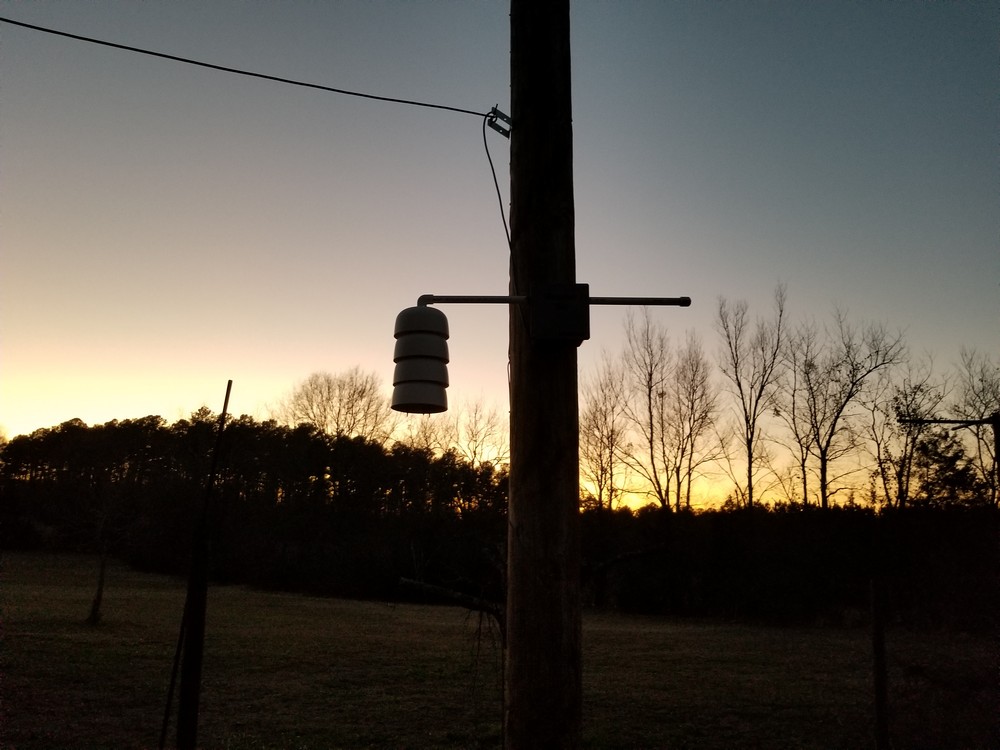
An independent Daniska Engineering build shows what that arrangement can look like. Two sensor modules connect to a Raspberry Pi 3; a script writes their readings to a text file that WeeWX reads. The installation measures temperature, humidity, and pressure, with the outdoor sensors inside a radiation shield. The resulting website is hosted elsewhere.[2] The photograph places those readings outdoors: a shield hangs from its support against the evening sky, above the grass and a line of trees.
There is a modest appeal to giving a small computer such a continuing job. In a 2020 article about salvaged Intel tablets, Hackaday's Jenny List suggested WeeWX among the possible uses for machines that still worked.[8] The suggestion is useful context, rather than a compatibility guarantee: the computer must run the software, and the station must offer a supported route to its observations.
That second requirement deserves attention before installation. WeeWX's hardware guide distinguishes routinely tested drivers from devices known to work and drivers still considered experimental. It also lists the connection required for each model, including USB, serial, or particular network interfaces.[3] A familiar manufacturer's name on the box does not establish compatibility with every console that manufacturer sells. Check the exact model and interface together.
What the archive actually remembers
WeeWX distinguishes frequent incoming readings, called LOOP packets, from records prepared for storage. A packet can contain only some observations, and its timing depends on the hardware. Archive records cover regular intervals. Temperature is generally averaged across an interval; rainfall is accumulated; some other values use different rules. The archive records go into the SQL database.[4]
This changes how to read the history. A five-minute temperature value represents an interval, rather than necessarily reproducing the number someone saw on a console at its final second. Equally, five minutes of rain must be added up, not averaged like temperature. Understanding the stored quantity is part of understanding the weather report.
A typical process monitors one station through one driver. Its configuration usually lives in weewx.conf, while the archive can use SQLite or MySQL.[4] Those are approachable components for one technically comfortable owner, or a small school or club with a designated maintainer. They also give that maintainer something concrete to preserve when the original computer wears out.
A restart exposes the hardware's memory
Suppose the computer stops overnight while the weather station stays powered. Whether the missing hours can be recovered depends on where observations were being retained.
The [StdArchive] setting record_generation = hardware tells WeeWX to try downloading archive records from the station. When the hardware cannot supply them, it falls back to generating records in software. Stations with internal logging can retain observations while WeeWX is stopped; on restart, normal catch-up behavior retrieves that history. Setting no_catchup = true disables the attempt.[5]
The practical consequence follows from that distinction: software cannot reconstruct observations that neither it nor the station saved. An uninterrupted-looking website is therefore a poor test of recovery. After a planned restart, inspect the archive timestamps and check whether the expected intervals returned. A station's logger capacity, the duration of the interruption, and working communications still constrain the result. Keeping the database locally gives the owner control over it; continuity remains something to verify.
The website can be replaced
WeeWX generates report files that a separate web server can serve. The server may run on the same computer, or the files can be transferred to another machine using the configured publishing tools. The documented setup includes an RSYNC report under [StdReport] for that second arrangement.[6]
For a local station connection, this separation is valuable: a public web host can be unavailable while the collection computer continues its own work. Readers may see an old page, so a successful page load alone does not prove that fresh observations are arriving. Treat collection, storage, and publication as three things to check when the displayed weather stops changing.
The backup instructions make the priorities particularly clear. Preserve the database, configuration, customized skins and templates, and custom code. Generated HTML and images can be recreated. For SQLite, the documentation warns against copying the database in the middle of a transaction; stopping WeeWX during the backup is one documented approach.[7]
That is the reason to become interested in WeeWX now, even though the project is well established. If a station is accumulating a history worth keeping, its next computer should be able to inherit that history. The ongoing work is practical—maintaining the sensor connection, checking records, and making recoverable backups. The reward arrives quietly, when a familiar weather page opens on a replacement machine and the earlier winters are still there.
Sources
- WeeWX, “Open source software for your weather station” — capabilities, supported systems, and Tom Keffer's account of the project's origins.
- Daniska Engineering, “Raspberry Pi Weather Station” — independent construction account, sensor interface, publishing arrangement, and photograph of the installed station.
- WeeWX Hardware Guide, “Drivers” — model-specific interfaces and the distinction between tested, known-working, and experimental drivers.
- WeeWX Customization Guide, “Introduction” — LOOP packets, archive records, aggregation, database storage, and the one-driver process.
- WeeWX Reference, “[StdArchive]” — hardware and software record generation, archive intervals, and restart catch-up.
- WeeWX User's Guide, “Integrating with a web server” — local hosting and report transfers to a separate server.
- WeeWX User's Guide, “Backup and restore” — persistent files, regenerable reports, and SQLite backup precautions.
- Jenny List, “Help, I'm Buried Alive By Tablets!”, Hackaday, November 10, 2020 — independent commentary proposing WeeWX as a use for salvaged computers.