A drum pattern is running. You want the next passage to feel busier, then thinner, then quiet enough for a melody to enter. In Sonic Pi, those decisions can become edits to the code making the sound. For a musician approaching this open-source instrument, a useful first step is to move one familiar beat into a small, editable set and practise changing it while listening.
There is an accessible starting point: as checked on October 29, 2026, the project offers both desktop applications and a browser editor.[1] The following rehearsal suits a solo musician or a small workshop with someone available to help with code and audio setup. Its acceptance test is modest: can you alter a part, bring another part into time, and recover the intended sound without losing track of what is running?
Make the smallest useful edit
Begin with this in an empty Sonic Pi buffer:
use_bpm 100

live_loop :pulse do
  sample :bd_haus, amp: 0.6
  sleep 1
end
The built-in bass-drum sample supplies the sound.[5] use_bpm sets the tempo, and sleep measures the interval in beats: at 100 beats per minute, this loop triggers a drum every 0.6 seconds.[4] That separation matters. You have specified both an event and the space before the next event.
Press Run. While it plays, change amp: 0.6 to amp: 0.3 and press Run again. A named live_loop accepts a replacement body while running; the revision is heard on the next iteration. Its name, :pulse, identifies the continuing loop. Keep that name while revising this part.[2]
Now change sleep 1 to sleep 0.5 and run the buffer again. The hits become twice as frequent. Return it to sleep 1 before the next exercise. Make these changes separately so your ear can connect each edit with its result. The useful habit is to predict what will change, listen for it, and then decide whether it belongs in the music.
Give the second part something to follow
Add a second loop beneath the first:
live_loop :answer do
  sync :pulse
  play :e4, release: 0.15, amp: 0.2
end
Here, play :e4 triggers an E in the fourth octave; release controls its fade-out.[3] The two differently named loops can run concurrently. Each turn of :pulse automatically emits a cue bearing its name.[2]
The crucial line is sync :pulse. It waits for the next matching cue and adopts that event's logical time before continuing. Consequently, the pitched part joins a future pulse even if it starts late. Giving two independent loops identical delays would establish the same repetition rate, but would not necessarily align their starting positions.[6]
This also creates a dependency you can hear. If the pulse stops producing cues, :answer waits. After stopping the session, rename the pulse but leave sync :pulse unchanged, then run again: the answer has nothing to follow. Silence can mean that a part is waiting correctly, rather than that its synthesizer or output device has failed.[6]
For this first set, keep one clear timing relationship. Listen to the drum, introduce the pitched response, and change its note while leaving the pulse alone. Later arrangements can have more elaborate relationships; this pair gives you something understandable to return to when an experiment becomes confusing.
Bring the sound files across deliberately
An imported phrase is recorded sound with its own duration. Triggering a sample does not wait for playback to finish; your code still determines the next event.[5]
At rate: 0.5, a sample takes twice as long and sounds an octave lower. If the trigger interval stays unchanged, successive playbacks may overlap. That texture is a separate choice from slowing the whole piece.[5]
Desktop samples can be addressed by file path.[5] Copying a code buffer therefore does not transfer its recordings. Keep them in a project folder, check the paths on the performance machine, and test each sound there. A missing file should fail the rehearsal even if the remaining code runs.
Choose the runtime before doing that transfer. In his browser-version announcement, creator Sam Aaron identifies external samples as unsupported and describes stronger audio-device and synchronization support in the desktop app.[7] The project's current comparison likewise assigns low-latency audio-interface access, OSC, and Ableton Link to the app.[1] A browser rehearsal using built-in sounds is a useful beginning; a set that depends on recordings or connected equipment needs an explicit check against those capabilities.
Rehearse the return, too
Save a working version before adding complexity. Then rehearse a short sequence: establish the pulse, introduce the answer, change the pitch, and restore the earlier version. Try restarting the session from saved code, so the performance does not depend on an accidental state left over from experimenting.
This is a proposed rehearsal routine, not a project benchmark. It asks whether the performer understands the set well enough to make a deliberate return. For a workshop, use the same small example on every machine first; add personal recordings only after everyone can produce and change the built-in sounds.
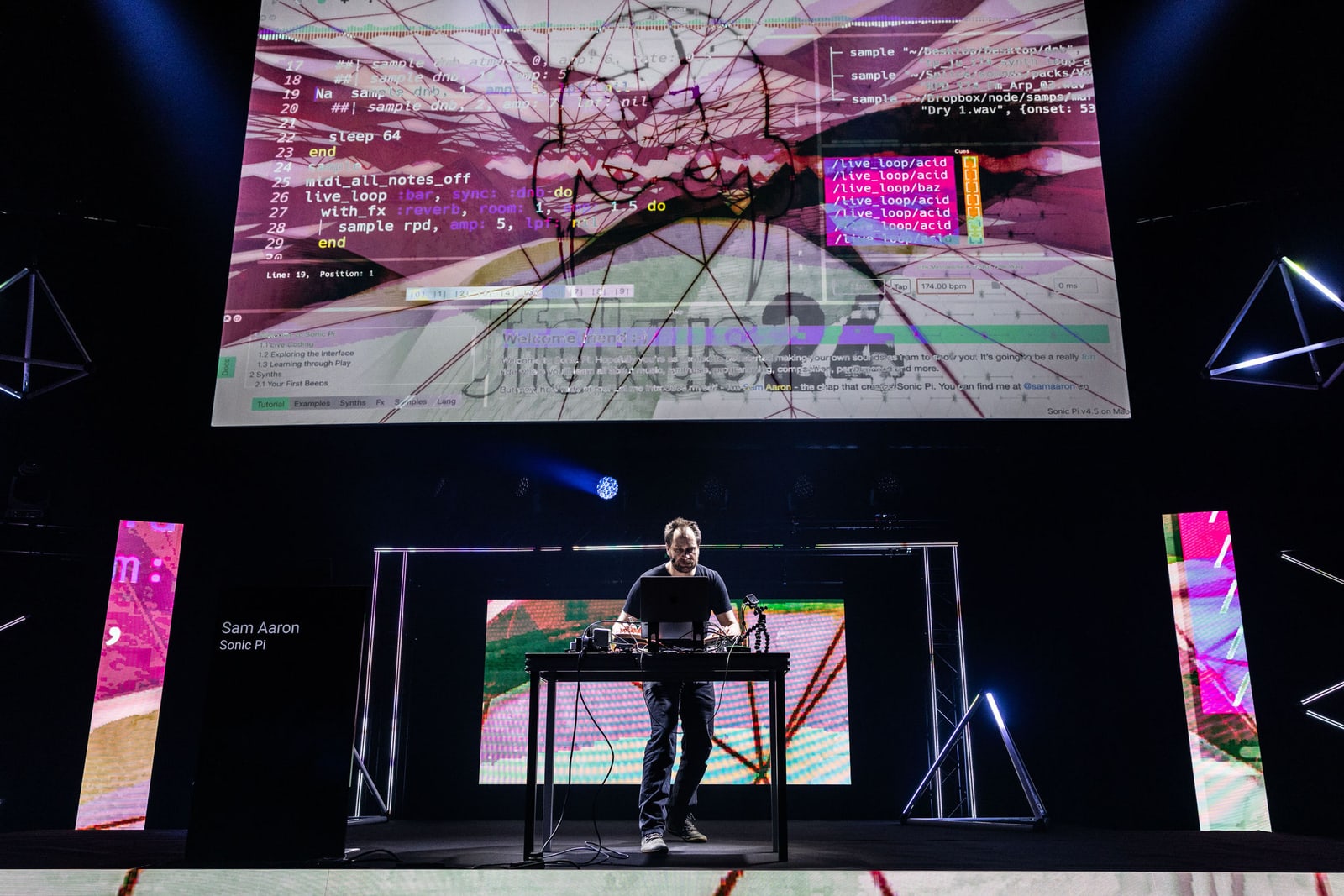
Aaron's performance guidance treats practice and equipment setup as part of learning the instrument, including repeatedly connecting the hardware and getting to the first sound.[4] For a public set, rehearse with the output device you intend to use. A musician integrating Sonic Pi into a larger synchronized rig also needs time to test that integration; the two-loop exercise establishes no guarantee about the rest of the stage.
Stack Overflow's 2020 profile placed Aaron's work in both programming education and musical performance.[8] That combination suggests a useful standard for adoption: each successful technical step should give the performer another audible choice. The first milestone is the moment you can hear a change coming, make it land, and leave enough attention free to decide what the music needs next.
Sources
- Sonic Pi, official project website — desktop and browser availability, open-source status, and connection-capability comparison; checked October 29, 2026.
- Sonic Pi tutorial, “Live Coding,” sections 9.2–9.3 — replacing running loops, loop identity, concurrent parts, and automatic cues.
- Sonic Pi tutorial, “Synths,” sections 2.1 and 2.4 — note names, octaves, and release envelopes.
- Sam Aaron, Sonic Pi tutorial appendix, “MagPi Articles” — tempo control and the sections on performing and practising live coding.
- Sonic Pi tutorial, “Samples,” sections 3.1–3.3 and 3.6 — triggering, playback rate, duration, and external file paths.
- Sonic Pi tutorial, “Programming Structures,” section 5.7 — cue/sync timing, waiting for future events, and matching cue names.
- Sam Aaron, “Sonic Pi on Web” — creator's account of desktop/browser compatibility and external-sample limitations; checked October 29, 2026.
- Stack Overflow, “The live coding language that lets you be an actual rock star,” January 29, 2020 — independent profile and interview connecting the project's educational origins with performance.
- Sonic Pi, “Learn” — official source identifying the photograph of Sam Aaron live coding on stage.