The scanner in the corner may be more durable than the software that arrived with it. Its lamp still warms, the carriage still travels cleanly, and its automatic document feeder may be mechanically sound. Yet the vendor utility expects an abandoned operating system, the installer needs administrator privileges, or the one surviving workstation has become a museum piece.
SANE—Scanner Access Now Easy—offers a migration route that is narrower and more useful than “replace the driver.” It puts a common acquisition interface between applications and scanner-specific backends. A command-line tool, a desktop scanning app, and a network client can then ask for images without each carrying its own hardware driver. The current upstream release page lists sane-backends 1.4.0, released in May 2025, with scanimage, network support, and a broad collection of device backends still maintained together.[1]
The attraction is real, but the scope is narrow. SANE can make one supported scanner accessible and scriptable. It does not make unsupported hardware supported, turn an untrusted network into a safe peripheral bus, schedule a department's work, perform quality control, or preserve the files it emits. A successful migration proves that scope in that order.
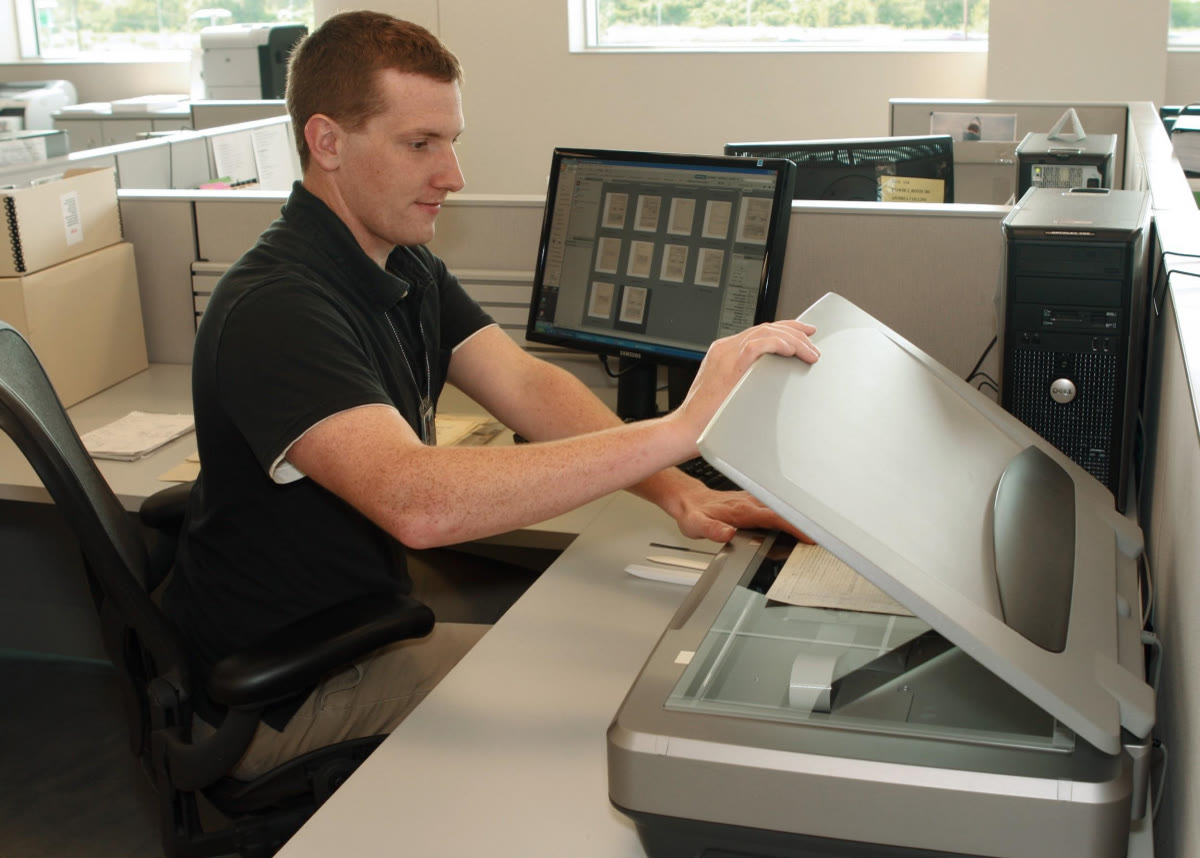
The cover photograph shows a preservation technician using a flatbed scanner at the National Archives at St. Louis.[8] It is a better image of the problem than a software screenshot. The scanner is one station in a larger practice: an operator handles the record, chooses a capture method appropriate to its condition, inspects the result, and moves the new file into a managed collection. SANE can own the passage from device controls to raster bytes. The rest still needs an owner.
First prove the backend, not merely the USB bus
SANE uses two terms that make the first checkpoint precise. A frontend is an application that requests a scan. A backend is the driver that implements the SANE interface for a particular device family. The sane-dll meta-backend loads those hardware backends and gives devices names in the form backend:device; adding a backend does not require every frontend to be rebuilt.[2][3]
That separation produces a useful diagnostic ladder:
- The operating system seeing a USB or SCSI device proves enumeration.
sane-find-scannerfinding something proves that a likely scanner is reachable at the bus level.scanimage -Lreturning a named device proves that a loaded backend can enumerate it under the current identity; it does not yet prove that the device will open and scan.- A completed test scan proves that the backend, permissions, and device can agree on at least one real acquisition.
Those are four different claims. The SANE manual is explicit that sane-find-scanner can detect a USB device that no installed backend actually supports; independent Arch Linux guidance likewise uses scanimage -L and a real test scan as the local verification steps.[2][7] If local discovery fails, compare the exact model and USB identifiers with the upstream support entry and the backend's manual page. A family name printed on the lid is not enough: manufacturers sometimes reuse a retail name across different chipsets or revise an internal controller without changing the enclosure.
Permissions are part of this checkpoint, not a cleanup task. If root can run scanimage -L but the intended operator cannot, the driver has not been “fixed.” The migration still depends on a privileged shell. Correct the distribution's device rule, login-seat policy, or service-user membership so the identity that will perform scans has only the read/write access the device requires.[2][7]
Freeze a scan contract before adding users
The common API does not make every scanner expose identical controls. scanimage has its own options, while each backend contributes device-specific options. Even familiar concepts can arrive under different names—one backend may say Gray, another Grayscale—and the available choices can change after selecting the feeder, duplex mode, resolution, or media size.[4]
So the first deliverable should not be a network service. It should be a small, repeatable capture contract for the exact device. Record its full SANE device name and the output of scanimage -A or scanimage --help --device-name <device>. Then prove the modes the organization actually needs: one color flatbed scan, one grayscale scan, one feeder batch if an ADF exists, duplex if claimed, and the highest useful resolution rather than the largest number in a menu.
Use explicit output paths and formats. The current scanimage manual documents PNM, TIFF, PNG, and JPEG output, plus --batch controls for feeders and -T for exercising the backend's API behavior.[4] Those tools make a good acceptance harness, but they do not certify optical focus, color accuracy, page order, crop, skew, feeder reliability, or preservation fitness. Keep a small test packet containing fine text, a grayscale ramp or known photograph, thin paper, and a multi-page feeder job. Compare the pixels and the physical originals, not only the exit code.
This is also the rollback point. Keep the known-good vendor path available until the SANE capture set passes review. Save the package version, backend configuration, firmware dependency if any, device rule, exact commands, and sample outputs. A migration that can be reproduced after a host rebuild is worth more than a single triumphant scan.
Choose the network path the scanner actually has
There are two network stories that are easy to confuse.
For an older USB or SCSI scanner attached to a Linux host, the classic path is:
remote frontend → net backend → saned → local hardware backend → scanner
The client still speaks SANE. Its net backend forwards requests to saned, and the server opens the locally attached device through the same backend already proven with scanimage. The Arch Linux guide captures the essential sequence: establish local device access, configure saned, name the server in the client's net.conf, and only then expect the remote scanimage -L to return the shared scanner.[7]
A modern network multifunction device may already speak eSCL (AirScan) or WSD. The separate sane-airscan backend discovers and drives those vendor-neutral protocols directly; its project documents platen and feeder scanning, duplex and multi-page jobs, and automatic or manual discovery.[6] In that case, inserting a USB host and re-exporting the device through saned can add a proxy without solving a problem. Test the network-native backend first.
The choice is therefore about where the scanner is physically attached. Use saned to export a locally attached, SANE-supported device. Use an eSCL/WSD backend for a scanner that already exposes a compatible network service. Do not build both paths merely because both can appear in scanimage -L; duplicate discovery produces ambiguous device names and makes it harder to tell which transport failed.
Treat saned as a trusted-LAN peripheral service
saned is not a cloud endpoint. Its current manual says the protocol provides no confidentiality: direct network exposure may let others intercept scanned images or connection passwords, so clients should reach it through a secure tunnel. The same manual says the daemon is not trusted and should not run as root. The default service uses TCP port 6566; scan data may use a configured data-port range, so a careless firewall rule can be either broken or much broader than expected.[5]
A safe deployment starts with four concrete choices. Bind the service only where required. Run it as a dedicated non-root identity that can read and write the scanner device but does not own unrelated files. Allowlist the exact client hosts or a narrow scanner VLAN. Limit both control and data ports at the host firewall. If users need access from elsewhere, place the trusted service behind an authenticated VPN or another protected network boundary instead of publishing 6566 to the world. Log connection, backend, and device errors without assuming logs contain the scan itself.[5][7]
An IP allowlist answers “which host may connect?” It does not provide modern user identity, encrypted transport, document-level authorization, or an audit trail tying a person to a page. If the material is medical, legal, personnel, or otherwise sensitive, those missing properties are system requirements. Either add them in a controlled service around the acquisition path or choose a managed scanning platform that already supplies them. SANE's transparency is an advantage only when the team refuses to mistake it for a security product.
One shared scanner is still one physical queue
Separating frontends from backends lets many applications understand the same device. It does not let two sheets occupy one platen or make an ADF serve two jobs simultaneously. Network access can even make contention less visible: one person stands at the scanner while another remote client opens it, changes options, or begins a job.
Before calling the service shared, test the bad minutes. Start one scan and request another. Cancel during warm-up and during page transfer. Empty the feeder mid-batch. Jam a sacrificial test sheet. Power-cycle the scanner while a client is connected. Restart saned, disconnect the network, and confirm the device becomes usable again without a privileged manual cleanup. The saned documentation includes a data-connection timeout because a lost client can leave some scanners running past the intended end of a job; that is a reminder that network failure reaches a motorized device, not just a socket.[5]
For a few known users, a visible “scanner in use” convention and short jobs may be enough. A busier team needs a queueing surface that reserves the device, records who owns the job, applies a named scan profile, and releases the scanner after success or timeout. That wrapper can invoke scanimage locally or mediate access in another way. The important point is that queue ownership belongs above SANE; it should not be inferred from whichever client happens to win the device handle.
The output handoff deserves the same discipline. Acquire into a temporary job directory, verify that the expected page count and files arrived, and only then hand the batch to OCR, PDF assembly, naming, retention, and backup. A valid TIFF proves capture. It does not prove searchable text, correct page order, durable storage, or that the original may be discarded.
Adopt it when the support matrix and trust model are small
SANE is an excellent migration target for a lab, archive room, workshop, library, or small office that has a mechanically useful supported scanner, a Linux host it can maintain, a handful of known clients, and someone willing to own device tests and network policy. Its strongest benefit is replaceability: hardware-specific code stays behind a backend, while frontends and scripts depend on a stable acquisition interface.[2][3]
It is a poor shortcut for an unsupported scanner whose essential features live in proprietary firmware, for high-volume work that needs vendor-certified feeder behavior, or for documents crossing an untrusted network. It is also the wrong stopping point when the real requirement is an intake system with identity, workflow, retention, review, and compliance controls.
The migration succeeds when the old vendor application is no longer the only path to the glass—but also when nobody expects SANE to become the whole scanning operation. Prove the local backend. Freeze the device contract. Choose one network path. Keep saned inside a trusted boundary. Add queue, quality, and preservation controls above it. Then the scanner in the corner stops being a relic and becomes a small, inspectable service.
Sources
- SANE Project,
sane-backendsreleases — upstream release history and notes for version 1.4.0. - Debian Manpages,
sane(7)— the frontend/backend model, device discovery, permissions diagnostics, and the scope of the SANE API. - Debian Manpages,
sane-dll(5)— dynamic backend loading and thebackend:devicenaming boundary. - Debian Manpages,
scanimage(1)— device listing, device-specific options, output formats, batch capture, and backend testing. - Debian Manpages,
saned(8)— service ports, data-connection behavior, access lists, lack of confidentiality, secure-tunnel guidance, and the non-root requirement. sane-airscanproject — SANE backend for driverless eSCL and WSD scanners, discovery behavior, supported capture paths, and device limitations.- ArchWiki, “SANE” — independent distribution guidance on local verification, permissions, backend configuration, and sharing a scanner over a network.
- U.S. National Archives, “Records Reformatting” — source page and operational context for the photograph of a preservation technician using a flatbed scanner.