Open Data Kit is easy to underrate if you describe it as a survey app. The current docs describe ODK as a data collection platform used by researchers, field teams, and other professionals, with a common workflow that starts in XLSForm, moves through ODK Central, runs in ODK Collect on Android, and ends in analysis or export from Central.[1] That is a useful product summary, but the deeper open-source pattern is more specific: ODK turns a field survey into a protocol boundary.
The boundary matters because the two sides of ODK live in different worlds. On one side, a program manager or epidemiologist needs to define questions, constraints, repeat groups, translations, consent language, and identifiers. On the other side, a collector may be standing in bright sun with intermittent power, no reliable network, and a respondent who cannot wait while a web app thinks. ODK's ecosystem is built to make that crossing explicit: a form definition becomes the contract between authoring, field execution, sync, review, and downstream reporting.[1][3][4]
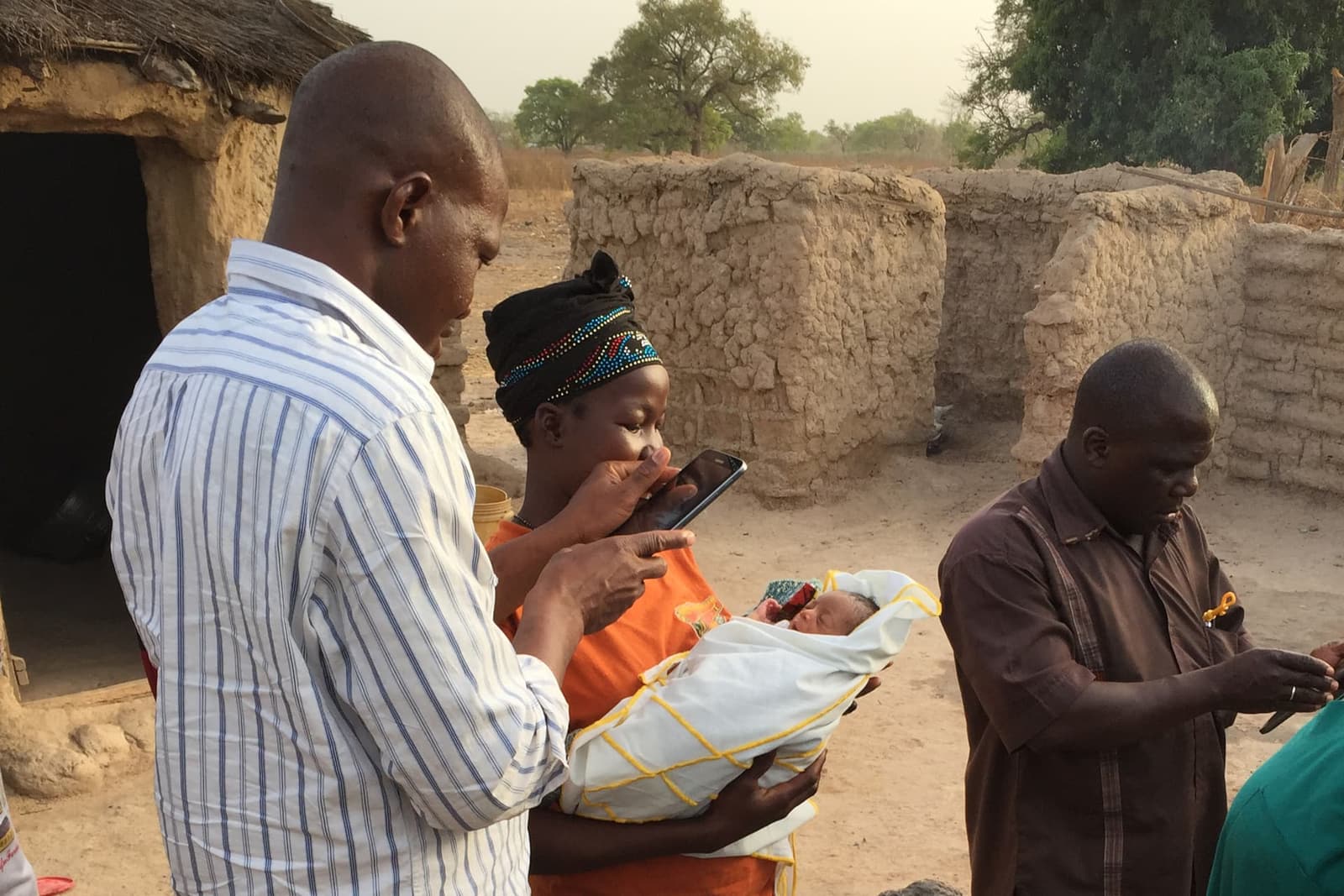
Image context: the cover uses a real field photograph from an ODK Forum account of a 2015 pilot in Mali, not a diagram, chart, or generated image. It fits this article because the scene shows the system's actual stress point: software has to turn a local encounter into structured data without assuming a desk, broadband, or a perfectly controlled environment.[9]
1. The authoring layer is a spreadsheet interface, not a developer gate
ODK's first ecosystem decision is that form design should not require every project to become a software project. The XLSForm docs define XLSForm as a standard for designing forms in Excel, with files that can be created and edited by any application that works with .xlsx documents.[4] That sounds modest until you map the users. Public-health programs, research teams, government agencies, and NGOs often already know spreadsheets. Asking them to maintain a spreadsheet standard is a very different burden from asking them to maintain a custom mobile app.
The key is that XLSForm is not merely a layout convenience. At minimum, the survey sheet uses type, name, and label columns; choices live in a separate sheet; a settings sheet identifies the form and version; and additional columns express question behavior and logic.[4] In other words, the spreadsheet is the authoring surface for a structured form model. That keeps the human-readable artifact close to the domain expert while still producing something Collect and Central can interpret.
This is why ODK's strongest open-source contribution is not only the Android client. It is the contract among tools. A form can be drafted in a spreadsheet, uploaded to Central, downloaded by Collect, filled offline, and returned as a submission.[1][2][3][4] Each tool can evolve, but the boundary keeps the workflow intelligible.
2. Collect owns the field edge
ODK Collect is the field runtime. The docs define it as an Android app for managing and filling out forms, designed to work well offline, able to download blank forms from a server and submit filled forms back later.[3] It supports logic, constraints, repeating structures, draft saving, and many answer types, including location, audio, images, video, barcodes, signatures, multiple choice, free text, and numeric answers.[3]
Those features are not just checkboxes. They are why ODK can replace paper in places where ordinary web assumptions fail. A collector can download the form before deployment, save work as a draft, finalize when ready, and send later when connectivity exists.[3] The form is not a thin browser page waiting for a stable session. It is a local task that can carry enough rules to keep data structured before the server ever sees it.
The Collect repository says the same thing from the maintainer side: Collect is built for resource-constrained environments with unreliable connectivity or power infrastructure, and it is part of a free and open-source toolset for authoring, fielding, and managing mobile data collection.[7] That framing is important. ODK's edge is not "mobile-first" in the consumer-app sense. It is failure-aware. The client has to tolerate a workday that does not look like a lab test.
3. Central is the control plane
Central is where ODK stops being a collection app and becomes an operational system. The Central docs define it as the ODK server that manages accounts and permissions, forms and submissions, longitudinal data records, and connections from clients such as Collect for form download and submission upload.[2] Its feature list includes projects, role-based permissions, form drafts and updates, multimedia attachments, encrypted forms, submission review and editing, OData connections to tools such as Excel, Power BI, or R, and entities for registration and follow-up workflows.[2]
That list describes a control plane more than a database. Projects divide work into bounded spaces. Forms carry versioning and test/publish steps. App Users can be scoped to a project and a controlled set of forms, while Web Users can receive broader administrative or data-access permissions.[2] Submissions are not just files landing in a bucket; they can be reviewed, commented on, edited, bulk downloaded, or exposed through live feeds.[2]
This is the ecosystem map's central distinction: Collect makes the field encounter durable, while Central makes the workflow governable. A data collection program is rarely "one form, one day, one CSV." It has teams, supervisors, versions, attachments, corrections, exports, and permissions. ODK's server role is to keep those pieces visible enough that the project does not collapse into email attachments and informal device handoffs.
4. Entities move ODK beyond one-off surveys
The most interesting boundary shift is Entities. The Central docs say Entities let projects share information between forms so teams can collect longitudinal data, manage cases over time, and support complex workflows.[5] Without Entities, a project can attach existing data through choice sheets or CSV files, but that data only stays current if someone keeps exporting, transforming, and attaching updates.[5]
Entities change the category. A registration form can create an Entity, a follow-up form can reference that Entity, and Central can send updated Entity data back out to collection clients.[2][5] The docs use examples such as a patient, a tree, or a school, which is exactly the point: the thing being managed can outlive any single submission.[2][5]
That makes ODK more than a questionnaire stack. It becomes a lightweight case, asset, or site-follow-up system when the workflow fits. The tradeoff is that this power introduces state. Teams now have to think carefully about identity, duplicate records, conflict handling, and how much previously collected information should travel back to devices in the field.[5] ODK reduces custom software work, but it does not remove data modeling work.
5. Reporting leaves through standards rather than a captive dashboard
Central's OData docs make another design choice explicit. OData is presented as a standard for sharing data and schema between web services, with interoperability for tools such as Excel, Power BI, and Tableau; Central implements a minimal conformance level and targets analysis through third-party tools rather than trying to build its own analysis suite.[6] That matters because many field programs already have reporting stacks, funder templates, statistical workflows, or government dashboards.
The practical effect is that ODK can be the collection backbone without claiming the whole analytics surface. Central can expose one OData service per form, provide metadata and data documents, and represent repeat structures as relational tables with stable join IDs.[6] That is a technical compromise, but it is a useful one. Forms are hierarchical at collection time; analysts often need tables later. OData is the bridge.
This also explains why the ecosystem can support both small teams and more institutional deployments. A small group can export a file. A larger program can wire Central into Power BI, Tableau, Excel, R, Python, or a custom pipeline.[2][6] The product boundary stays clear: ODK should capture and manage field data well; it should not force every team into one built-in reporting philosophy.
6. The adoption signal is field fit, not hype
The independent Engineering For Change product page describes Open Data Kit as free and open-source software for collecting, managing, and using data in resource-constrained environments, with public-sector agencies and NGOs as target users.[8] It also notes ODK's worldwide region, open-source intellectual property type, smartphone and computer device requirements, and support for text, numbers, location, multimedia, and barcodes.[8] That secondary view matches the project's own framing: ODK's durable niche is not novelty, but fit for constrained collection work.
The ODK Forum example behind the cover photo gives the same signal from the field. In a post about ODK's role in the first malaria vaccine approved by WHO, the author describes piloting ODK in Mali in 2015, building forms with local research teams, using tablets running Collect for barcode-based randomization support, and collecting data on 6,000 children over four years.[9] That is not a generic adoption statistic, and it should not be overgeneralized. It is still a useful concrete case because it shows the ecosystem working where paper, identifiers, follow-up, devices, and server sync all collide.
The lesson is not that ODK is automatically the right answer for every organization that asks questions. It is that ODK is unusually strong when the form is a boundary object: understandable to non-developers, strict enough for software, portable enough for offline devices, and controlled enough for review and export.
7. Best-fit boundary
ODK is strongest when a team needs structured field data collection, intermittent connectivity support, repeatable form authoring, device-level collection, server-side permissions, and downstream export without building a custom app for every project.[1][2][3][4][6] It fits public health, monitoring and evaluation, household surveys, site inventories, environmental work, and research workflows where the core problem is disciplined collection rather than consumer-grade app polish.[8]
The mismatch boundary is just as important. If the workflow needs deep real-time collaboration during entry, heavy custom UI, complex transactional business logic, or a polished end-user app experience, ODK may be the wrong center of gravity. If the organization cannot govern form versions, identifiers, permissions, and exports, the tooling will not save the project from messy operations.[2][5]
That is the ecosystem map: XLSForm gives domain teams an authoring language, Collect turns that language into offline field work, Central gives projects a control plane, Entities make repeated encounters possible, and OData lets collected data leave for analysis.[1][2][3][4][5][6] ODK works because it treats the survey as a protocol boundary. It does not pretend the field and the database are the same place.
Sources
- ODK Docs, "Welcome to ODK's Docs!" - platform overview, common XLSForm-to-Central-to-Collect workflow, export path, and open-source community note.
- ODK Docs, "ODK Central" - server role, projects, permissions, form and submission management, entities, APIs, OData exports, and app users.
- ODK Docs, "ODK Collect" - Android field app, offline behavior, form download and submission upload, logic, constraints, repeats, and supported answer types.
- ODK Docs, "XLSForm" - spreadsheet-based form standard,
.xlsxportability, survey/choices/settings sheets, and direct upload to Central. - ODK Docs, "Managing Entities in Central" - longitudinal workflows, Entity Lists, follow-up forms, current field data, and conflict-aware state.
- ODK Docs, "OData Endpoints" - OData interoperability, Central's minimal conformance implementation, service documents, metadata, data documents, and relational treatment of repeats.
- GitHub,
getodk/collectREADME - open-source Android client, resource-constrained environment framing, ODK XForms support, JavaRosa dependency, and release process. - Engineering For Change, "Open Data Kit" - independent product profile on ODK as open-source software for data collection in resource-constrained environments, target users, regions, devices, and data types.
- ODK Forum, "ODK's role in the first malaria vaccine approved by WHO" - field account and source page for the real 2015 Mali ODK pilot photograph used as the article image.