
A UPS dashboard can show a healthy battery and still leave a rack stranded at the only moment that matters. Reading charge is the easy path. The difficult path begins when utility power disappears: a hardware-specific driver must recognize the state, a service must preserve and share it, each protected host must decide when to stop, and the UPS must cut its outlets only after filesystems and workloads are down. Network UPS Tools, or NUT, is best understood as that chain—not as a prettier battery gauge.[2][3]
Techno Tim's 49-minute NUT guide is worth watching because it puts the abstractions back beside their cables. It moves from a UPS and a small Linux host through the driver, configuration files, remote clients, dashboards, alerts, and finally a live outage test. The NUT project itself links the guide from its documentation page, an unusually useful endorsement for a third-party walkthrough.[1][3]
Watch it with one question in mind: which component has authority at each step? The driver can report what the power device says, but it does not decide a database's safe stopping point. upsd can publish state, but it does not halt a host. upsmon can commit a host to shutdown, but a clean operating-system halt is still different from telling the UPS to remove output power. The video's commands make more sense once those boundaries are visible.
One date boundary matters before following along. The video was published in 2021 and uses the older master and slave role names; current NUT documentation uses primary and secondary. Treat the recording as a concrete tour of hardware and behavior, while treating the current manuals as authoritative for names, permissions, service integration, and network exposure.[1][3][6]
Around 5:50, the driver becomes a hardware treaty
The first consequential configuration in the video is the UPS driver. That is the correct place to begin because NUT does not make different power devices identical. It contains that difference.
An entry in ups.conf names a device, selects a driver, and identifies a port or network endpoint. The driver speaks the vendor or protocol dialect and maps what it learns into NUT's common variables: states such as OL for on line, OB for on battery, and LB for low battery, along with readings such as battery.charge, battery.runtime, or ups.load when the hardware supplies them. It pushes that normalized state through a local socket. upsd receives and caches it, then serves clients; it does not reach around the driver and poll the USB cable itself.[2][3]
That separation gives each failure a different signature. If the device node or permissions are wrong, the driver cannot establish the hardware conversation. If the driver is healthy but upsc myups@localhost cannot read state, inspect upsd, its state path, or access controls. If both work while a host remains online during a critical condition, the remaining question belongs to upsmon and operating-system integration. “NUT is broken” is not yet a diagnosis.
The common variable names are also not promises of common measurement quality. A UPS may estimate runtime from load and battery condition, expose only a coarse low-battery flag, or omit a value entirely. A production policy should therefore begin with the exact device, driver, firmware, and connection in use—not with a configuration copied from a different model. The project's hardware compatibility data is a starting point; a discharge rehearsal is the evidence.
Around 11:07, four files divide authority
The guide then works through upsmon.conf, upsd.conf, the installation's operating mode, and upsd.users. It can look like configuration sprawl. Architecturally, the files answer separate questions.
ups.conf says how to reach and interpret the power device. upsd.conf says where the normalized service listens. upsd.users says which authenticated clients may administer a device or take an upsmon role; it does not gate ordinary read-only status queries. upsmon.conf says which power sources this host depends on and what the host should do when they can no longer sustain it. Packaging adds a mode setting—commonly standalone, network server, or network client—to decide which parts the service manager starts.[2][3][7]
The boundary is visible on the wire. Unless configured otherwise, upsd listens on loopback and uses TCP port 3493; remote monitoring requires an explicit LISTEN address plus an appropriate firewall path. The NUT manual warns that binding an interface is not, by itself, a security control.[6] Because a reachable client can query status without a monitor account, a sensible deployment exposes upsd only to the protected management network, gives read-only applications no administrative authority, and treats the monitor credential in upsmon.conf as a secret rather than harmless telemetry configuration.[7]
This is why a dashboard is downstream, not central. It can query the same upsd state and draw an excellent history, but the graph has no special standing in the shutdown protocol. Losing the dashboard should not prevent upsmon from acting; conversely, a green chart proves neither that monitor credentials work nor that the local shutdown command has sufficient privilege.
Around 33:21, the client is remote but its power is local
When the video configures a remote NUT client, the project name becomes literal. One system attached to the UPS's USB, serial, or network-management interface runs the driver and upsd. A host powered by the same UPS can run upsmon in the secondary role and consume status across the network. The primary upsmon—normally on the system that can manage the attached UPS—coordinates the final load cut. TrueNAS documents the same topology for a UPS powering multiple computers: one machine owns the data connection and publishes status to the others.[8]
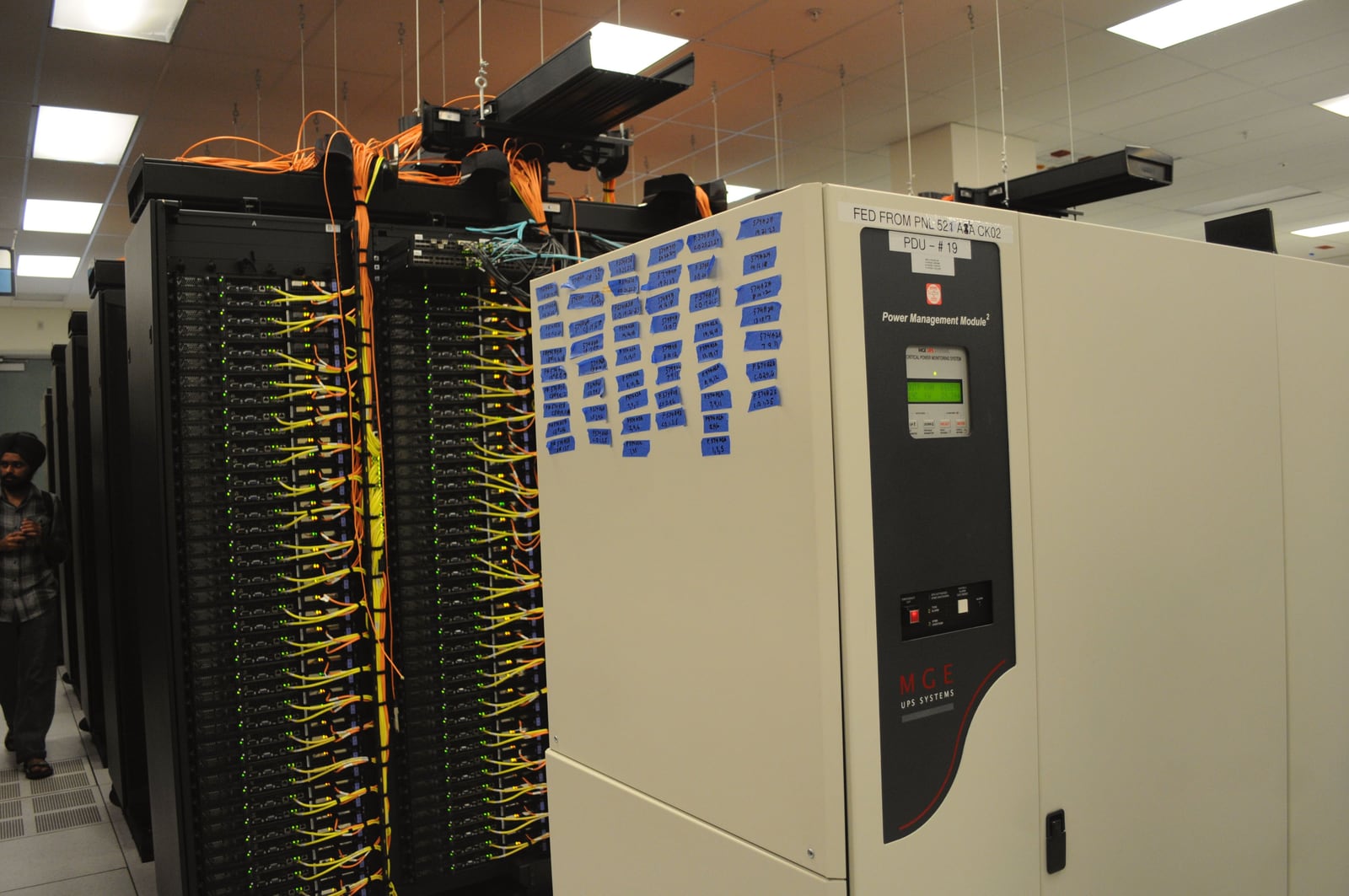
The dangerous assumption is that “remote” means independent. A secondary may draw battery power correctly yet lose its evidence path because the intervening switch, Wi-Fi access point, DNS service, or NUT primary was plugged into an unprotected outlet. The cover photograph makes the issue tangible: UPS hardware, network racks, and cabling are adjacent, but adjacency does not prove that the status path will outlive the mains failure.[10]
Draw two graphs before configuring roles. The power graph says which UPS outlet and circuit feed each server, storage shelf, switch, and NUT host. The control graph says how the driver reaches the UPS and how every upsmon reaches upsd. The control graph must remain alive long enough to shut down the power graph. For a small rack, that may mean placing the modem or management switch and the low-power NUT host on the same protected supply. For a larger environment, it means documenting redundant supplies with honest MONITOR power values instead of assuming that every cord contributes an equal, independent feed.[4][5]
Around 45:00, the test changes state instead of sampling it
The strongest part of the video is not the dashboard reveal; it is the production test near the end. An outage is a sequence of irreversible transitions, and observation alone cannot prove those transitions work.
In the normal path, a driver first reports that the UPS is on battery. That is not automatically a shutdown order: a UPS exists partly to ride through short failures. When the power situation becomes critical—commonly on-battery plus low-battery, or an operator-triggered forced shutdown—the primary monitor sets NUT's FSD state. Secondary monitors see that commitment, issue notifications, wait their configured FINALDELAY, invoke their SHUTDOWNCMD, and disconnect. The primary waits up to HOSTSYNC for those secondaries, then begins its own shutdown. A disconnect is a bounded coordination signal, not proof that every secondary has reached physical halt.[3][4][5]
Before handing control to the operating system, the primary creates the file named by POWERDOWNFLAG. Late in the halt sequence, after services have stopped and filesystems are safe, an integration hook checks that flag and calls the driver shutdown path, commonly through upsdrvctl shutdown. Only then does the UPS cut power to its load. With suitable hardware configuration, restored utility power later brings the outlets—and hosts configured to start after AC returns—back up.[3][4]
That file bridges two authorities. upsmon decides that shutdown is committed while the system is fully running; the late shutdown hook tells the hardware to remove power after the operating system has done its work. Cutting the load too early risks data. Merely halting without the load cut can be just as bad: if utility power returns while machines are halted but still electrically powered, there may be no off-to-on transition to reboot them.
NUT provides a direct way to rehearse the coordination path, but it must be named honestly: upsmon -c fsd starts the real forced-shutdown sequence and should be treated as destructive. An isolated test stack or a dummy SHUTDOWNCMD can log what would happen before a disruptive trial. The manual explicitly warns that FSD is latched in upsd; after a simulation, operators may need to restart the server and remove a stale power-down flag before the system is considered rearmed.[4] Dan Langille's account of a multi-host FreeBSD rehearsal is useful secondary evidence here: the elapsed shutdown time and each host's logs mattered more than the monitoring display.[9]
A later maintenance-window test should exercise the real halt and load-off behavior with console access available. The point is to time the slowest workload, confirm secondaries disconnect, inspect the late power-cut hook, and verify startup after power returns—not simply to watch battery.charge fall.
The battery budget sets the boundary
NUT can coordinate the sequence, but it cannot manufacture runtime or make a weak device signal precise. The default HOSTSYNC is 15 seconds, yet increasing it does not by itself give a slow secondary more shutdown time. By default, a secondary upsmon may exit after invoking SHUTDOWNCMD, allowing the primary to observe a disconnect while databases or virtual machines are still stopping. If load cut must wait, service ordering should keep upsmon connected until those workloads are safe—or SHUTDOWNEXIT should encode a deliberate delay—and HOSTSYNC must exceed that measured interval. If the battery cannot cover it, the heavy workload must start earlier through upssched or another policy rather than wait for the hardware's final low-battery declaration.[5]
The same realism applies to communication loss. DEADTIME lets a monitor decide when stale data should count as unavailable; it cannot distinguish a dead switch from a dead primary or prove how much battery remains. Treating every brief communication gap as an immediate power failure creates false shutdowns. Ignoring a broken status path until the battery empties creates hard ones. The right timers come from measured polling behavior, the actual network topology, workload stop times, and the UPS's tested discharge curve.
For one Linux host and one supported USB UPS, a single operator can own this stack. For several machines, ownership expands: stable device identity, restricted network exposure, package-version control, credentials, service ordering, alerts for stale status, and a rehearsed recovery procedure all become part of the power system. If nobody can say which process issues the last hardware command, the deployment is not finished.
The video succeeds because it eventually leaves the screen and tests the physical promise. NUT's deeper lesson is equally concrete. A graceful outage is not a number; it is an agreement among a driver, a state server, monitor roles, an operating system, a network that remains available, and a UPS with enough stored energy to let every step finish. The last step deserves testing precisely because no dashboard can perform it on your behalf.
Sources
- Techno Tim, “Network UPS Tools (NUT Server) Ultimate Guide” — the embedded installation, remote-client, monitoring, and live-outage walkthrough.
- Network UPS Tools project, “Network UPS Tools Overview” — layered driver,
upsd, client, access-control, and shared-shutdown architecture. - Network UPS Tools project, Network UPS Tools User Manual — deployment topologies, configuration roles, hardware compatibility, and the complete shutdown sequence.
- Network UPS Tools project,
upsmon(8)— monitor roles, power values, FSD simulation, shutdown workflow, and test cleanup. - Network UPS Tools project,
upsmon.conf(5)—MONITOR,MINSUPPLIES,HOSTSYNC,FINALDELAY,POWERDOWNFLAG, and slow-workload boundaries. - Network UPS Tools project,
upsd.conf(5)— state-socket path, loopback default, TCP port3493,LISTEN, and network-exposure cautions. - Network UPS Tools project,
upsd.users(5)— authenticated administrative actions, instant commands, and primary/secondary monitor roles. - TrueNAS Documentation Hub, “Configuring UPS Service” — an independent deployment example for one data-connected primary and networked secondary computers.
- Dan Langille, “nut — testing the shutdown mechanism” — an independent record of a real multi-host FSD rehearsal, logs, dry runs, and measured stop time.
- Derrick Coetzee, “UPS Power Management Module, racks with network cabling in NERSC data center” — 2011 documentary photograph, Wikimedia Commons.