GNU Octave's homepage makes a promise that is easy to read too quickly: it is “drop-in compatible with many Matlab scripts.” The important word is many. Octave 11.3.0, released on June 1, 2026, is a mature scientific programming environment with familiar matrix syntax, plotting, a console, a GUI, and shell-friendly execution. That bounded claim is not a promise that every toolbox-dependent application, compiled extension, or numerical edge case will behave identically; the official MEX documentation alone requires source-level rebuilding and describes representation costs at that boundary.[1][4]
That distinction changes the migration job. A weak plan asks, “Does this file parse in Octave?” A useful plan asks, “For the inputs we care about, does a controlled Octave environment produce an acceptable answer, artifact, runtime, and failure signal?” Syntax is only the first gate. The migration unit is the computational contract around the code.
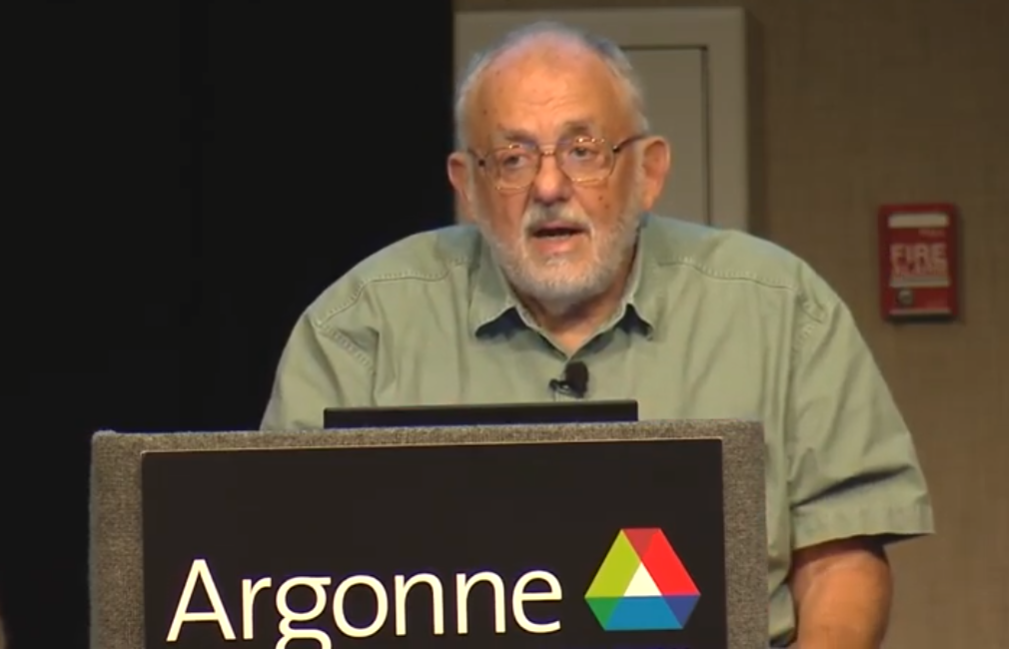
The cover photograph is a contributor-uploaded Commons image of MATLAB creator Cleve Moler speaking at a seminar lectern.[7] It belongs here because an Octave migration is not an escape from MATLAB's lineage. It is an attempt to carry selected work across that lineage without losing the decisions embedded in functions, toolboxes, data formats, compiled code, and accumulated laboratory practice. A 2014 note for users of Argonne National Laboratory's legacy Carbon cluster advised trying Octave before using that system's single MATLAB license, while recognizing that demanding or vendor-specific cases might still need MATLAB. That is historical, cluster-specific guidance—not a 2026 support statement—but its scoping distinction remains useful.[6]
For a small research group or engineering team, the safest route is therefore a parallel port, not a flag-day replacement.
Choose a workload, not a repository
Start with one bounded job: a parameter sweep, a signal-processing batch, a report generator, or the numerical core behind a larger application. It should have representative input data, a known run command, an owner who understands the result, and an output that can be compared. A directory containing twenty years of unrelated .m files is not a migration unit.
Before opening Octave, record the MATLAB-side environment that makes the chosen job work:
- MATLAB release and operating system;
- every required toolbox and support package;
- startup files and path mutations;
- MEX binaries and, crucially, whether their source and build instructions exist;
- Java, Python, compiler, hardware, or external-command dependencies;
- input file formats, locale and working-directory assumptions;
- the output files, plots, warnings, logs, and runtime operators use to judge success.
Run the workload in that untouched environment and save the evidence. If the existing system cannot reproduce its own accepted result, Octave will not create a trustworthy baseline for it. Characterizing the current behavior is part of the port, even when that exercise exposes a MATLAB-side bug.
The best first candidates are mostly numerical functions and scripts built on core language features, with modest package needs and no hard dependency on a vendor-only graphical or hardware workflow. Treat jobs whose real product is an App Designer interface, a Simulink model, a code-generation target, or a hardware-support stack as separate discovery projects unless the team has already demonstrated an Octave path. Those workflows may still be replaceable, but each is an application migration of its own. Do not hide that work inside a line item called “MATLAB compatibility.”
Build the answer set before changing the code
A golden output file is useful, but one file rarely describes a numerical contract. Construct a small answer set from several representative cases:
- an ordinary case that exercises the common path;
- a boundary case with empty, singular, sparse, complex,
NaN, orInfvalues where relevant; - a production-sized case that exposes memory and runtime behavior;
- a known failure case whose error or warning is operationally meaningful.
For each case, preserve more than the final scalar. Record array shapes and classes, selected intermediate values, convergence status, iteration counts when they affect interpretation, and the schema of files handed to the next system. For stochastic code, record the generator, seed, and the property being tested; identical pseudorandom streams across engines should not be assumed unless that identity is itself verified.
Choose tolerances from the meaning of the calculation, not from the number of decimal places that happen to match on one laptop. Octave's test tools make the distinction explicit: assert(observed, expected, tol) treats a positive tolerance as absolute and a negative tolerance as relative, and %!test blocks can live beside a function's implementation.[3] A pressure field, eigenvalue ordering, optimization result, and currency total do not deserve the same comparison rule. Document the rule beside each fixture.
Plots need the same discipline. Comparing pixels is usually a test of fonts, antialiasing, and graphics backends. Compare the data, axis transformations, labels, and exported dimensions that define the figure; then review a small visual sample for layout regressions. If downstream software parses a PDF, MAT file, CSV, HDF5 file, or image, validate that consumer too. A numerically correct workspace can still produce an incompatible artifact.
Once the answer set exists, automate both runners. Each should start clean, print its engine version, report loaded packages or toolboxes, execute the same fixture manifest, and write results into separate directories. Never let the second run overwrite the first. The comparison report should distinguish four states: pass, expected difference, unsupported dependency, and unexplained difference. “The script completed” is not one of them.
Treat the toolbox list as a dependency graph
Octave's language compatibility makes a first run surprisingly productive. It can also disguise the larger problem: a familiar function name does not prove that the surrounding toolbox contract exists.
The Octave Packages catalog is a separate, visibly versioned ecosystem. It includes packages for areas such as control, image processing, I/O, optimization, signal processing, and statistics.[2] A familiar name in that catalog is therefore an inventory lead, not evidence that a MathWorks toolbox's complete interface and edge behavior are present. Build a function-level inventory from the selected workload instead of translating a purchase-order list into similarly named packages.
For every non-core call, classify what happens in Octave:
- same surface, accepted behavior: the function exists and the answer-set cases pass;
- same surface, different edge: the common case passes but shape, type, option, warning, or exceptional behavior differs;
- replaceable primitive: a small adapter or an alternative package can provide the required contract;
- architectural dependency: the feature owns a model, GUI, device, deployment target, or workflow and cannot be replaced locally.
Pin the Octave release and package versions used for this classification. Save ver and pkg list output with each test run, and load required packages explicitly rather than relying on a developer's startup file. The package catalog itself shows why: independently maintained packages update on different dates and at different speeds.[2] “Works in Octave” is incomplete without the environment that made it true.
Avoid a repository-wide search-and-replace pass. Prefer syntax accepted by both engines where it remains readable. Where behavior truly diverges, put the difference behind a narrow adapter and make engine detection explicit. A few named seams are easier to review than dozens of scattered if branches. They also preserve the option to run both implementations during the confidence-building period.
MEX is a source-code boundary
Compiled extensions are where an apparently simple port often stops. A MATLAB MEX binary is not an artifact to copy into the Octave environment. Octave provides a MEX-compatible source interface, but the extension must be rebuilt for Octave and its platform. The Octave manual also warns that the compatibility layer may require additional memory copies because MATLAB's exposed internals and Octave's native representation differ; it recommends Octave's native oct-file interface for new performance-sensitive extensions.[4]
That does not make MEX a dead end. It makes source availability, compiler configuration, and performance testing part of the migration contract. Keep the portable numerical kernel separate from the thin MATLAB/Octave wrapper. Build engine-specific binaries in a matrix, never commit one binary as if it were universal, and exercise compiled paths with the same answer set used for pure .m code.
A real port of the FOCUS ultrasound simulation package illustrates the tradeoff. Its maintainers reported that supporting Octave required modest changes around syntax, function calls, and build machinery. Recompiling through Octave's MEX interface simplified the conversion, while the extra memory movement created a performance cost relative to native oct-files.[5] The lesson is not that all scientific packages will be easy. It is that “MEX-compatible” describes a bridge for source and calling conventions—not proof of binary portability, equal speed, or equal results.
If the MEX source is unavailable, mark that dependency blocked. Reverse engineering a binary or silently substituting a different algorithm is not ordinary porting. Keep the affected workload on MATLAB, replace the component as a separately reviewed project, or narrow the Octave scope around it.
Cut over one execution lane at a time
The first Octave success should be a canary, not a declaration. Put it in CI or a repeatable batch environment and run it beside MATLAB on the fixed answer set. Then widen the evidence in stages:
First, prove determinism of the harness. Repeated runs in the same engine should agree under the chosen tolerances. If they do not, isolate nondeterminism before comparing engines.
Second, explain every cross-engine difference. Accepted differences belong in a small ledger with the fixture, observed delta, tolerance or adapter, owner, and reason. An unexplained difference must stay visible even when it looks harmless.
Third, shadow a real workload. Feed both engines the same production-shaped inputs while only the established MATLAB path publishes results. Compare runtime, peak memory, logs, and downstream artifacts as well as numbers.
Fourth, move one low-risk consumer. Let Octave publish a non-critical report or internal artifact while MATLAB remains a runnable fallback. Exercise rollback deliberately; a fallback that has not run since the port began is only documentation.
Finally, decide whether dual support is still worth its cost. Keeping both engines expands testing, packaging, and debugging work. For a widely shared library, that portability may be the product. For a private batch job, retiring MATLAB after a defined confidence window may be cleaner. The team should choose explicitly rather than accumulate a permanent shadow system by accident.
A cutover is ready when the representative and boundary fixtures pass, all remaining deltas are explained, compiled dependencies build from source, the production-sized case meets its actual runtime and memory budget, downstream consumers accept the artifacts, and an operator can perform both deployment and rollback without the original port author. None of those gates can be inferred from syntax compatibility alone.
The honest outcome may be a partial migration
Octave is an especially strong fit for students, reproducible research, shell-driven numerical jobs, teaching environments, and teams that need collaborators to run code without obtaining a proprietary seat. Its console and script execution make it easy to place a numerical workload inside ordinary automation, and its compatibility with many MATLAB scripts provides a valuable starting surface.[1]
The boundary is organizational as much as technical. A solo researcher with a few tested .m functions can often own the port and its environment. A lab whose instruments, graphical models, and analysis chain depend on several vendor toolboxes needs package management, CI capacity, domain reviewers, and an explicit owner for each unsupported seam. Without those, moving licenses is easier than moving responsibility.
Partial success still has value. Running a core algorithm in both MATLAB and Octave can expose hidden assumptions, make tests portable, preserve an open route for collaborators, and separate the durable mathematics from one vendor's workflow. The old Carbon note's narrow advice—to try Octave for existing code while reserving demanding or vendor-specific cases—describes a useful destination, not merely a cautious starting point.[6]
The decisive artifact is not a translated repository. It is the answer set and the automation around it: evidence that a named workload, in a named environment, continues to mean the same thing. Once that exists, syntax becomes the easy part.
Sources
- GNU Octave project, “GNU Octave” — current release, supported platforms, execution modes, and the project's deliberately bounded MATLAB-compatibility claim.
- GNU Octave project, “Octave Packages” — package catalog, versions, update dates, and separately maintained functional coverage.
- GNU Octave manual, “Test Functions” — embedded test blocks and absolute or relative tolerance behavior for
assert. - GNU Octave manual, “Mex-Files” — source-level MEX compatibility, rebuild requirements, memory-copy overhead, and the native oct-file boundary.
- Jacob S. Honer and Robert J. McGough, “Enabling support for GNU Octave within the FOCUS software package,” Proceedings of Meetings on Acoustics 54, 022003, 2024 — an independent scientific-code port and its MEX tradeoffs.
- Argonne National Laboratory, Center for Nanoscale Materials, “HPC/Applications/matlab” — a legacy Carbon-cluster note, last modified November 24, 2014, on trying Octave before that system's single licensed MATLAB copy.
- Wikimedia Commons, “Cleve B Moler in 2017 Argonne Seminars GPU Computing” — source page, uploader credit, dimensions, and provenance supplied for the seminar photograph.