A working Marlin printer already contains a model of itself. Step counts, pin assignments, endstop polarity, thermistor choice, probe offsets, heater limits, motor currents, acceleration, and slicer start code collectively describe the machine well enough to keep plastic landing in the right place.
Moving to Klipper does not erase that model. It relocates and rewrites it. Most settings move into a host-side printer.cfg; motion planning runs on a Linux host; the printer's microcontroller executes scheduled low-level commands. That split makes configuration and experimentation unusually accessible, which independent coverage identified as part of Klipper's appeal from its early years.[2][3][10] It also means the migration should be treated as a control-system cutover, not as a speed upgrade.
The safe sequence is deliberately unglamorous: preserve the old state, establish communication, prove sensors and shutdown, prove each motor and endstop, reproduce ordinary prints, and only then tune pressure advance or input shaping. If the printer becomes faster before it becomes boring, the test order is backwards.
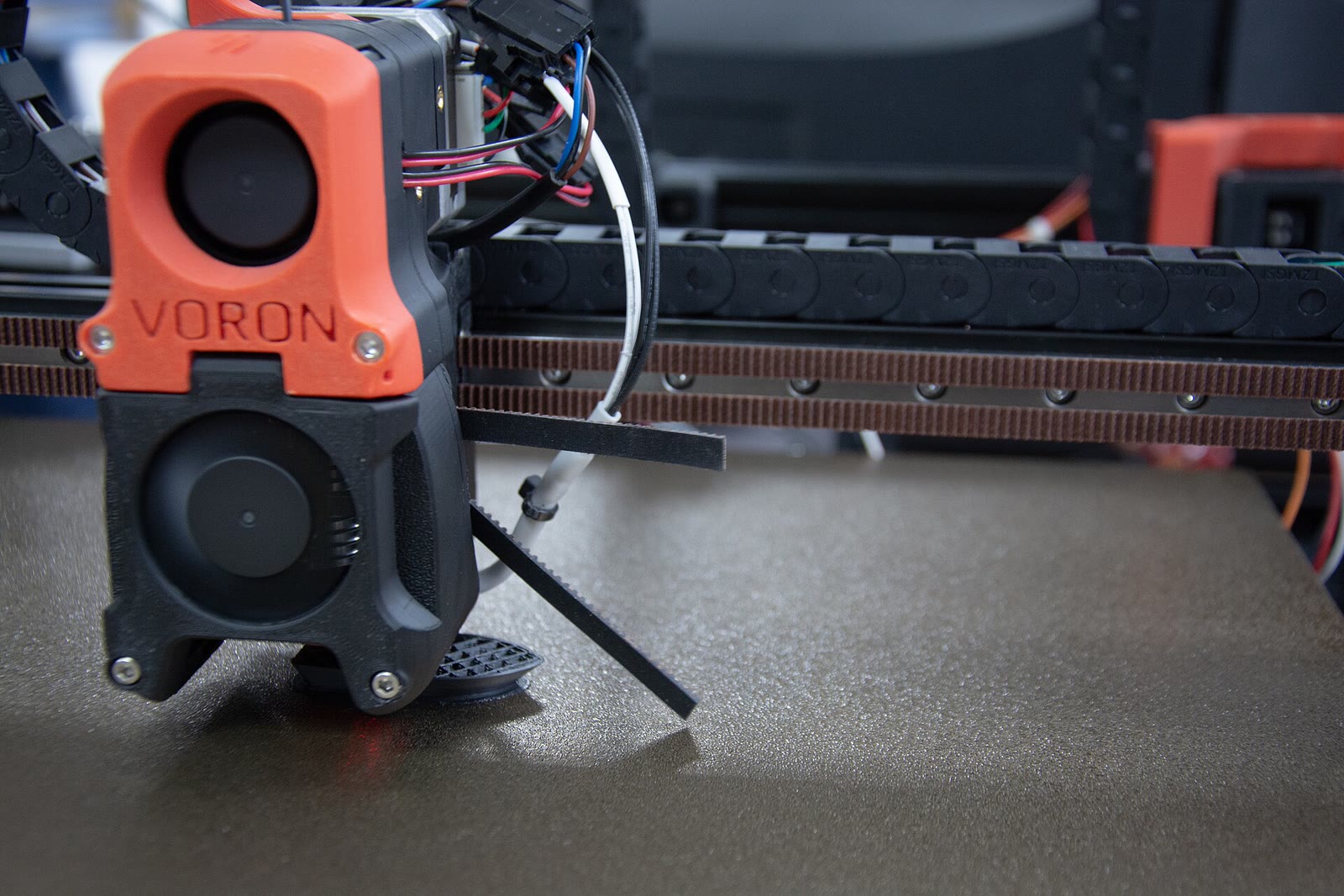
Image context: the cover photograph shows a Voron printer laying down a part, with its belts, cable chains, toolhead, and wiring in view. It belongs here because firmware never moves an abstract axis: it drives a particular physical assembly whose geometry and limits must survive the migration intact.[11]
Freeze the working machine before flashing it
Start while Marlin still boots. If M503 is enabled, run it and save the complete console output. Marlin documents that this reports the active runtime settings, which may differ from values stored in EEPROM; it is therefore evidence of what the printer is using now, not a substitute for the source configuration or firmware image. If the command was compiled out, the exact Marlin source and configuration—or the vendor firmware record—becomes the primary baseline instead.[1]
Build a small migration record around that output:
- the exact controller-board revision, microcontroller, bootloader, and current firmware artifact or reproducible Marlin source tree;
M92steps-per-unit values, homing direction, travel limits, maximum velocity and acceleration, probe offsets, bed dimensions, and extrusion mode;- thermistor types, heater and fan pins, safe temperature limits, PID values, endstop logic, stepper-driver model and mode, and motor-current settings;
- the working slicer profile, especially start and end G-code, retraction, flow, acceleration control, and any firmware-specific commands;
- photographs of board connectors and jumpers, plus links to the board pinout and the printer's wiring documentation;
- one known-good G-code file and the resulting part, measured or photographed as a physical baseline.
Do not assume a vendor configuration file can be reconstructed later. Two printers sold under the same product name may have different boards, probes, or wiring revisions. A community printer.cfg is a useful lead only when its header matches the exact hardware. Klipper's installation guide makes the same boundary explicit: the configuration file contains the technical description of the target printer, while compiling and flashing the microcontroller is a separate step.[2]
Rollback must be concrete before cutover. Keep the old firmware artifact, the method and media needed to flash it, the old slicer profile, and the saved settings together. If the only copy of the previous state lives inside the microcontroller about to be overwritten, there is no rollback—only archaeology.
Recognize the new availability boundary
In Marlin's usual deployment shape, the printer controller parses G-code and owns motion locally. Klipper divides the job. A move enters the host, passes through G-code handling, look-ahead, kinematics, and time scheduling, then reaches the microcontroller as commands to execute at specified clock times.[3] Most configuration can consequently change on the host without recompiling the printer firmware.[2][10]
That is operational leverage, but it adds dependencies. The Linux host, its storage, power supply, service state, and host-to-MCU link now sit inside the print path. Klipper's FAQ warns that intensive work or heavy swapping on a shared host can cause print errors, and it treats random MCU disconnects as a problem to investigate across USB cables, power quality, and printer wiring.[4] A spare microSD card does not cover a failing power supply; a dashboard that loads does not prove a clean serial link.
The safety design is worth separating from availability. Klipper states that, after a heater is enabled, the host must renew that enablement every three seconds; without confirmation, the microcontroller enters shutdown and turns off heaters and steppers. Configured temperature bounds provide another MCU-side shutdown condition.[4] Loss of the host's confirmations is therefore designed to trigger a safe MCU shutdown, but that mechanism does not cover unrelated wiring, switching, power-supply, or controller faults—and the print is still lost. Small labs should treat the host as machine infrastructure: give it stable power, avoid unrelated workloads, back up its configuration, and keep a tested replacement path.
Use the stable device name from /dev/serial/by-id/ in [mcu] rather than a discovery-order name such as /dev/ttyUSB0; Klipper's FAQ recommends the persistent identifier and documents /dev/serial/by-path/ for multiple devices that lack unique IDs.[4] This is a small choice that prevents a reboot or added USB device from silently changing which controller the host addresses.
Translate hardware facts, not familiar numbers
Create the first printer.cfg as a conservative description of the existing machine. Leave speed ambitions out of it. Pin names, polarity markers, kinematics, travel, thermistors, endstops, probes, driver wiring, and heater limits must match physical reality before any calibration print can be meaningful.
The classic translation trap is copying Marlin's steps-per-millimeter values into a parameter that means something else. Klipper expresses axis geometry as rotation_distance: the linear distance produced by one full motor rotation. Its documented conversion is:
rotation_distance = full_steps_per_rotation × microsteps ÷ steps_per_mm
Klipper recommends deriving X, Y, and Z from the belt pitch and pulley tooth count or the lead-screw geometry, not “calibrating” those axes by trimming a test part. Extrusion is different: after establishing a plausible value, the documented procedure slowly requests 50 mm of filament, measures actual travel, and adjusts rotation_distance from that result.[5] The distinction matters. Belt and screw geometry are machine facts; extrusion includes grip and gearing that need measurement.
Do not carry Marlin PID values over as if the control loops were interchangeable. For heaters whose output hardware and configuration are appropriate for PWM/PID control, Klipper's configuration-check sequence says values from other firmware or example files often work poorly and calls for PID_CALIBRATE on the actual machine. The same guide warns that a bed switched by a mechanical relay may require a different control choice.[6] Likewise, translate probe offsets and homing behavior from measurements and wiring, not from the visual similarity of two configuration blocks.
Keep the first configuration small. A copied macro pack, adaptive mesh workflow, CAN toolhead, webcam service, and elaborate slicer choreography create more possible explanations for every failure. The initial acceptance target is a plain printer that can heat, home, move, extrude, and stop correctly.
Commission one hazard at a time
Klipper's own configuration-check order is a good commissioning protocol because it keeps high-energy actions behind low-energy evidence.[6]
First, power the electronics with heaters cold and motors idle. Confirm nozzle and bed temperatures are plausible and steady. An impossible or rising idle reading is a wiring or sensor-definition problem; remove power rather than trying a heater test. Then issue M112, verify that Klipper enters shutdown, recover with FIRMWARE_RESTART and the required frontend reconnection, and confirm that temperature readings remain plausible.[6]
Next, test heaters individually while watching the correct temperature channel. Verify endstops before homing. Use QUERY_ENDSTOPS, operate each switch by hand, and confirm the reported state changes in the intended direction. With each motion axis placed near mid-travel, use STEPPER_BUZZ separately for X, Y, and Z. Use it for the extruder only when no filament is loaded; otherwise, heat the hotend and follow the separate extrusion-direction check. The command's one-millimeter out-and-back motion is designed to expose incorrect enable, step, direction, and rotation-distance settings without committing to a full home.[6]
Only after those checks should G28 be allowed to home the machine. Keep a hand near physical power, not merely the browser's stop button. Home one axis at a time where the machine permits it, then all axes. Confirm soft limits by commanding slow moves within the envelope. Calibrate PID only for heaters configured with suitable PWM/PID switching hardware, verify the probe and bed-level procedure if present, and recheck extrusion direction before feeding filament toward a hotend.[6]
Now print a boring baseline at conservative velocity and acceleration: a first-layer pattern, a simple dimensional part, and one representative known-good model from the old setup. Look for repeatability across cold starts, not one photogenic success. The acceptance record should include first-layer behavior, commanded versus measured dimensions, extrusion consistency, heater stability, endstop repeatability, host logs, and whether the same G-code path survives a reboot.
If those tests fail, stay in the subsystem that produced the evidence. Do not use mesh compensation to hide loose mechanics, flow adjustment to hide wrong extruder geometry, or input shaping to hide skipped steps.
Tune pressure and resonance only after the baseline repeats
Klipper's performance features are calibration layers, not rescue tools. Pressure advance is tuned for a particular printer, nozzle, and filament after the printer is configured and operational. Its test intentionally varies the advance value while holding other conditions controlled so corner behavior can be inspected.[8] Changing extrusion calibration, filament path, or hotend flow after that test changes the premise of the result.
Input shaping comes later still. Klipper's manual resonance procedure raises acceleration across a test tower, measures ringing frequency, and warns operators to stop if the machine shakes excessively or skips steps. It also says that defects which do not follow the expected ringing pattern may be mechanical or extrusion problems that should be fixed before enabling a shaper.[7] A shaper can trade ringing for smoothing; it cannot tighten a belt, square a frame, increase motor torque, or cool a part.
Tune one axis or extrusion effect at a time and retain the before-and-after artifacts. Set an acceleration ceiling from the point at which quality and reliability remain acceptable, not from the highest band the printer completes once. Then repeat the representative model. A faster calibration tower is not a migration outcome; equivalent everyday parts with a stable operating margin are.
Make the host configuration maintainable
Once the machine passes, treat printer.cfg, included macro files, slicer profiles, and a short commissioning record as a versioned unit. Record the Klipper revision tested with them. Separate hand-authored configuration from values appended by SAVE_CONFIG, and review changes instead of editing by memory through a browser.
Updates need the same restraint as the initial migration. Klipper maintains a dated configuration-changes log for renamed, deprecated, and behavior-changing options; entries in 2026 alone include probe status and manual-stepper changes.[9] Read that log before upgrading, stage an update on one machine, rerun a short safety and motion smoke test, and keep the previous host image or package revision available. “The service restarted” is not proof that macros, probes, and generated slicer commands still mean the same thing.
For one hobby printer, a single owner can maintain this with a configuration repository, a known-good part, and a flashable rollback bundle. A shared lab or print farm needs more: named ownership, pinned releases, golden configurations per hardware revision, spare hosts and cables, centralized logs, staged promotion, and an acceptance checklist that another person can execute. If nobody owns Linux availability, firmware updates, and calibration evidence, a supported vendor firmware may be the better operational contract even when Klipper is technically compatible.
Stop the rollout and restore Marlin when sensor identity is uncertain, shutdown behavior is not proven, unexplained MCU disconnects persist, ordinary parts do not repeat, or the old production workflow depends on commands that have not been translated and tested. These are not failures to unlock enough speed. They are evidence that the new control path has not yet earned authority over the machine.
A Marlin-to-Klipper migration is complete at the least exciting moment: the new stack can make the old part, twice, after a cold start, while every limit and stop path behaves as expected. Speed comes after that. The first improvement Klipper should deliver is not acceleration; it is an inspectable account of why the printer moved correctly.
Sources
- Marlin Firmware documentation source, “M503 — Report Settings” — scope and limitations of the command used to capture active runtime settings before migration.
- Klipper documentation, “Installation” — Linux host and MCU roles,
printer.cfg, example-configuration matching, compilation, and flashing workflow. - Klipper documentation, “Code overview” — the path from a G-code move through host look-ahead and scheduling to timed microcontroller step commands.
- Klipper documentation, “Frequently Asked Questions” — persistent serial identifiers, host scheduling requirements, MCU communication failures, three-second heater confirmation, and shutdown behavior.
- Klipper documentation, “Rotation distance” — conversion from
steps_per_mm, axis geometry, gearing, and the measured extruder-calibration procedure. - Klipper documentation, “Configuration checks” — ordered verification of sensors,
M112, heaters, endstops, steppers, homing, extrusion, and PID control. - Klipper documentation, “Resonance Compensation” — ringing tests, input-shaper selection, acceleration limits, smoothing tradeoffs, and mechanical-fault boundaries.
- Klipper documentation, “Pressure advance” — controlled tuning procedure, printer-readiness requirement, and nozzle-and-filament dependency.
- Klipper documentation, “Configuration Changes” — dated record of config deprecations and behavior changes that must be reviewed during updates.
- Al Williams, “Fast 3D Printing With Raspberry Pi — But Not How You Think,” Hackaday, December 26, 2017 — independent early account of Klipper's host/MCU split, reconfiguration model, and physical speed boundary.
- disinterpreter, “Printer in working” (October 5, 2022), via Wikimedia Commons — provenance and license record for the Voron printer photograph used as the cover.