K3s is easiest to misread when people summarize it as "small Kubernetes" and stop there. That description catches the project’s size and misses its operating model. In practice, K3s is a packaging decision. It compresses installation, control-plane setup, datastore choices, and several day-one networking components into one opinionated distribution, then asks you to decide how many of those opinions you want to keep once the cluster starts carrying real uptime expectations.[1][2][4]
That is the adoption note worth holding in 2026. Many teams discover K3s through edge demos, home labs, or ARM hardware, then discover later that their real migration work was never the curl | sh step. The real work sits one layer lower: whether a single embedded SQLite server is enough, when embedded etcd becomes the right control-plane trade, whether an external datastore is cleaner, and how comfortable you are with built-in components such as Traefik, ServiceLB, and the embedded network-policy controller.[1][2][3][4]
As of 2026-04-06T08:07:30Z UTC, the GitHub API reports 32,665 stars, 2,636 forks, 118 open issues, and most recent push activity at 2026-04-03T03:59:55Z for k3s-io/k3s.[5] The release stream also remains active across several Kubernetes minors: v1.35.3+k3s1, v1.34.6+k3s1, and v1.33.10+k3s1 were all published on 2026-03-28.[6] That multi-branch cadence matters because K3s is often chosen for small fleets and remote sites where operators want a distribution that stays close to upstream Kubernetes without dragging in a giant platform team.
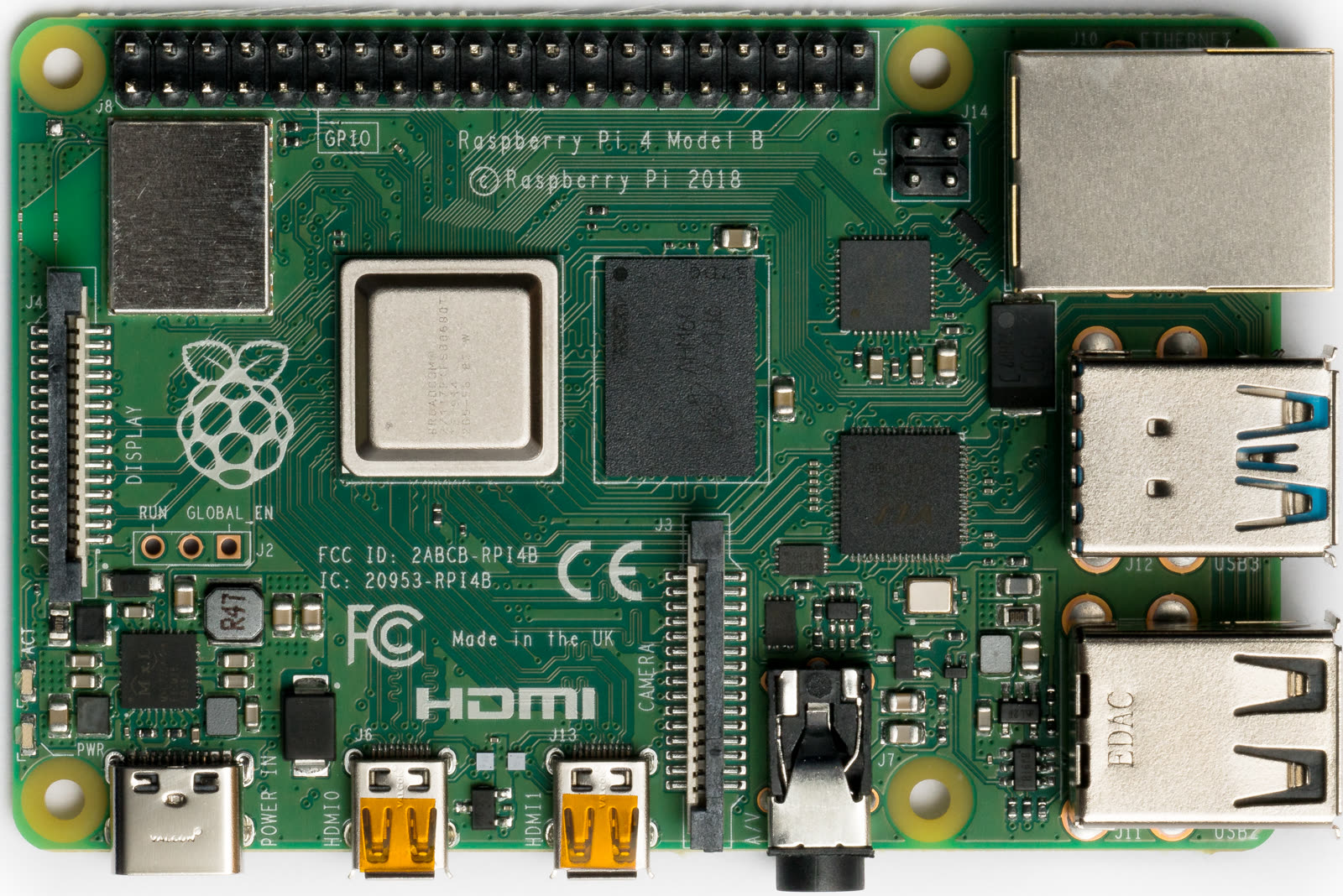
Image context: the cover uses a real Raspberry Pi 4 board photo from Wikimedia Commons. That choice fits because K3s still makes the most sense on tangible machines with constrained storage and clear physical roles. The argument here is about operational boundaries on small hardware, not about a cloud dashboard.[8]
1. K3s compresses role layout first, not just install size
The architecture docs make the project’s core split unusually legible. A server node runs k3s server and carries control-plane plus datastore responsibilities; an agent node runs k3s agent without datastore or control-plane components. Both still run the kubelet, container runtime, and CNI.[1] That sounds straightforward, but it changes how migration should be evaluated. K3s adoption is not mainly a story about "lighter YAML." It is a story about how much cluster machinery you are willing to concentrate into one distribution boundary.
That concentration is what makes the single-server path so appealing. K3s documents a single-server setup with an embedded SQLite database, then treats it as a legitimate cluster shape for many use cases instead of as an embarrassing half-step.[1] For a lab, a remote site, a small internal platform, or a field device environment, that is powerful. You can run one control-plane node, add agents, and still stay inside recognizably normal Kubernetes semantics.[1]
The mistake is to treat that first success as the whole product. K3s feels light because it front-loads decisions for you. The question after the first install is which of those defaults remain acceptable once your cluster has to survive maintenance windows, port contention, node churn, and storage wear.
2. The real migration boundary is the datastore, then the disk underneath it
The datastore choice is where K3s stops being a novelty and becomes an operating model. The docs draw three clear lanes. Single-server setups use embedded SQLite by default.[1] High-availability setups with embedded etcd need three or more server nodes.[1][3] High-availability setups with an external datastore can run with two or more server nodes plus an external database such as MySQL, PostgreSQL, or etcd.[1][2]
That progression matters because each step changes what "lightweight" means. A single-server SQLite cluster is light in both software surface and operational obligations. An HA embedded-etcd cluster is still compact, but now quorum, disk latency, and consistent server flags have become part of the job.[3] The HA docs state plainly that certain flags must match across all servers, including network settings such as --cluster-cidr and --service-cidr, component-disabling flags such as --disable-helm-controller and --disable-kube-proxy, and features such as --secrets-encryption.[3] In other words, K3s still hides a lot, but it does not hide the need for control-plane discipline.
Storage is the sharper boundary. The requirements guide says cluster performance depends on database performance and recommends SSDs for speed.[2] The embedded-etcd guide is even more direct for ARM and Raspberry Pi style deployments: embedded etcd can have performance issues on slower disks such as Raspberry Pis using SD cards, and the independent CNCF homelab walkthrough arrives at the same lesson from the field, using external storage and an external MariaDB datastore precisely because SD-card write behavior is a weak spot for sustained control-plane IO.[3][7] That is the sentence many K3s evaluations need earlier. K3s is friendly to small hardware, but it is not friendly to pretending storage physics disappeared.
There is a useful escape hatch here. Existing single-node clusters can be converted from embedded SQLite to embedded etcd by restarting the server with --cluster-init, after which additional servers can join.[3] That makes K3s unusually forgiving for teams that want to start small and widen later. The forgiveness has a boundary, though: if you are already sure control-plane uptime is critical, the docs themselves push you toward HA from the beginning.[1][2]
3. The second boundary is the bundle of networking components you inherit
K3s saves time partly because it ships a practical set of networking services. The docs describe embedded CoreDNS, Traefik ingress, a network-policy controller built from kube-router’s netpol library, and ServiceLB as the default load balancer controller.[4] That bundle is exactly why K3s can feel complete within minutes. It is also exactly where migration plans become architectural.
ServiceLB is the cleanest example. Upstream Kubernetes allows LoadBalancer services but leaves them pending until some controller satisfies them. K3s fills that gap by default.[4] ServiceLB watches LoadBalancer services and creates a DaemonSet whose pods consume the relevant hostPort on eligible nodes.[4] That is an elegant convenience if you are on bare metal, in a lab, or at the edge and want cloud-like service exposure without installing another controller on day one.
The same mechanism is also the limit case. Because ServiceLB uses host ports, it only schedules on nodes where the requested ports are actually free; if no node can host that port, the service remains pending.[4] Teams that already know they want MetalLB or a cloud-provider load balancer should read this as a migration note, not as a surprise. K3s supports that path, but the docs say you must disable ServiceLB with --disable=servicelb on all servers if another load balancer is going to take over.[4]
The embedded network-policy controller has a similar shape. It is helpful because it gives you basic policy enforcement without additional assembly. It is also opinionated enough that the docs include cleanup instructions if you later disable it, since kube-router-related iptables rules are not removed automatically.[4] That is a useful tell about K3s generally: the project is excellent at giving you a coherent starting bundle, but it expects you to own the seams when you begin swapping parts out.
My inference from these docs is that K3s is best adopted by deciding the bundle first, not by discovering the bundle one default at a time.[2][4] If you want Traefik, ServiceLB, and the embedded policy story, K3s buys speed. If you already know your ingress, load-balancing, or cloud-controller lanes are going elsewhere, K3s can still fit, but the product becomes less "batteries included" and more "compact distribution with explicit disable flags."
4. Node join behavior is one more place where small-cluster convenience becomes real operations
K3s also does a better job than many lightweight-cluster pitches of documenting how node registration actually works. Agent nodes open a websocket connection through a client-side load balancer inside the k3s agent process. They initially reach the supervisor and kube-apiserver on port 6443, then maintain a dynamic list of server endpoints to survive individual server outages.[1] That is a serious HA behavior, not a toy convenience.
Identity handling is equally concrete. Agents join using the cluster token plus a randomly generated node password, which is stored locally and hashed into a Kubernetes secret named after the node in kube-system.[1] If you wipe /etc/rancher/node, reuse hostnames aggressively, or want to rejoin a machine under the same name, the docs tell you to delete the old node so the password secret is cleaned up, or use --with-node-id when hostname reuse is frequent.[1] Those are exactly the sorts of details that separate a pleasant small-cluster system from a frustrating one.
The port and sizing docs reinforce the same point. A small HA server deployment of up to 10 nodes is documented at 2 vCPUs and 4 GB RAM per server node, with port 2379-2380 needed between servers for embedded etcd, 6443 from agents to servers, 8472/51820/51821 only for specific Flannel backends, and 10250 for kubelet metrics and API access between nodes.[2] That is still modest by Kubernetes standards. It is also enough structure that teams should stop calling K3s "just a tiny distro" once it crosses into production responsibilities.
5. Best-fit boundary and mismatch boundary
K3s is strongest when a team wants Kubernetes semantics on hardware and teams that are too small, too remote, or too cost-sensitive for a heavyweight distribution. Edge clusters, branch-office workloads, lab environments, CI control planes, ARM or single-board-computer experimentation, and compact on-prem fleets all fit the shape well.[2][7] The payoff is that K3s shortens the distance from machine to usable cluster without making the cluster feel non-Kubernetes.
The mismatch begins when operators want the lightweight installer but none of the bundled assumptions. If you already know you want an external database, a different ingress, a different load balancer, different cloud-controller behavior, and a carefully separated control-plane topology, then K3s can still work, but much of its value has shifted from "small coherent default" to "a smaller distribution you are immediately editing around."[3][4]
That is why the best adoption question is narrower than "Should we use K3s?" A better question is: which bundled assumptions do we actually want to keep once this cluster leaves demo territory? When the answer is "most of them," K3s feels unusually sharp. When the answer is "almost none," the lightweight story fades quickly and the real work moves into component replacement and storage design.
Sources
- K3s documentation, "Architecture" - server and agent roles, embedded SQLite single-server setups, HA shapes, agent-side load balancing, node-password secrets, and
--with-node-id. - K3s documentation, "Requirements" - SSD guidance, ARM and Raspberry Pi disk cautions, HA sizing tables, and required ports such as 6443 and 2379-2380.
- K3s documentation, "High Availability Embedded etcd" - three-server embedded-etcd requirement,
--cluster-init, matching server flags, and single-node conversion to etcd. - K3s documentation, "Networking Services" - embedded Traefik, network-policy controller behavior, ServiceLB hostPort model, allow-list labels, and disable flags.
- GitHub API snapshot for
k3s-io/k3s- repository stars, forks, open issues, and recent push timestamp. - GitHub API release listing for
k3s-io/k3s- recent stable release tags and publication timestamps across supported minors. - Cloud Native Computing Foundation, "Running a production-ready Raspbery Pi Kubernetes cluster at home" - independent operator walkthrough covering Raspberry Pi hardware, cgroup enablement, static IP setup, and an external datastore path.
- Wikimedia Commons file page for the Raspberry Pi 4 Model B board photograph used as the article image.