A git-annex checkout can show the name and history of a 200 GB disk image without putting those 200 GB on the laptop. That is not a storage trick bolted onto Git; it is the project's central architectural decision. Git carries the map—paths, commits, content keys, and placement metadata—while a changing network of repositories carries the cargo, the file bytes themselves.[1]
This split makes git-annex useful when no single server should be the whole collection: a field laptop may hold this week's recordings, an office workstation may want current edits, an offline disk may hold finished seasons, and object storage may carry an encrypted copy. Each participant can see one versioned file tree without materializing every payload. The price is equally important: the system manages claims about where content exists, so its safety depends on accurate location records, sensible trust settings, and verification that happens outside ordinary Git history.
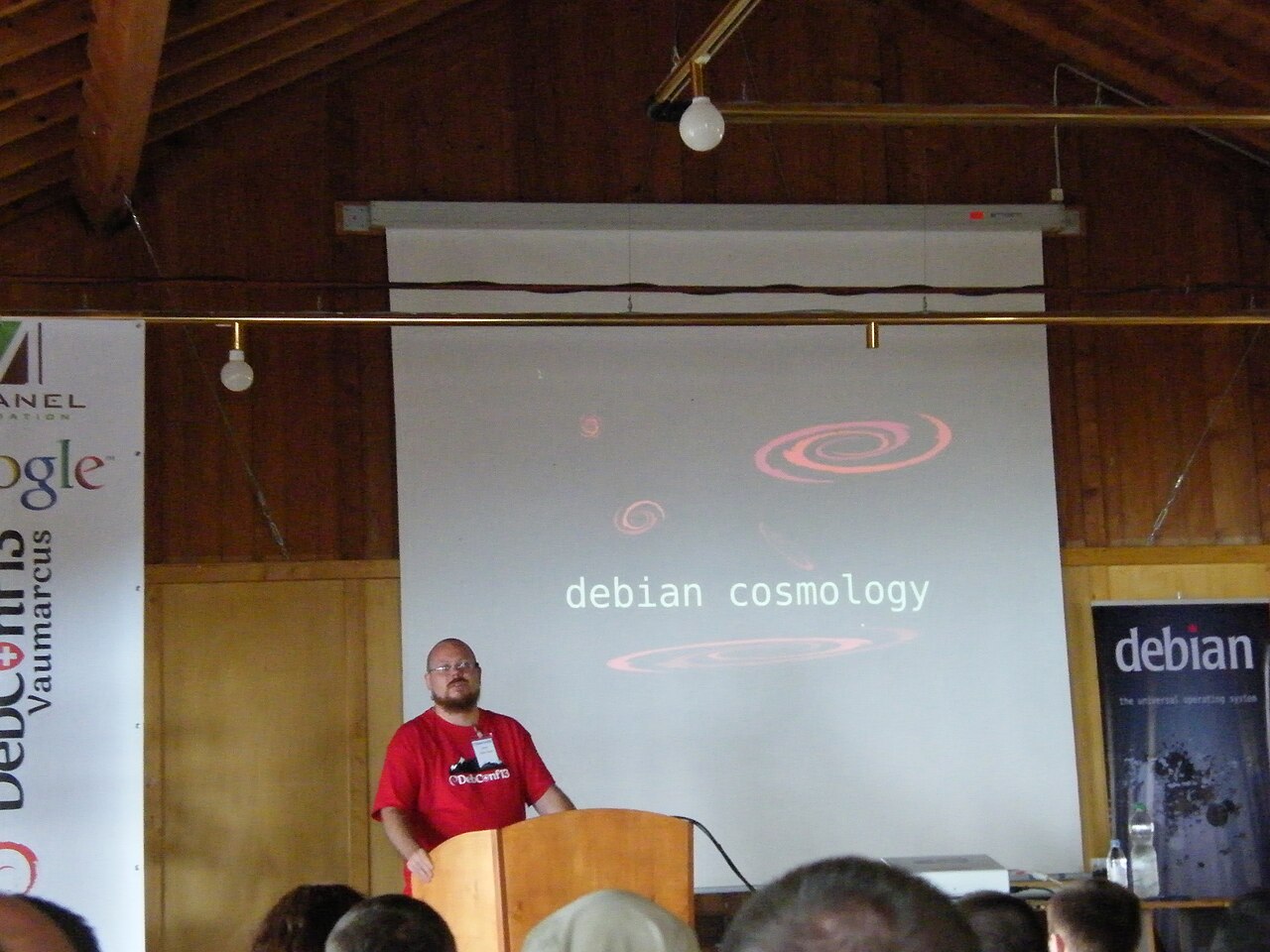
Image context: the cover shows git-annex creator Joey Hess speaking at DebConf13 in 2013. It is a real conference photograph rather than a product diagram; the article's analytical load stays in the prose.[10]
A pathname becomes a content key
Ordinary Git puts a file's contents into its object database. Git-annex instead generates a key with a configured backend and stores the payload beneath .git/annex/objects/. The default SHA256E backend combines a SHA-256 content hash with the filename extension; other backends can derive keys from different content or filesystem properties. In a locked working tree, the path committed to Git is a symbolic link that points toward the selected key.[1][2][12]
That distinction answers two different questions cleanly. Git answers, “What path did this version of the project refer to?” With a secure hash backend, the annex key answers, “Which exact payload did that path mean?” Under SHA256E, equal bytes with the same extension can resolve to the same stored object, while equal bytes with different extensions may use different keys. Non-hash backends retain a storage identity without making the same integrity promise.[12]
In ordinary locked use, changing a payload adds a new object rather than rewriting the prior key's object. Unlocked thin mode is a deliberate exception: annex.thin=true can hard-link the working file to annex content, so an edit may lose the earlier local version. Git history also preserves only the pointer or key, not a secret second copy of the bytes; if every repository drops an old payload, its historical commit cannot reconstruct it.[6][12]
The default locked representation also makes absence visible. If a clone has the Git history but not a payload, the pathname remains in the tree as a broken link to the annex object it lacks. git annex get path retrieves the content; git annex drop path removes the local payload when the safety rules permit; git annex whereis path reports the repositories believed to have it. These verbs are more honest than a cloud-drive icon: presence is a state that can be queried and changed, not an assumption attached to a filename.[1][3]
There is a second representation for environments where symlinks are awkward or files must be edited in place. Unlocked annexed files appear as regular working-tree files, while Git commits a small pointer through its clean/smudge-filter machinery. git annex adjust --unlock creates a local adjusted branch without forcing that representation onto the shared branch. This is particularly useful on Windows and filesystems without dependable symlink support, but it adds a cost: an unlocked file may require a work-tree copy as well as the protected annex object, and Git operations can temporarily expose pointer files until git-annex refreshes them.[6]
The git-annex branch is a map, not a warehouse
Every annex repository has a UUID. Separate from the branch containing the user's filenames, a branch named git-annex holds the system's distributed metadata. Its per-key location logs record a timestamp, a repository UUID, and a state such as present, absent, or dead. Other logs hold repository descriptions, trust levels, preferred-content expressions, and special-remote configuration.[2]
This is the subtle center of the design. A normal Git push can exchange the small file tree and a sync can merge annex metadata without making every receiver download every large object. Payload movement remains deliberate through operations such as get, copy, move, and content-aware synchronization. Since version 10.20260520, sync defaults to transferring content only for repositories with preferred content configured; --no-content and annex.synccontent can override that behavior. A collaborator can therefore clone the catalog quickly, inspect paths and history, and retrieve only the subset needed for the task.[1][3][11]
But whereis is reading a distributed ledger of observations, not asking every disk to recompute every checksum in real time. An offline drive may be listed because the last synchronized record says it held a key. A laptop that has not exchanged its newest location-log entries may have an older view. That looseness is what permits disconnected work; it is also why a green location count is weaker evidence than a recent fsck against the actual storage.
The architecture is therefore closer to a shipping manifest than a RAID controller. It can say that three named custodians reported possession of a crate. It cannot, from the manifest alone, prove that the crates remain readable, geographically independent, or protected from the same credentials and deletion command.
Special remotes make storage heterogeneous
A regular git-annex remote is another Git repository with its own UUID, metadata, and optional payloads. A special remote relaxes that requirement: it can expose a key-value storage service without being a usable Git checkout. Built-in and external remote types connect annex keys to directory storage, rsync targets, S3-compatible services, web URLs, encrypted stores, and other backends. git annex initremote records the remote's durable configuration; credentials and machine-specific access details can remain local.[7]
That boundary is why git-annex is more than a large-file upload extension. The same collection can place content on a USB disk reachable only when mounted, an SSH-accessible host, and an encrypted object bucket. A documented external-special-remote protocol lets another program act as a storage adapter without teaching Git about that provider. The file tree does not have to change when the storage topology does.[7]
Remote encryption has a narrower boundary than the word “encrypted” may suggest. It encrypts payloads and names as stored by the special remote; it does not encrypt the Git repository. Anyone with repository access can still see filenames and history, as well as any annexed content present in their own clone.[14]
It also creates real operational differences between remotes. A directory remote can disappear with a drive letter change. An object store can reject a transfer because credentials expired or a quota was reached. A remote configured as a key-value store does not necessarily present human filenames if opened outside git-annex. “The remote exists” is not a sufficient acceptance test. Teams must test retrieval, interrupted transfers, credential rotation, and the recovery of both Git metadata and annex payloads.
This flexibility contrasts with Git LFS's more conventional hosted pointer-store model. A third-party LWN comparison found LFS easier and better supported by major hosting providers, while describing git-annex as more flexible, more distributed, and substantially harder to learn.[9] If one vendor-backed object service is the desired boundary, that simplicity is an advantage. Git-annex earns its complexity only when partial replicas, offline media, heterogeneous stores, or user-controlled placement are part of the actual problem.
Placement policy lives above transfer commands
Manually deciding every get and drop does not scale beyond a few repositories. Git-annex therefore separates what a repository wants from the mechanics of copying it. A preferred-content expression can match path, size, metadata, backend, copy count, or repository state. The documentation's compact example—exclude=archive/* and (include=*.mp3 or smallerthan=1mb)—describes a repository that wants selected audio and small files but not the archive subtree.[4]
Preferred content is a policy input, not a lock. Commands using --auto, the assistant, and git annex sync --content use it to decide what to acquire or release, but an operator can still request a different placement. Required content is stronger: git annex required can define content that a repository must retain, and an ordinary drop refuses an action that would violate that rule. Repository groups and group-wide preferences let many clients share a role such as client, transfer, or archive without copying one long expression by hand.[4]
numcopies supplies a separate invariant. The default is one; a team can set a larger value globally or vary it by path through .gitattributes. Before dropping local content, git-annex tries to ensure the configured number of acceptable copies would remain. git annex fsck checks both payload integrity—when the key backend supports it—and whether the copy requirement is satisfied. Corrupt local content is moved into .git/annex/bad/ rather than quietly treated as good.[3]
The safety path is maintained code, not a timeless guarantee. As of July 13, 2026, the project's latest release is 10.20260624, published June 25; among its fixes was a case where an interrupted command could be mistaken for an interrupted move, leading content to be dropped when numcopies did not allow it. The fix is a healthy maintenance signal and a reason to keep clients current.[11]
There is also a documented concurrency edge: simultaneous drops against special remotes that do not support locking can violate numcopies. Git-annex retains a one-copy floor in that case, and mincopies can raise it. A workflow that deletes from several repositories concurrently should set that floor deliberately rather than treating sequential tests as proof of race safety.[13]
These controls compose, but they answer different questions. Preferred content says where bytes are useful. Required content says where certain bytes must stay. numcopies says how many acceptable placements should survive a drop. None says that the copies are independent backups. Three paths in one account or three drives on one power supply can satisfy the shape of a count while failing the purpose of resilience. Stale location claims can also make whereis or policy matching look reassuring, although a normal drop that relies on semitrusted remotes tries to verify the required copies directly.[5][13]
Trust is an optimization with a sharp edge
Git-annex labels repositories semitrusted by default. When a drop depends on another semitrusted repository, it normally tries to check that the other copy is actually available instead of accepting the location log on faith. Marking a removable or failing disk untrusted prevents the safety calculation from relying on it. Marking a vanished repository dead removes its ghost from normal location results.[5]
A trusted repository is different: git-annex may rely on its recorded location without contacting it. That can be practical for an offline archival disk that is rarely mounted, but the project's own documentation warns of a data-loss sequence. If one repository drops a payload and another, still holding stale metadata, trusts that the first copy remains, both can eventually approve deletion. Trust saves verification work by turning a recent observation into an assumption.[5]
The engineering rule follows directly: grant “trusted” status only when the surrounding process deserves it. An offline archive should have a media inventory, controlled deletion procedure, periodic mount-and-verify schedule, and another failure domain. A portable transfer disk should usually be untrusted. When a machine is retired, synchronize its last state before marking it dead. Run incremental fsck jobs frequently enough that checksum coverage has a known age, and perform restores from the least convenient remote—not merely from the always-online cache.[3][5]
Deletion also needs a runbook. Removing a pathname from the current branch does not necessarily erase historical annex objects; git annex unused identifies keys no longer referenced by branches or tags, and dropunused applies copy-safety checks before reclaiming them. Conversely, --force can bypass protections. Access to that flag is effectively authority to destroy the last known payload and should be treated like access to a backup console, not like ordinary workspace cleanup.[3]
The fit is a topology, not a file-size threshold
Git-annex fits a technically fluent individual, documentary team, or research lab whose collection is larger than any one workstation and whose storage already spans laptops, servers, removable media, or object stores. One or two operators can maintain a personal archive if they understand Git and verify restores. A group of dozens needs more: a named data steward, standard remote roles, documented preferred/required rules, scheduled integrity checks, and a supported installation path on every client.
That staffing boundary is visible in independent operator material, not only project documentation. Aalto Scientific Computing presents git-annex as a research-data tool while directing users across its walkthrough, topic pages, command manual, and numerous configuration options—a capable system whose operational surface rewards an owner who will learn and standardize it.[15]
It is strongest for large, mostly append-oriented objects—recordings, images, scientific acquisitions, model artifacts, disk captures—whose identity benefits from a checksum and whose availability can be selective. DataLad's research-data system builds on this exact split, using Git for versioned structure and git-annex for per-file transport; its authors also note the boundary at the other extreme, where millions of paths can exceed what one Git repository can manage even if payloads live elsewhere.[8]
It is weaker for a hot database, a virtual-disk image rewritten every few minutes, or a shared folder whose users expect automatic conflict resolution without learning Git. Each changed binary is a new content object, not a block-level delta. It is also the wrong default for a team that needs one centrally administered store and has no appetite for location logs, repository UUIDs, or recovery drills; a hosted LFS service or ordinary object-storage workflow will usually expose fewer failure modes.[9]
The smallest credible pilot uses three deliberately different locations: a working clone, a normal or special remote that is always reachable, and an offline or independently credentialed copy. Add representative large files, configure placement rules, disconnect one remote, change a file, synchronize the metadata, and inspect whereis. Then corrupt a disposable copy, run fsck, test a refused drop, rotate credentials, and restore a payload plus its Git history onto a clean machine.
That exercise reveals git-annex's real promise. It does not make scattered storage behave like one magic disk. It gives scattered storage a shared, versioned map—and gives operators explicit commands for deciding which cargo moves, which claims are trusted, and which evidence must be checked before anything is allowed to disappear.
Sources
- git-annex project, “How it works” — content keys, annex objects, symlink representation, location tracking, and the
git-annexmetadata branch. - git-annex project, “Internals” — object layout, repository UUID logs, presence states, preferred-content records, metadata, and transfer journals.
- git-annex project, “Walkthrough” —
get,drop,whereis,numcopies,fsck, bad-object handling, unused content, and automated placement. - git-annex manual, “Preferred content” — matching expressions,
wanted, required content, groups,--auto, and content-aware synchronization. - git-annex project, “Trust” — semitrusted, untrusted, trusted, and dead repository states, including the stale-location data-loss warning.
- git-annex project, “Unlocked files” — pointer representation, clean/smudge filters, adjusted branches, filesystem compatibility, and disk-space tradeoffs.
- git-annex project, “Special remotes” — built-in storage backends, encryption, external-remote extension points, and remote configuration.
- Yaroslav O. Halchenko et al., “DataLad: distributed system for joint management of code, data, and their relationship,” Journal of Open Source Software 6(63), 2021 — independent research-data implementation and scaling boundaries.
- Antoine Beaupré, “Large files with Git: LFS and git-annex,” LWN.net, 2018 — third-party comparison of hosting support, flexibility, distributed storage, learning cost, and fit.
- Wikimedia Commons, “Joey Hess talks about Debian Cosmology.jpg” — László Böszörményi's CC BY-SA 2.0 DebConf13 photograph of the git-annex creator; the downloaded copy was resized to 1280 pixels wide.
- git-annex project, “News” — current release record, the 10.20260520 preferred-content sync change, and 10.20260624 safety and merge fixes.
- git-annex project, “Backends” — default
SHA256Ebehavior, extension-bearing keys, secure hashes, WORM and URL keys, and external backends. - git-annex project, “Copies” —
numcopies, direct drop checks, the non-locking concurrent-drop edge, andmincopies. - git-annex project, “Encryption” — special-remote payload and filename protection, Git-repository visibility, key modes, and credential boundaries.
- Aalto Scientific Computing, “Git-annex for data management” — independent institutional guidance on research-data use, setup, documentation, and configuration.