A backup can prove that bytes still exist. It cannot, by itself, explain what arrived, whether the transfer was intact, what format each file really was, which derivative was created, which tool created it, or why an archivist trusted the result. Archivematica exists for that second problem. It is an open-source digital-preservation system for turning a directory of heterogeneous files into a package whose contents and treatment can be examined later.[1][2]
That is the useful introduction to the project: not “Dropbox for archives,” and not a magic vault, but a workflow that makes preservation work explicit. A transfer becomes a Submission Information Package, or SIP; ingest turns selected material into an Archival Information Package, or AIP; optional access copies can become a Dissemination Information Package, or DIP. At each boundary, the operator can preserve originals, run checks and format actions, capture metadata, and decide where the result belongs.[2][3]
As of July 13, 2026, the project lists Archivematica 1.18.0 and Storage Service 0.24.0 as its current releases. The September 2025 release added an Elasticsearch 8.x path, updated tested server environments, and refreshed validation tooling—quiet maintenance signals for software expected to outlive today’s storage hardware.[8]
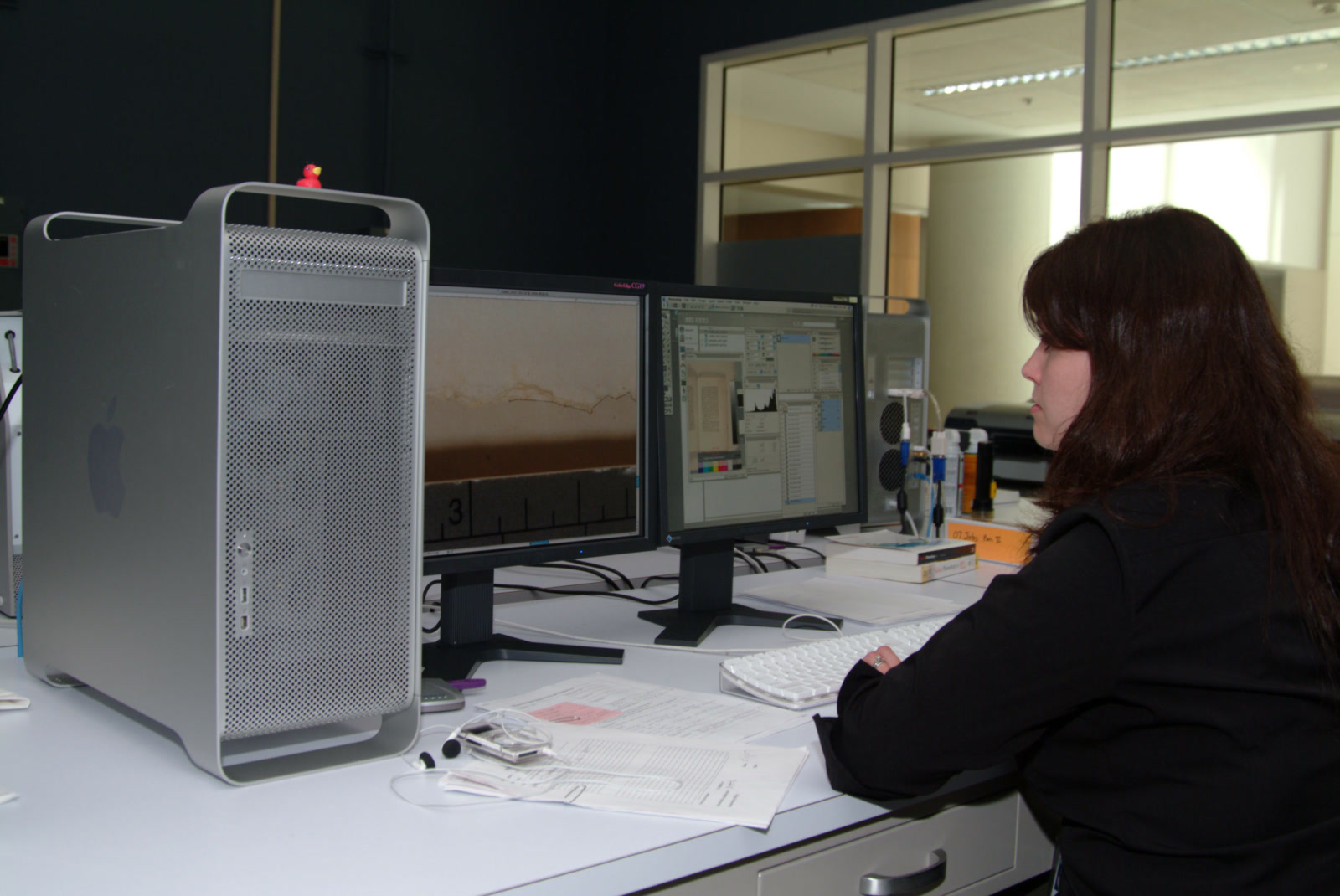
Image context: the cover is a real National Archives photograph of a technician in the Digital Imaging Lab at Archives II. It shows capture rather than Archivematica itself, which is precisely the handoff this project addresses: real institutional workflows produce files, and preservation begins by keeping their later treatment legible.[12]
Transfer is an evidence boundary
Archivematica begins with a transfer source that its Storage Service can reach. The incoming material may be a normal directory, a compressed directory, a BagIt bag, a disk image, or an export from systems such as DSpace or Dataverse. “Format-agnostic” here means the pipeline will accept unfamiliar files; it does not promise that every format can be identified, validated, characterized, or normalized usefully.[2]
The preparation rules are deliberately plain. A reserved top-level metadata directory can carry descriptive and rights CSV files, submission documentation, externally generated checksums, and an identifiers.json file for persistent identifiers. If a producer supplies checksum.sha256, for example, Archivematica verifies it during transfer and fails the transfer when the values do not match. That is a small but important distinction from generating a new checksum only after receipt: the earlier value can test the handoff itself.[2]
Once started, a processing configuration determines which decisions are automatic and where the pipeline pauses. Transfer microservices can assign identifiers, verify checksums, inspect packages, scan for malware, identify formats, and extract metadata before the material is sent either to a backlog for appraisal or onward as a SIP for ingest. The dashboard exposes these steps rather than hiding them behind a single “upload complete” state.[2]
This is Archivematica’s first strong design choice. The system does not treat a folder as self-explanatory. It gives the accession a name, links supplied identifiers and documentation, records what happened during transfer, and keeps a place for human approval. The result is still only a preservation candidate; turning every incoming byte into a trusted archival object remains a policy decision.
The AIP carries its receipts
An Archivematica AIP is not merely the original files inside a zip. Version 1.18 gives each AIP a UUID and packages it according to BagIt. At the top level are bag metadata and checksum manifests. Inside data are the objects, tool logs, optional thumbnails, a human-readable README, and a METS.<uuid>.xml document.[3]
The METS file is the package’s connective tissue. It lists original objects, preservation copies, access-related files, licenses, and submission documentation; it also links them to descriptive, technical, provenance, and rights metadata. The objects directory keeps originals alongside any preservation masters, while the logs retain outputs such as format-identification and filename-change records. Multiple transfers can be combined into one SIP, and the AIP structure preserves transfer-specific metadata and logs beneath that larger package.[3]
This does not make the XML infallible. It makes the claim inspectable. Years later, an operator should be able to distinguish the received object from a normalized copy, see which action produced the copy, verify payload manifests, and recover the context in which the package was assembled. That is why the project’s real unit of value is not a converted TIFF or FFV1 file. It is the original plus its relationships, events, policy, and fixity evidence.
Format policy is executable—and local
The Format Policy Registry, or FPR, is where preservation judgment becomes executable configuration. Archivematica models a preservation action as tools, commands, and rules: a tool performs work; a command controls how it runs; a rule associates that command with a format and a purpose such as identification, validation, characterization, or normalization.[4]
In 1.18, Siegfried is the default identification tool and maps signatures to PRONOM identifiers. Characterization may call tools including FFprobe, MediaInfo, ExifTool, or fiwalk, depending on the material. Normalization rules can create a preservation copy and a different access copy, while retaining the original so a future institution can choose another migration or an emulation path. Event-detail commands can record the relevant tool and version in the METS metadata.[4]
The defaults are a starting point, not delegated archival policy. A museum preserving video art, a government archive receiving office documents, and a research repository ingesting scientific data do not share one acceptable-format list. Archivematica allows local formats, commands, and replacement rules, and preserves local changes across upgrades. That power is also a failure surface: an untested command can create a technically valid but semantically damaged derivative, while an overconfident normalization rule can turn uncertainty into silent loss.[4]
The safe operating model therefore keeps three things together: a written preservation policy, versioned FPR changes, and representative test objects with expected results. “The pipeline ran” is weaker evidence than “the institution can explain and reproduce the action it authorized.”
Storage is a separate contract
Archivematica’s Storage Service draws a useful boundary between processing and placement. A space models a storage device or remote service. A location subdivides a space by purpose—transfer source, backlog, currently processing, AIP storage, DIP storage, recovery, or replication. A pipeline is one Archivematica dashboard installation, and a package is the AIP, DIP, or backlogged transfer tracked inside a location.[5]
That vocabulary prevents the processing application from pretending every filesystem path has the same meaning. One Storage Service can serve multiple pipelines; a location can be limited to particular pipelines; and storage protocols can change without redefining the archival package. AIP deletion is also a request-and-review operation rather than an ordinary file-browser action: the request originates through Archivematica and a Storage Service reviewer approves or rejects it.[5]
The boundary matters because Archivematica is not, by itself, a complete durability guarantee. An institution still owns replication, offline or geographically separate copies, fixity schedules, credentials, capacity, disaster recovery, and the downstream access system. Wellcome Collection’s public deployment notes make that division concrete: Archivematica analyzes born-digital files and creates METS metadata, then packages files and metadata as BagIt for a separate permanent storage service.[9]
In other words, Archivematica can produce and route a preservation package. It cannot make one copy immortal.
Automation does not remove operations
The project exposes enough API surface to integrate a real intake workflow. POST /api/transfer/start_transfer/ can initiate a transfer with a name, type, accession number, and encoded storage paths. Other endpoints expose unapproved transfers, unit status, processing configurations, and selected ingest functions, while the dashboard API can proxy some Storage Service operations.[6] The documentation calls this “some basic workflow functionality,” a healthy warning against assuming that every recovery path is a polished control-plane API.
Configuration also changes the operating shape. The archivematica_src_search_enabled setting can index transfers, AIPs, both, or neither; disabling those indexes lowers resource use and complexity but removes the corresponding backlog, appraisal, or archival-storage search surfaces from the interface. Official 1.18 installation guidance describes 2 CPU cores, 4 GB of memory, and 200 GB of processing disk as a production floor, while noting that deployments more commonly use 8 cores and 16 GB. Its disk rule of thumb is 20 GB plus four times the largest expected transfer—220 GB of processing space for a 50 GB transfer.[7]
Those are planning anchors, not capacity promises. File count, package structure, antivirus work, media transcoding, indexing, and concurrency can make two equally large transfers behave very differently. The production instructions support Ubuntu 24.04 and Rocky Linux 9; Docker Compose is the preferred development environment, not an officially supported production installation path.[7]
Independent operator documentation exposes the less tidy edge. Wellcome describes microservices containing jobs, which spawn per-file tasks; its engineers also document cases where restarting stuck services caused jobs to be scheduled twice and later steps to run twice.[10] That does not condemn the model. It defines a test requirement: custom scripts and downstream callbacks should be safe to retry, and operators need runbooks for stuck work, partial output, and package reconciliation.
A 2015 American Archivist review reached a similar boundary from an earlier release: Archivematica saved substantial preservation labor, but institutions without Unix and server expertise could struggle with configuration and late-stage failures. Its version-specific details are now obsolete; its staffing lesson is not.[11] Open source makes the workflow inspectable. It does not make the workflow self-operating.
The right pilot ends with recovery
Archivematica is a strong fit for a library, archive, museum, research repository, or records program that has varied born-digital material and needs a documented chain from accession to long-term package. The smallest credible team has both archival authority and Linux operations available—even if those roles are shared or supported externally. Someone must own format policy, someone must own the servers and storage, and both must agree on what a successful AIP means.
It is a weak fit for a solo user seeking photo backup, a team that has not chosen a durable storage strategy, or an institution hoping software will decide appraisal and preservation policy for it. It is also risky when the only pilot uses tiny, clean office documents while the real backlog contains disk images, audiovisual files, encrypted packages, malformed metadata, or hundreds of thousands of objects.
A useful evaluation starts with representative transfers, not a feature tour. Include one package with supplied checksums, one with an unknown or ambiguous format, one requiring a local rule, and one near the expected size or file-count ceiling. Deliberately fail a checksum and a normalization command. Fill the processing volume in a non-production environment. Restart a stuck worker. Confirm that the team can tell whether it is safe to retry.[2][4][7][10]
Then test the other direction. Retrieve the stored AIP. Validate its BagIt manifests. Open the METS file and trace an original to its derivative and preservation event. Confirm that logs and submission documentation survived. Re-ingest a copy in a test pipeline, and verify that the downstream access or catalog system still receives the intended identifiers. A preservation workflow is not proven when ingest turns green; it is proven when another operator can recover the package and explain what it contains.
Archivematica’s durable idea is modest and powerful: preservation should leave receipts. The project will not choose what deserves to survive, fund the storage, or rescue an institution from weak policy. What it can do is turn those responsibilities into visible boundaries—transfer, action, package, storage, and access—so future custodians inherit more than unexplained bytes.
Sources
- Artefactual, “Archivematica” project repository — project scope, AGPLv3 license, component boundaries, development resources, and release surface.
- Archivematica 1.18 documentation, “Transfer” — SIP preparation, transfer types, metadata directories, checksum verification, persistent identifiers, backlog, and ingest handoff.
- Archivematica 1.18 documentation, “AIP structure” — UUID naming, BagIt packaging, objects, logs, README, METS relationships, and package layout.
- Archivematica 1.18 documentation, “Preservation Planning” — Format Policy Registry tools, commands, rules, PRONOM identification, characterization, normalization, and event details.
- Archivematica Storage Service 0.24 documentation, “Administering the Storage Service” — pipelines, spaces, locations, packages, replication, permissions, and deletion review.
- Archivematica 1.18 developer documentation, “Archivematica API” — transfer, ingest, administration, unit-status, processing-configuration, and Storage Service proxy endpoints.
- Archivematica 1.18 administrator documentation, “Installing Archivematica” — supported environments, Elasticsearch configuration, hardware floors, processing-disk guidance, and production boundaries.
- Archivematica project, “Archivematica 1.18.0 and Storage Service 0.24.0 release notes,” September 26, 2025 — environments, Elasticsearch 8.x, JHOVE, PRONOM, and fixes.
- Wellcome Collection, “Archivematica: High-level design” — an independent production implementation connecting S3 transfer intake, Archivematica processing, METS, BagIt, and permanent storage.
- Wellcome Collection, “Microservices, tasks and jobs” — independent operator notes on work units, per-file tasks, stuck processing, restarts, and duplicate execution.
- Brad Houston, “Archivematica,” The American Archivist Reviews, 2015 — independent assessment of workflow value, customization, technical staffing, and failure costs.
- U.S. National Archives, “Digitizing Records: Getting Started,” 2023 — source page for National Archives Identifier 184340999, the real Digital Imaging Lab photograph used as the cover.