Imagine a classroom handout with a heading, a numbered exercise and a footnote. Converting its words into braille is one task. Keeping the exercise understandable when its lines and pages change is another. The open-source braille ecosystem makes this division unusually visible: Liblouis supplies translation, while BrailleBlaster and DAISY Pipeline offer different ways to turn translated content into a usable document.[2][3][5]
These are overlapping building blocks, rather than three applications everyone must run in sequence. A transcriber can work interactively in BrailleBlaster; a production service can configure transformations in DAISY Pipeline. Both can draw on Liblouis. The interesting choice is where a person needs to intervene, and which decisions must become repeatable.[3][5][6]
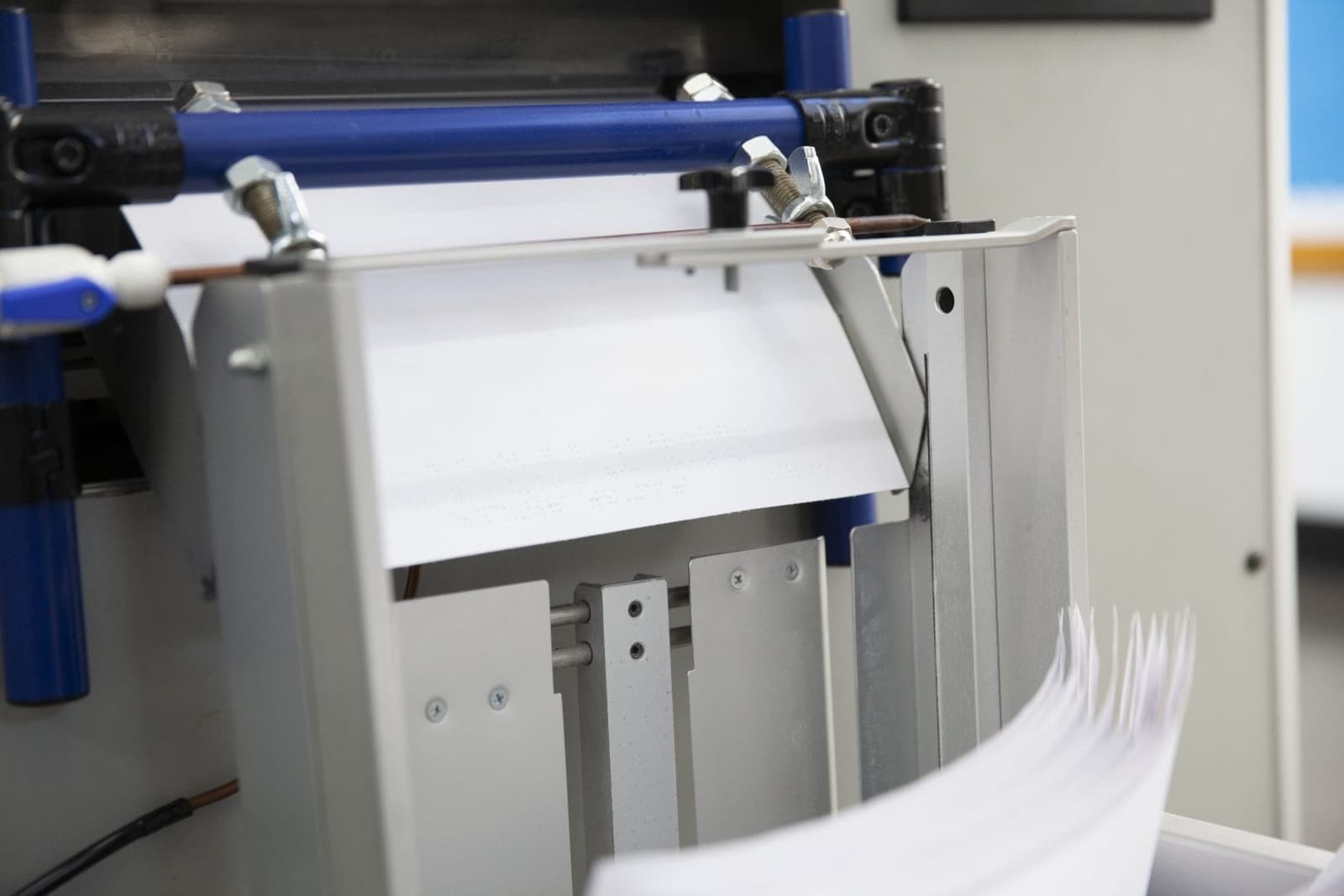
The distinction reaches the factory floor. In a September 2020 account of production at the American Printing House for the Blind, pre-production manager William Scott Smith described a workflow with transcription, a proof copy, corrections and a second proofreading pass. Software conversion was a stage inside that process.[1]
The translator carries rules
Liblouis is a library for translating text into braille and back again. Its manual addresses developers integrating the library and people improving translation tables. That intended audience explains its position: it supplies capabilities other programs can use, rather than a complete book-production workspace.[2]
The tables are part of the machinery. Their entries specify operations and operands, including character sequences and dot patterns; an include instruction can incorporate another table. The rules therefore live in inspectable files instead of being inseparable from one desktop application's interface.[2]
Choosing a table is a substantive decision. DAISY's Liblouis integration can select by language, region and features such as contraction grade, or by an explicit table identifier. Its documented query syntax includes (translator:liblouis)(table:...). The dots returned by a successful translation are meaningful only in relation to the selected conventions.[6]
For our imagined handout, this means that “the translation ran” is an incomplete acceptance criterion. Before inspecting the output, the producer needs to know which braille code and contraction conventions the intended reader expects. A technically successful run with the wrong settings would answer the wrong question.
The editor keeps exceptions within reach
BrailleBlaster, developed by APH, uses Liblouis and takes advantage of structured NIMAS textbook files to automate basic formatting. It surrounds that engine with a transcriber's workspace.[3] The project's Version 2 manual separates translation settings from page properties, including cells per line, lines per page and margins. It also provides controls for print-page and braille-page numbering.[4]
Those separate controls matter in a classroom. Imagine a teacher asking everyone to find an exercise on a particular print page. A braille edition needs a way to preserve that reference even when its own pagination differs. Retaining the words alone would leave the student with extra work.
The manual also describes changing a selected passage to uncontracted braille and correcting particular translations.[4] This is the interactive route's attraction: a questionable word or awkward passage can become an explicit editorial decision while the larger document remains in view.
An independent, hands-on AccessWorld review by J.J. Meddaugh illustrates that role. Testing a Windows release from November 2018, he loaded A Christmas Carol from Bookshare, worked between the print and braille views, and configured an embosser. He also found that the documentation and advanced tools assumed professional transcription knowledge.[8] That historical test supports a useful distinction between removing a software-price barrier and removing the expertise required to produce a book; it does not establish present-day compatibility.
The production service makes choices repeatable
DAISY Pipeline exposes the translation-and-layout split directly. Its braille documentation distinguishes transcription from line breaking, page breaking, indentation and volume breaking. CSS can influence rendering, while a transformer query selects implementations. The documented EPUB-to-braille command uses (translator:liblouis)(formatter:dotify) as its default transformation choice.[5][7]
Here, Liblouis and Dotify occupy different jobs within one conversion. A producer can investigate the translation settings when the braille code is wrong, or the formatting configuration when the page arrangement is wrong. The output gives those investigations a common destination without making them the same problem.
The EPUB conversion script exposes concrete production controls, including --page-width, --page-height and --duplex. It can retain a preview and intermediary files. Among them is PEF, the Portable Embosser Format, which represents the formatted braille document before conversion into another embosser-ready format.[7]
One option reveals how much a successful job can conceal. By default, overflowing text causes an error; enabling --allow-text-overflow-trimming permits truncation with a warning where possible.[7] A production queue that treats warnings as harmless could therefore move forward while losing content. For a worksheet, a missing instruction could matter more than a neat page edge. The setting deserves a documented decision and an inspected result.
My reading of this division is practical: Pipeline suits work whose production choices can be expressed and maintained as configuration; an editor is valuable where exceptions need frequent human attention. The choice depends on the documents and the people responsible for them, rather than on which project sounds more automated.
Preserve the next correction
BrailleBlaster's Version 2 manual distinguishes its editable BBZ document from BRF and PEF exports used for embossing. It says those exports cannot be edited within BrailleBlaster.[4] Keeping only the delivery file can therefore make the next correction harder than keeping the working document alongside it.
For a small school or library team, I would begin with a short, representative document and pair the person configuring the software with a competent braille transcriber or reader. A solo producer needs access to that review, too. Keep the source, the editable work, the translation and layout choices, and the reviewed output together. Try an awkward list or page transition before committing a whole collection.
APH's production account offers the reason for that modest beginning: people inspect and correct the proof before manufacturing proceeds.[1] Open source makes the rules and transformations available for examination and improvement. The finished achievement is a page someone can follow—heading, exercise, footnote and all.
Sources
- American Printing House for the Blind, “APH Behind the Scenes: A Look At The People and Processes that Bring You Braille” (September 2, 2020) — production workflow and photograph.
- Liblouis, User's and Programmer's Manual, version 3.39.0 — Introduction and translation-table Overview; consulted November 9, 2026.
- BrailleBlaster, official project introduction — APH, NIMAS formatting and use of Liblouis.
- BrailleBlaster, User Manual Version 2 (August 23, 2021) — document settings, translation corrections and editable versus embossing formats.
- DAISY Pipeline, “Braille transformation” — separate transcription and formatting responsibilities.
- DAISY Pipeline, “Liblouis based braille transcription” — transformer queries and table selection.
- DAISY Pipeline, “EPUB 3 to braille” — transformation defaults, page settings, intermediate PEF and overflow handling; consulted November 9, 2026.
- J.J. Meddaugh, “Blasting Barriers to Creating Affordable Braille,” AccessWorld, American Foundation for the Blind — independent hands-on review of a November 2018 Windows release.