Imagine a ball coming down the right side of an Arduboy screen. Your thumb is already holding the right button. Will the paddle get there? On this credit-card-sized open-source handheld, you can give yourself a fighting chance by changing one number in a game sketch. The interesting part comes on the next serve, when the faster paddle sails past the spot where you meant to stop. You can try both versions today in the project's browser emulator, then load the one you prefer onto the handheld.[1][2]
When Kevin Bates took the Arduboy to Kickstarter in 2015, one of his pitches was that you could hand someone a digital business card with your résumé on it. Another was that players could edit the games they downloaded. A decade later, that second promise shows up in an unexpected place in the programming guide. The community went on to develop Arduboy2, the library the project uses to give game authors access to the buttons and display. A player who wants to change the controls can work in the vocabulary of a game.[2][3][4]
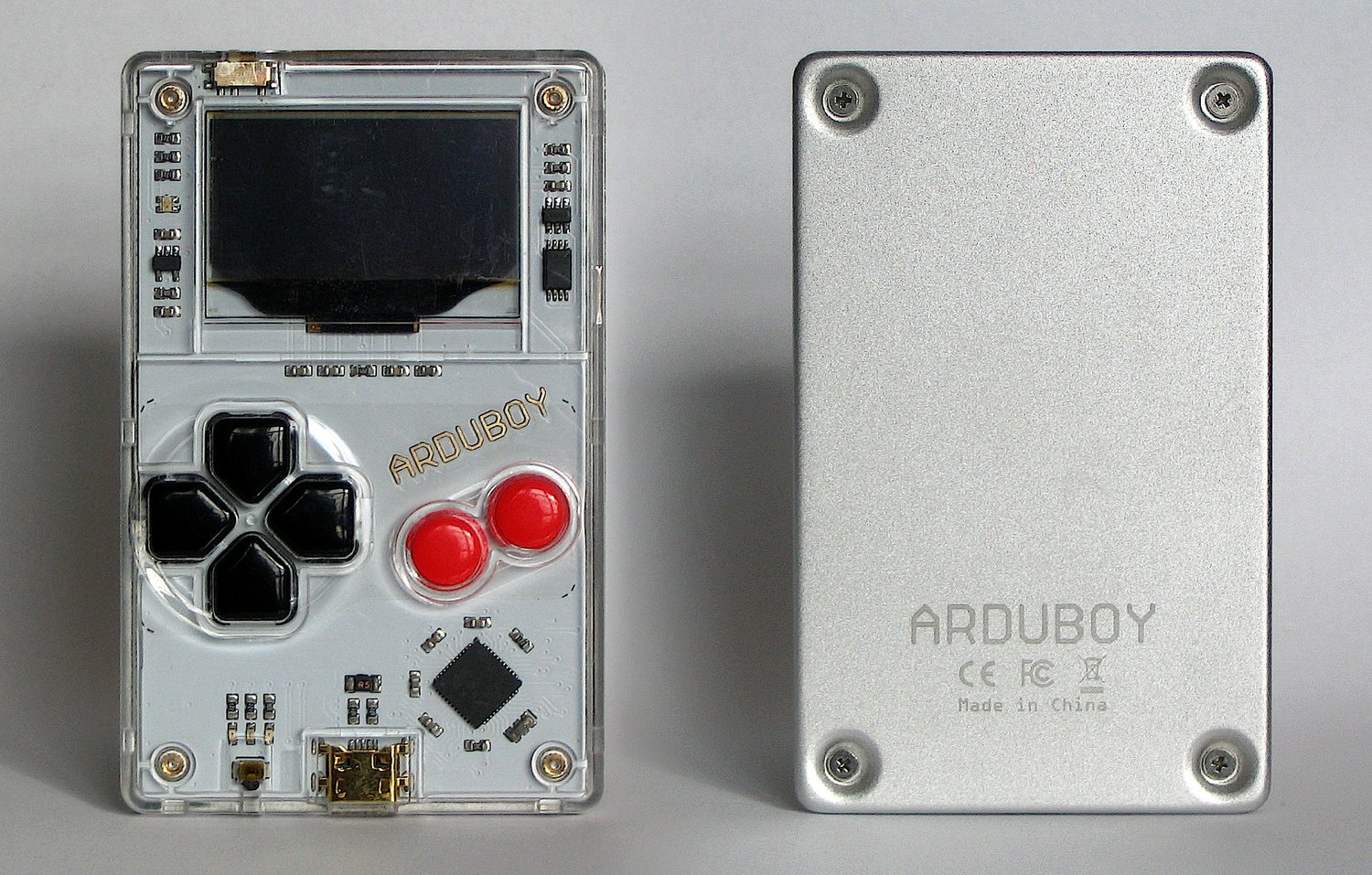
One thumb, two experiments
Consider a twelve-pixel paddle moving across the bottom of the 128-pixel-wide display. Give it an integer horizontal position and, once per frame, check whether the right button is down. If it is, add one to that position. Keep the paddle's left edge between zero and 116 so the entire paddle stays on screen. At a steady 30 frames per second, a trip from one edge to the other takes just under four seconds. The library supplies the button reading and the frame clock. The length of that trip is the author's decision.[3]
Now change the increment to three. A player starting on the left can chase a ball almost the full width of the court in about a second and a third. Try catching a ball that drops just to the right of the paddle tip, though. Even a press caught on a single frame moves the paddle three pixels. One edit has changed both the distance a player can cover and the smallest correction a thumb can make.
There is another way to double the original paddle's speed. Leave the increment at one and ask the library for 60 frames per second. That experiment changes the whole court. If the ball also advances one pixel per frame, it now falls twice as fast, and the player has gained no ground on it. To find out whether a faster paddle makes a better game, keep the frame clock and the ball's step fixed. Arduboy2 exposes that distinction through setFrameRate() and nextFrame(), which tells the sketch when another frame is due.[3]
Where the old paddle goes
Moving the paddle in memory still leaves the old picture on the display. In a simple Arduboy2 sketch, each frame starts with clear(). The sketch draws the ball and paddle at their new coordinates into a screen buffer, then calls display() to send the finished picture to the OLED. The screen is 128 pixels across and 64 down, with one bit per pixel. An entire court, score and all, fits into 1,024 bytes of picture memory.[3]
Leave out the clear step while using the default display() call and the paddle paints a stripe as it travels. That stripe makes a revealing little experiment. The game still has one paddle with one horizontal position. A ball can fall straight through the bright trail if the collision test uses the paddle's current coordinates. The display remembers where the paddle has been only because those old bits survived in the buffer.[3]
The browser studio puts an editor beside the running game. A physical Arduboy adds one piece of evidence the emulator cannot supply on its own. With your thumbs on those particular buttons, does the faster paddle feel more forgiving? A crossing time can tell you whether a catch is possible. A handful of missed serves can tell you whether to keep the change.[1][5]
Sources
- Arduboy, browser studio, emulator and hardware overview
- Arduboy, Quick Start guide to programming the handheld
- Arduboy2, class reference for button input, frame timing and the screen buffer
- Molly Brown, “This tiny gaming device lets you play and code,” GeekWire, May 2015
- Drummyfish, front and back photograph of the Arduboy, Wikimedia Commons, CC0