As of 2026-05-27 UTC, the useful way to read DingTalk AI Tables is not as "spreadsheets with a chatbot attached." The sharper use case is row-level operations: a table becomes the place where a frontline issue, customer review, hiring candidate, product sample, repair ticket, inventory warning, or marketing asset can be stored, enriched, routed, analyzed, and followed up by AI.[1][2][3]
That matters in ai-china because Chinese enterprise AI is moving from model access toward work placement. A company can already call Qwen, DeepSeek, Kimi, MiniMax, or another model from many places. The harder question is where the AI should live so that employees actually use it in the middle of a process. DingTalk's answer is deliberately unglamorous: put AI into the familiar table, then make the table behave less like a grid of cells and more like a lightweight business system.[1][3][5]
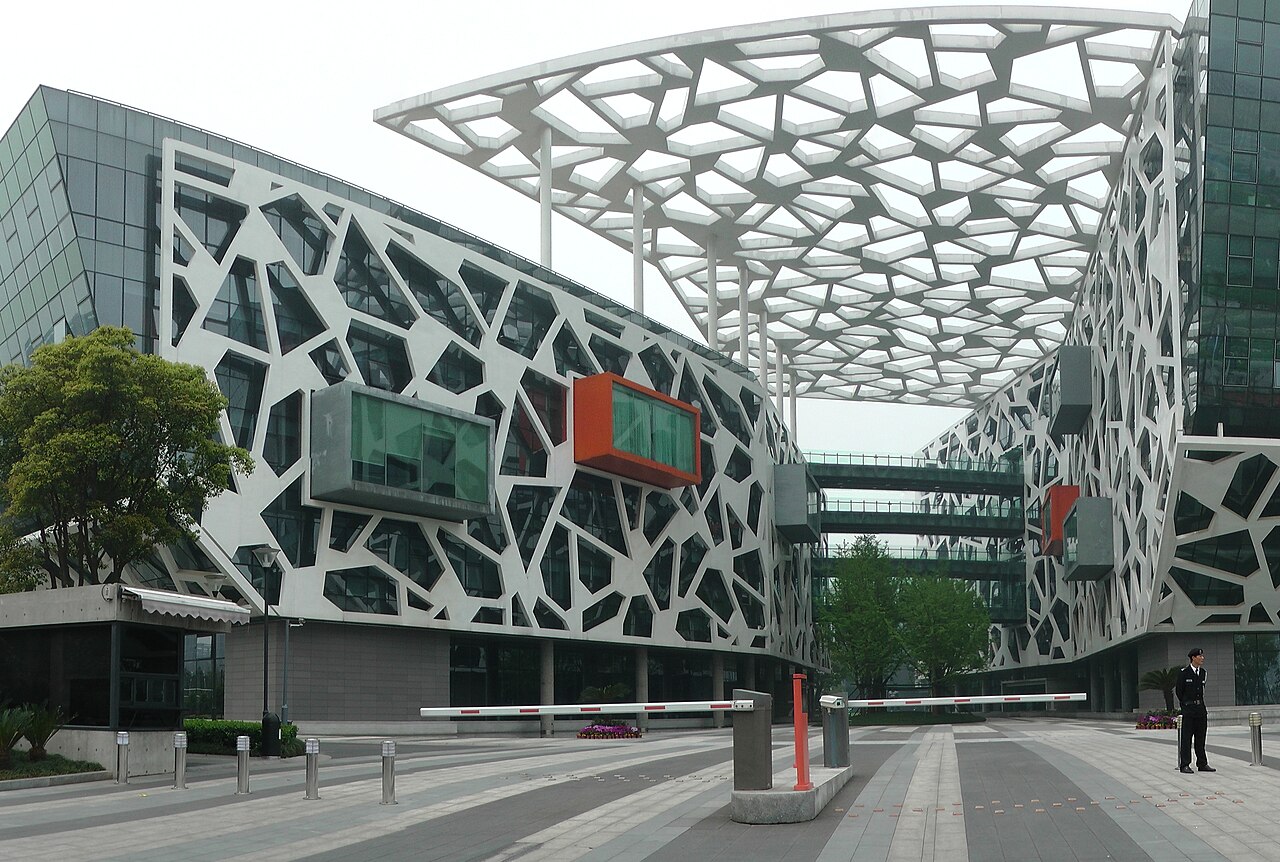
Image context: the cover uses a real Wikimedia Commons photograph of Alibaba Group headquarters in Hangzhou.[8] It is not a diagram, chart, interface screenshot, or generated visual. It is used as an institutional anchor because DingTalk's AI Table story is about Alibaba turning existing enterprise surfaces into operational AI infrastructure rather than shipping another isolated assistant app.
The table is the adoption surface
DingTalk's official AI Table page frames the product as an application-building platform for the AI era, with templates for intelligent analysis, business operations, quality inspection, popular-content creation, customer care, and recruiting.[1] The supporting product page is even more explicit about the intended audience. It says a user can build with zero code in five minutes if they already know how to use a table, then points to IT service, store management, administration, recruiting, goal management, and enterprise training as target scenarios.[2]
That is a different adoption pattern from asking every department to learn a new agent console. Tables already sit where messy work is recorded. Employees know how to add a row, fill a field, filter a view, and hand off status. DingTalk is trying to make that existing habit the entry point for AI. The product does not need the user to begin with a prompt-engineering theory. It starts from the record: what happened, who owns it, what evidence is attached, what state is it in, and what should happen next.[1][2]
This is why the phrase "AI Table" is more consequential than it sounds. A table is not only a storage object. In business operations, it is often the informal operating system for work that does not yet deserve a custom app. DingTalk's move is to formalize that middle layer. The row becomes the unit of work, the field becomes a place where AI can extract or generate structure, and the view becomes the dashboard where the team can see whether the work is moving.[2][3]
The row-as-document idea changes what a record can carry
The most important product detail is Tables as Documents. DingTalk's launch write-up says each row can be an independent document that supports text, images, videos, and free-form layout.[3] That sounds like a convenience feature until one thinks about the kind of information enterprise work actually contains. A customer complaint is not just a number. A maintenance issue may include photos, voice notes, timestamps, site context, and staff comments. A product sample may carry supplier details, images, social feedback, inventory history, and pricing notes.
Traditional tables force that material into cramped cells or push it into attachments that are easy to lose. DingTalk's row-as-document model tries to keep structured and unstructured information together.[3] The record still has fields that can be filtered and routed, but it can also hold the richer evidence that a person or model needs to understand the case. For AI, that is a big difference. The model is not only analyzing a lonely column. It can reason over a richer row object with surrounding context.
The official docs point to the same direction through core capabilities: multidimensional views, field types, cross-table references, formulas, forms, dashboards, automation workflows, advanced permissions, and open APIs.[2] Put together, those are the components of a small business application. A team can collect intake through a form, enrich records with AI, route work through automation, restrict sensitive fields, and inspect the result through a dashboard.[2][3]
The strongest use cases are repetitive and local
DingTalk's own examples are revealing because they avoid abstract "AI transformation" language. In e-commerce, the launch article describes a workflow where RPA captures multi-platform review data, AI field templates analyze consumer reviews that once took days, and store ratings across 13 stores are managed in one place.[3] In logistics, STO Express is described as using AI Tables for a work-order loop that runs from submission through AI-powered assignment, task push, and result feedback inside one table.[3] In inventory, an airport-security scenario uses the table to track consumables and warn about stockout risk.[3]
Those are the right use cases for this product shape. They are high-volume, repetitive, partially structured, and close to existing operations. They do not require a frontier model to invent a business strategy from scratch. They require reliable extraction, classification, routing, reminders, dashboards, and human review. DingTalk's launch materials say more than 80 AI field templates are embedded in tables, and that one configured instruction can process later data repeatedly.[3] The strategic point is the repeat loop. Once the field behavior is set, the next row can be handled with less manual effort.
That also explains why the table surface may be more durable than a pure chat surface for enterprise use. A chat answer is easy to admire and hard to operationalize. A table row has ownership, status, audit trail, permissions, related fields, and downstream actions. If AI can live there, the output is closer to work completion rather than conversation.
OpenClaw and Wukong point to the next layer
DingTalk's AI Table page already points beyond the table itself. It advertises a DingTalk AI Table skill for OpenClaw, telling users to install dingtalk-ai-table so OpenClaw can help manage all their tables.[1] That is a small line with a larger meaning. The table is not only a destination for human clicks. It is becoming a tool surface that another agent can operate.
Alibaba's Wukong announcement makes the direction easier to see. Reporting on the March 2026 launch described Wukong as an enterprise AI work platform created by the DingTalk team, planned as both a standalone app and something built into DingTalk.[6] The same report says Wukong connects to DingTalk accounts and secure access permissions, can operate many DingTalk tools, supports custom models alongside named model families, and runs tasks through sandboxed execution with user permissions, data scope, and operation records under unified management.[6]
Read beside AI Tables, that is the emerging pattern: tables hold the operational state; agents operate the state; permissions decide what can be touched; dashboards and records make the work reviewable. The hard part is not whether an agent can write a sentence. It is whether the agent can safely modify a work system that employees depend on.[1][2][6]
The Dingtalk DeepResearch paper, submitted in October 2025, reinforces the same table-native direction from the research side. It presents a multi-agent framework for enterprise environments that includes deep research, heterogeneous table reasoning, and multimodal report generation.[7] That does not prove AI Tables and DeepResearch are one product. It does show that DingTalk's ecosystem is treating table reasoning as a first-class enterprise workload rather than a decorative office feature.[7]
Scale makes the boring surface matter
Alibaba's annual report gives the enterprise context. It describes DingTalk as an intelligent collaboration workplace and enterprise management platform, says average paying weekly active users reached 42 million in March 2025, and cites QuestMobile for DingTalk being China's largest business-efficiency mobile app by monthly active users that month.[5] The same report lists communication, organizational management, office automation, HR, workflow management, collaborative documents, video conferencing, calendars, third-party apps, low-code infrastructure, and AI products using Qwen as part of the platform surface.[5]
That scale is why AI Tables are worth tracking. A table feature inside a small app is a feature. A table feature inside a massive work platform can become a distribution lane for AI behavior. DingTalk's global site also frames the product as an AI-enhanced workspace with chat, calendar, AI Table, docs, meetings, and AI minutes, while emphasizing organizational data security, ecosystem security, knowledge-base permissions, and encrypted communication.[4] Those details are not glamorous, but enterprise AI adoption often depends on exactly that layer: who can see the row, who can run the workflow, and who can audit what changed.[4][5][6]
The risk is that AI Tables become another flexible tool that is easy to start and hard to govern. No-code systems can sprawl. Field templates can encode weak assumptions. Dashboards can look clean while data quality stays uneven. Agents that modify records need permission boundaries and rollback habits, not only impressive demos. The Wukong reporting is useful here because it notes both the platform's ambition and current execution limits when tasks depend on external platforms or restricted data.[6] That boundary should keep the thesis disciplined.
The narrow conclusion is still strong. DingTalk AI Tables matter because they place AI where enterprise work already becomes legible: the row, the field, the view, the permission model, and the workflow.[1][2][3] If Alibaba can connect that surface to Wukong-style agents and keep the permission layer trustworthy, the product becomes more than a smarter spreadsheet. It becomes a practical answer to a harder AI-China question: how does a model stop being a chat answer and start becoming a managed part of everyday work?
Sources
- DingTalk, "钉钉 AI 表格,AI 时代的应用搭建平台" (official AI Table page; templates, OpenClaw skill installation prompt, and agent/table positioning).
- DingTalk Docs, "钉钉 AI 表格,简单、灵活、高效的业务管理工具" (official product page; zero-code setup, business-system scenarios, multidimensional views, fields, formulas, forms, dashboards, automation, permissions, and open APIs).
- DingTalk Macau, "DingTalk Launches New 'AI Tables'" (January 6, 2026; English launch write-up on Tables as Documents, AI field templates, 1,000-task processing claim, e-commerce, STO Express, inventory, and row-level use cases).
- DingTalk, official global homepage (AI-enhanced workspace positioning, AI Table among core products, organizational security, knowledge-base permissions, and global business footprint).
- Alibaba Group Holding Limited, 2025 annual report via HKEX (DingTalk business overview, 42 million average paying weekly active users in March 2025, business-efficiency app ranking claim, workflow tools, low-code infrastructure, and Qwen-powered AI agents).
- EqualOcean, "Alibaba Launches Enterprise AI Platform WuKong with Global Expansion Plans" (March 18, 2026; DingTalk-team Wukong launch, account permissions, model support, sandbox execution, skill integration plans, and observed execution limits).
- Mengyuan Chen et al., "Dingtalk DeepResearch: A Unified Multi Agent Framework for Adaptive Intelligence in Enterprise Environments," arXiv:2510.24760 (submitted October 22, 2025; enterprise multi-agent framework covering deep research, heterogeneous table reasoning, and multimodal report generation).
- Wikimedia Commons, "File:Alibaba group Headquarters (cropped).jpg" (source page for the real Alibaba headquarters photograph used as the article image).