rclone is often introduced as "rsync for cloud storage," which is useful shorthand and a slight trap. The better mental model is adapter layer. It gives engineers one command surface for many storage systems, then exposes enough backend detail that the operator still has to understand what each destination can and cannot promise. That is why rclone belongs less in the category of backup product and more in the category of storage plumbing: it moves, compares, filters, encrypts, and mounts files across remotes, while leaving policy, restore testing, retention, and operational ownership to the system around it.[1][2][4]
As of 2026-04-23T03:02:34Z UTC, the rclone documentation lists a wide spread of backends, including Amazon S3 storage providers, Backblaze B2, Box, Dropbox, Google Cloud Storage, Google Drive, Internet Archive, Microsoft Azure Blob Storage, OneDrive, Proton Drive, SFTP, SMB, Storj, WebDAV, and several wrapper backends such as crypt, chunker, compress, combine, hasher, and union.[1] That list is the product surface. rclone matters because the same migration or backup job often crosses three different worlds: a POSIX-like filesystem, an S3-compatible bucket, and a consumer-cloud drive with its own timestamp, checksum, quota, and listing behavior.
The practical question is not "Can rclone talk to my provider?" It usually can. The more useful question is "Which semantic contract am I depending on?" A one-way copy is not the same commitment as sync; a mount is not the same reliability shape as a transfer command; a crypt remote changes recovery and key-rotation procedures; filters can cut network listing cost or accidentally hide data from a run.[2][3][4][5]
Remotes Are The Boundary Object
rclone's configuration model makes a named remote the basic unit. A remote can point to a cloud bucket, drive account, server path, or wrapper around another remote.[1][4] That naming layer is why rclone works well in scripts: prod-b2:archives, cold-s3:logs, gdrive:shared, and local:/srv/export can be addressed through a common grammar. The common grammar is not the same as common behavior.
This is where ecosystem mapping matters. Object stores usually like large immutable objects and explicit lifecycle policy. Drive-like services often behave more like document libraries, with different affordances around modification time, duplicate names, rate limits, and shared folders. SFTP and SMB sit closer to old filesystem expectations. rclone can normalize the command surface, but it cannot make every backend support the same hashes, server-side copy behavior, symlink model, or consistency timing.[1][2]
The adoption pattern should start with a small matrix: source, destination, operation, expected equality check, delete behavior, and recovery test. If the job is a nightly transfer from local ZFS to B2, the contract is different from a one-time migration from Google Drive to S3, and different again from an operator mounting a remote into a media or archive application. rclone gives these workflows a common tool; it does not make them the same workflow.
copy, sync, And The Delete Surface
The sharpest boundary is between copying files and declaring a destination to be a mirror. rclone's sync docs describe a command that changes the destination to match the source, including deleting files when necessary, and they explicitly point users toward copy when deletion is not desired.[2] In practice, copy is the safer first primitive because it adds or updates data without treating absence as intent. sync is more powerful because it can make the destination match the source, including deletion. That is exactly why it deserves a dry run, logs, and a rollback story before it enters cron.
The equality model also matters. rclone normally compares modification time and size, while --checksum asks for hash-and-size comparison when the remotes support compatible hashes.[2] On some backends, checksums are strong and cheap. On others, they are unavailable, inconsistent across multipart uploads, or expensive to infer. A team that treats every storage system as if it were a local filesystem will eventually get surprised by a "successful" transfer that proves the wrong thing.
Good rclone automation therefore looks boring. It pins config location, stores logs outside the data path, uses --dry-run when changing filters or delete behavior, sets transfer and checker counts intentionally, and records which command is authoritative for each direction. The important design decision is usually outside rclone: whether the source of truth is the local filesystem, the object bucket, a snapshot, or a higher-level backup catalog.
Filters Are Performance Controls, Not Just Convenience
rclone's filter language looks like a way to exclude junk files, but the filtering docs show a deeper operational role. Directory filter rules can determine whether rclone recurses into subdirectories, and that can optimize access to a remote when the backend and pattern shape allow it.[3] This is more than tidiness. On cloud storage, listing is work: it can consume API quota, add latency, and dominate jobs where little data actually changes.
That makes filters a production interface. A photo archive might exclude derived thumbnails but include raw originals. A log job might include only compressed files older than a threshold. A migration might stage one prefix at a time rather than traverse a whole bucket. Each of those choices should be reviewed the same way a database migration is reviewed, because the filter is deciding what exists for the purpose of the run.[3]
The failure mode is subtle. A filter that keeps a test run fast can become a data-loss boundary when paired with sync and deletion. A regular expression can also prevent directory recursion optimization, forcing rclone to inspect more paths than an operator expected.[3] The rule of thumb is simple: filters belong in version-controlled job definitions, not in a remembered shell line.
crypt Adds Privacy And A Recovery Burden
The crypt backend is one of rclone's most important wrappers because it separates the storage provider from the plaintext. The docs describe crypt as a remote that wraps another remote, encrypting before upload and decrypting after download on the local system, with encrypted data resting in the underlying storage.[4] That makes rclone attractive for users who want low-cost object storage without handing the provider readable filenames and content.
The tradeoff is ownership. If the password or config is lost, the provider cannot recover the plaintext for you. If the password changes, existing encrypted content cannot simply be re-keyed in place; the docs point toward re-uploading or copying through a new crypt remote, which can double bandwidth use and incur storage-system charges during migration.[4] crypt is therefore not a checkbox. It is a key-management decision with restore consequences.
Used well, crypt gives small teams a practical privacy layer over commodity storage. Used casually, it creates a silent single point of failure: the only copy of the knowledge needed to read the archive may live in one laptop's config file.
Mount Is For Access, Transfer Is For Control
rclone's mount feature is valuable, but it changes the failure model. The mount documentation is blunt about the distinction: filesystems expect very high reliability, while cloud storage systems are much less reliable; sync and copy can retry transfers in ways a mount cannot always match without local VFS caching.[5] That should shape how teams use it.
Mounts are good for browsing, ad hoc access, workflows that tolerate latency, and applications with predictable read/write patterns. They are weaker as the invisible foundation under write-heavy systems that assume local POSIX semantics. Symlinks, case sensitivity, cache mode, chunked reading, and offline behavior all become operational details.[5]
That does not make mount a toy. It makes it a different tool from transfer automation. A useful pattern is to mount for inspection and recovery, then use explicit copy, sync, check, or provider-native lifecycle tools for scheduled data movement. The mount makes the remote legible to a human or application; the transfer job remains the auditable control point.
Where rclone Fits
Backblaze and Wasabi both publish rclone-oriented setup material for their object-storage services, which is a strong ecosystem signal: storage vendors benefit when users can arrive with a familiar open-source tool rather than learning a provider-only command line first.[6][7] That does not make rclone vendor-neutral magic. It means rclone has become one of the adapters vendors expect serious users to know.
The best fit is a team that already understands its data contract and needs a portable mover: lab data to object storage, media archives to a cold bucket, cross-cloud migration, restore drills, encrypted off-site copies, or glue between a backup tool and a provider that supports an rclone backend. The weak fit is a team looking for a complete backup system. rclone has no native retention policy, no backup catalog, no deduplicated snapshot model, and no independent proof that a business process can be restored.
That boundary is the point. rclone is valuable because it is not trying to own the whole stack. It gives operators a stable file-movement vocabulary across messy storage surfaces. The engineering work is to put that vocabulary inside a larger system: snapshots before sync, dry runs before delete, logs after transfer, checks after copy, key custody for crypt, and periodic restore tests. Treat rclone as the adapter layer, and it becomes dependable plumbing. Treat it as the policy layer, and it will quietly inherit decisions it was never designed to make.
Sources
- rclone documentation, "Usage" and backend list - core purpose, configuration model, providers, and wrapper remotes.
- rclone documentation, "
rclone sync" - mirror semantics, delete behavior,--dry-run, logger flags, checksums, and sync options. - rclone documentation, "Filtering" - directory filters, recursion optimization,
ListR, and filter behavior. - rclone documentation, "Crypt" - wrapped remotes, client-side encryption, password/key implications, and re-encryption constraints.
- rclone documentation, "
rclone mount" - mount behavior, VFS caching, symlink translation, case sensitivity, and mount-versus-transfer reliability. - Wasabi documentation, "Rclone With Wasabi" - vendor integration example and object-storage workflow framing.
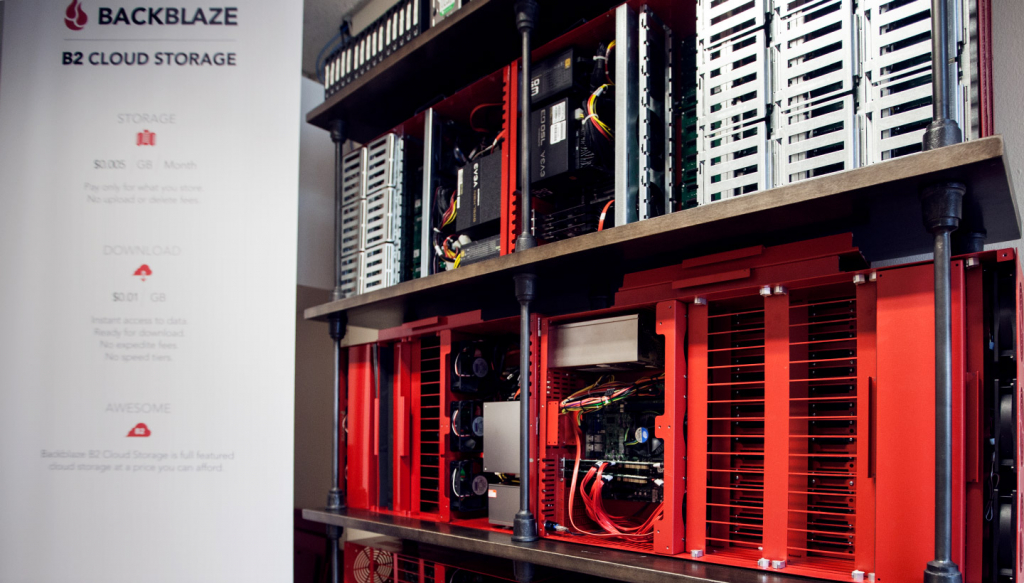
- Backblaze blog, "An Inside Look at the Backblaze Storage Pod Museum" - storage pod photography and object-storage hardware context used for the article image.