The tempting version of a postmarketOS migration is a download, a flash, and a liberated old phone. The useful version begins earlier: decide what the device must do, find the exact hardware port, and treat every green status cell as a claim to reproduce. A Linux shell that boots is a successful experiment. A handset that can receive an urgent call after six hours of suspend is a different achievement.
That distinction is unusually important in postmarketOS because the project is both a distribution and a workshop for bringing upstream Linux to hardware that vendors designed around Android. Its June 21, 2026 release is refreshingly explicit: v26.06 targets Linux enthusiasts and does not yet promise Android- or iOS-level polish. The same release lists dozens of devices in its community category, 254 more in testing, several regressions under investigation, and ongoing work toward the first devices in a stricter new main category.[1] A long compatibility list is evidence of porting reach, not a blanket support contract.
The right adoption pattern is therefore a staged hardware qualification. Begin with a spare device or removable storage, keep a tested route back to the stock system, and promote postmarketOS only after the exact phone passes the loops that matter to its intended job. This is less glamorous than flashing first. It is also how a weekend project becomes a dependable pocket computer instead of an unplanned loss of authentication, maps, or phone service.
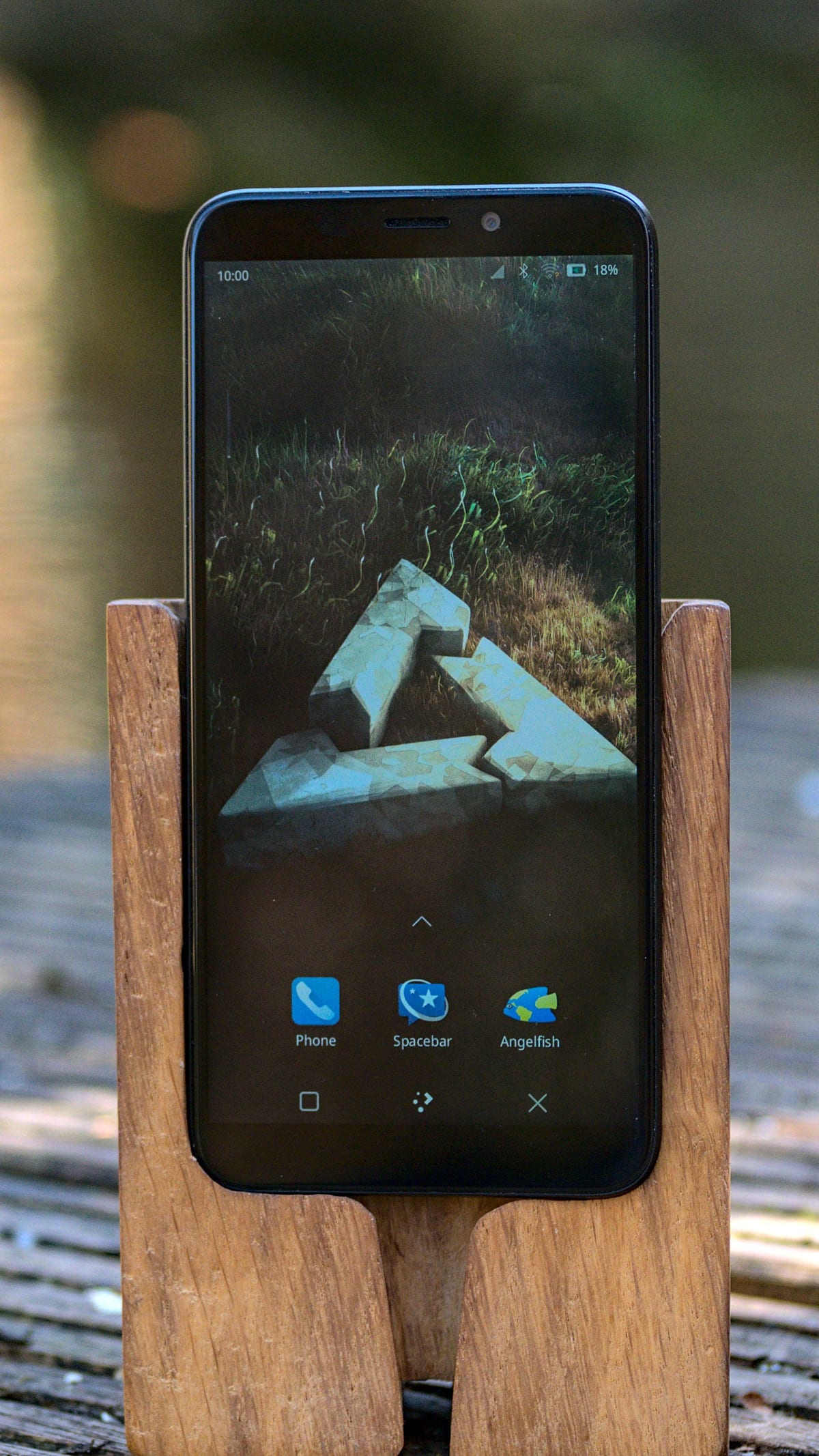
The cover photograph shows a PinePhone Pro, one of the rare handsets sold with mobile Linux in mind. Even there, the project records partial calling, SMS, battery, camera, and display-output support, plus a suspend-related incoming-call limitation. Purpose-built hardware reduces some porting friction; it does not remove the need to qualify the whole device.[6][10]
Choose the job before the operating system
“Replace my phone” is too vague to test. Write a one-sentence job instead: a Wi-Fi field terminal, an offline music player, a pocket SSH client, a development target, a kiosk, or a primary handset on a named carrier. Each job produces a different acceptance gate.
A Wi-Fi terminal may succeed with a broken modem and mediocre cameras. A primary handset must survive cold boot, suspend, incoming and outgoing calls, SMS, mobile data, emergency calling where applicable, Bluetooth audio, GPS, charging, alarms, and a full day away from a charger. It may also need banking, transit, identity, or workplace apps that have no native Linux equivalent. Those are workload dependencies, not details to discover after erasing Android.
This narrower framing is one of postmarketOS's strengths. An independent LWN overview noted that the system can give older mobile hardware second lives as small servers, kiosks, or other controlled-purpose machines even when a port is not ready for everyday phone use.[9] Repurposing is not a consolation prize. It is often the use case with the cleanest match between open software and imperfectly supported hardware.
Read the device page as a live bill of materials
The catalog's categories describe maintenance and functional expectations; they do not make every row within a category equivalent. The project distinguishes main, community, testing, and downstream or archived states, with criteria tied to maintainers, kernel direction, automated testing, and expected device functions.[2] Category is the first filter. The exact device page is the real starting point.
Match the vendor, marketing name, codename, regional variant, storage layout, and—when documented—the panel or board revision. Phones sold under one retail name can carry different displays, modems, or system-on-chips. A package such as device-pine64-pinephonepro or a vendor-codename selection in pmbootstrap is not approximate: it tells the build which kernel, firmware, boot image, partition assumptions, and device quirks to assemble.[4][6]
Then read feature cells skeptically. “Works” should lead to the linked issue history and installation notes. “Partial” should become a test case. A blank or stale row is unknown, not permission to assume success. Check at least the kernel type and version, GPU acceleration, audio paths, cameras, Wi-Fi, Bluetooth, GPS, modem calls/SMS/data, charging, suspend, full-disk encryption, and USB behavior.
The PinePhone Pro makes the method concrete. Its page labels the phone a development platform and records a close-to-mainline kernel, 4 GB of RAM, working 3D acceleration, Wi-Fi, Bluetooth, and GPS, but only partial calls and SMS. It also notes that calls and messages may not arrive while suspended, and its installation path depends on Tow-Boot in SPI before postmarketOS is written to removable or internal storage.[6] The point is not that this phone is unusable. The point is that the noun “phone” hides the exact failure that a primary-phone trial cannot tolerate.
Preserve an escape hatch before unlocking anything
Recovery planning starts while the vendor system still boots. Export contacts, authenticator recovery codes, photos, message archives, eSIM or carrier details, and any app data that cannot be recreated. Record the exact stock firmware build and obtain its official restore package and flashing tool before changing partitions. Verify that another device can receive account-recovery prompts. A backup stored only on the phone being modified is not a rollback plan.
Bootloader unlocking often erases user data, and recovery mechanics vary by device. The generic installation page deliberately routes readers back to device-specific instructions rather than pretending that one flashing recipe fits every handset.[3] Write down how to enter the bootloader or recovery mode, how to identify the phone from the host, which partition is touched, and how the stock system is restored. If any of those answers is missing, the migration is still in research.
Prefer a reversible first boot when the port supports one. The photographed PinePhone Pro can boot a prepared microSD card after Tow-Boot is installed; some Android-derived ports can temporarily boot a kernel, use an SD card, or install into userdata, while others require an internal boot partition change.[4][6] “External” does not automatically mean risk-free—the bootloader may still have been modified—but it keeps the root filesystem separate and makes comparison easier.
The project documents backup and restore for postmarketOS user data, but that is a different layer from preserving the vendor firmware and partition state.[7] Keep both: a recoverable stock device and a restorable Linux home directory solve different failures.
Let pmbootstrap expose the choices
Prebuilt images are the shortest route for supported device-and-interface combinations. pmbootstrap is more valuable when the goal is to understand or control the installation. Its initialization flow makes the operator choose a release channel, vendor, codename, user interface, and other device options; pmbootstrap install constructs the root filesystem, while commands such as flasher flash_rootfs, flasher flash_kernel, export, and --sdcard express different delivery paths.[4]
Those command names are not a universal recipe. A device may need only a root filesystem, a separate kernel image, an Android recovery zip, a particular bootloader, or a precisely named partition. Run only the sequence on the current device page. Save the pmbootstrap configuration, tool version, selected channel, image checksums, and terminal transcript so the experiment can be reproduced rather than remembered.
Make encryption a pre-install decision. pmbootstrap install --fde can build an encrypted installation for supported paths, but the device page may narrow or contradict generic capability. The PinePhone Pro page, for example, records full-disk encryption as a feature while also warning about current installation problems and linking the relevant issues.[4][6] For a phone carrying accounts or field data, “we will add encryption later” should fail the adoption gate unless a documented in-place path actually exists.
Prove the phone loops, not the launch screen
After the first boot, use a fixed trial instead of exploratory tapping. A practical 72-hour qualification can be run in five loops:
- Boot and recovery. Perform five cold boots, enter the boot menu without a host computer, and rehearse the documented recovery path. Confirm that an update or drained battery does not strand the device in an unfamiliar mode.
- Suspend and power. Measure an overnight idle period, wake repeatedly, charge from the adapters that matter, and test low-battery behavior. A phone that works only while awake is a bench computer.
- Radio and audio. On the intended carrier, test outgoing and incoming calls, SMS in both directions, mobile data, Wi-Fi roaming, Bluetooth reconnects, microphone routing, speaker, headset, and GPS from a cold start. Repeat an incoming call after one hour of suspend.
- Storage and security. Reboot through the encrypted unlock flow, fill enough storage to expose partition assumptions, restore a sample file from backup, and verify that secrets do not depend on the old phone remaining available.
- Update and rollback. Apply one routine system update, reboot twice, confirm the critical functions again, and restore the saved configuration or data on purpose. An update process has not been tested until the post-update phone still performs its job.
Record pass, fail, partial, and not tested. Link each failure to the device page or issue tracker, along with the kernel and package versions. This turns an anecdote—“postmarketOS runs on my model”—into evidence another owner or maintainer can use.
Fit the interface to the graphics path and memory
postmarketOS can offer Phosh, Plasma Mobile, Sxmo, conventional desktops, and console-oriented environments, but interface choice is downstream of kernel and graphics support. The project's interface guidance recommends the modern mobile shells mainly on devices with a close-to-mainline kernel and working acceleration; it warns that some downstream-kernel ports lack the DRM support Phosh expects, while software-rendered Plasma Mobile can perform poorly. Resource-constrained devices may be better served by a lighter shell or console.[5]
Choose one interface for the qualification window. Changing shell, init system, kernel branch, and modem stack together destroys the comparison. Capture idle memory, time from unlock to usable desktop, application launch time, and battery drain under the same screen brightness and radio conditions. If the job is a kiosk or SSH appliance, the visually simplest option may also have the smallest failure surface.
Treat updates as part of adoption
The v26.06 stable release is built on Alpine Linux 3.24 and carries current Phosh, Plasma Mobile, systemd, modem, and generic-kernel work, but its release notes also list device-specific regressions and moves of unmaintained ports back to testing.[1] That is healthy project transparency—and a reminder that maintenance status can change. Before promotion, identify who watches release notes, how quickly the device must be patched, how an update is staged, and what event sends the phone back to secondary status.
Duranium points toward a more appliance-like future with verified, image-based A/B updates and rollback. It is not a shortcut around qualification today. The project describes it as work in progress for testers, with higher storage and firmware requirements: two 5 GB /usr slots, UEFI support, and device-specific boot work, while secure and verified boot remain incomplete.[8] Its design is encouraging precisely because it names the reliability machinery mobile Linux still needs. Do not turn a roadmap into an operating guarantee.
The promotion decision
postmarketOS is a strong fit for an enthusiast with recovery hardware, a contributor working on one port, or a small technical team repurposing a controlled set of identical devices. It can also be the better system when the job values a normal Linux userspace, long-lived upstream work, and owner control more than a commercial app catalog.
It is a weak fit for a primary handset when the owner cannot tolerate missed calls, lacks a second authentication path, depends on unavailable apps, or cannot restore the stock image. It is also a premature fleet choice without spare units, version pinning, staged updates, and someone responsible for the exact device port.
Promotion should require four things at once: the intended job passes on the exact hardware variant; recovery has been rehearsed; encryption and backup have been proven; and one update cycle preserves the critical loops. Until then, keep postmarketOS on removable storage or a secondary device. The migration has still created value: it has replaced a compatibility claim with a measured hardware record.
Sources
- postmarketOS, “v26.06: Alpen Avocado” (June 21, 2026) — release audience, Alpine base, device categories, known issues, and maintenance direction.
- postmarketOS Wiki, “Device categorization” — criteria and maintenance expectations for main, community, testing, downstream, and archived ports.
- postmarketOS Wiki, “Installation” — prebuilt and
pmbootstraproutes, with device-specific instructions as the governing path. - postmarketOS,
pmbootstrapusage documentation — initialization, image construction, export, emulation, encryption, and device-specific flashing commands. - postmarketOS Wiki, “Interface” category — shell choices, graphics prerequisites, resource constraints, and interface package management.
- postmarketOS Wiki, “PINE64 PinePhone Pro” — hardware, feature status, Tow-Boot dependency, storage paths, encryption notes, and recovery details.
- postmarketOS Wiki, “Backup and restore your data” — user-data backup and restoration guidance for an installed system.
- postmarketOS, “Introducing Duranium: a more reliable postmarketOS” (March 17, 2026) — immutable layout, A/B images, storage and UEFI requirements, and current testing status.
- Koen Vervloesem, “postmarketOS: Linux for phones and more.” LWN.net, July 3, 2024 — independent project overview, device-support caveats, and repurposing use cases.
- Martijn Braam, “PinePhone-Pro-Plasma-Mobile” (March 26, 2022), Wikimedia Commons — photographic source for the article image.