A family tree can arrive in a new program with every familiar surname visible and still have lost something essential: the reason you believed a relationship in the first place. Moving to Gramps, the free, open-source genealogy application, is a good occasion to test that connection. The useful question is whether a claim still leads back to its evidence.[1]
The migration described here is into Gramps Desktop, using its 6.0.8 code as a concrete reference. My recommendation is to rehearse the move on a separate tree, inspect a handful of difficult records, and restore a native backup before making the imported copy your working home.
Choose the awkward family first
Before exporting anything, keep the old application's own backup and collect the documents and photographs associated with it. Then choose a small set of records you understand well: a second marriage, an adopted child, a surname with an accent, an approximate birth date, and a conclusion supported by conflicting documents. Write down what you expect to find after the transfer.
These are proposed test cases, not a Gramps checklist. They make success observable. A count of people cannot tell you whether an adoptive relationship changed meaning, a date became misleadingly precise, or an explanatory note became detached.
Vladimir Perić's independent 2014 account of using Gramps offers a useful standard for the exercise. Describing his own research workflow, he emphasizes recording enough detail in a citation to locate the underlying entry again. His account is historical, rather than a guide to today's interface, but that retrieval test remains a demanding measure of a migration.[2]
Choose one claim from your sample and follow it all the way back. If you cannot recover the document and understand your earlier reasoning, matching the old tree's head count is only a partial success.
Follow the citation through the move
Gramps gives those connections explicit places to live. Its shared data model distinguishes a Source, such as a parish register, from a Citation, such as a particular entry in that register. Events, people, notes, repositories, and media are separate objects that can refer to one another. An event can also be shared by several people, including a household recorded in a census.[3]
For an illustrative migration, imagine a birth date supported by a register entry and challenged by a later census. Inspect both references after import. Does each still identify the relevant page or entry? Can you tell which document supplied which date? Is your explanation of the disagreement still accessible?
This is where Gramps's flexibility earns its keep: the evidence can remain distinguishable even when it concerns the same person. The migration work is to check that the distinctions you already made survived translation into that model. A tidy display should not persuade you to erase an unresolved question.
Read what the importer could not understand
GEDCOM supplies a common route between genealogy programs, but the export and import still have to translate each application's representation. Gramps's own FAQ warns that GEDCOM cannot preserve everything its database stores and should not serve as its backup format.[1]
Create a new, empty destination tree for the rehearsal. Import the exported GEDCOM, keep the original export unchanged, and inspect the resulting report before editing the imported records.
The 6.0.8 parser makes this step concrete. It distinguishes an unknown line from a recognized but unsupported tag, records diagnostic messages, and can preserve those messages in notes with the type GEDCOM import, attaching them to the relevant object when possible.[4]
Those notes deserve a reading. Material preserved as diagnostic text has not necessarily become the event, citation, or relationship the old application represented. Conversely, a warning may concern something you do not need. Decide which is which by comparing the affected record with the original; do not treat every warning as catastrophic or a quiet import as proof of perfect fidelity.
If the first attempt needs a different export setting, repeat the rehearsal in another empty tree. That recommendation keeps comparisons intelligible and avoids mixing an experiment with research you have already started repairing.
Make the photographs travel
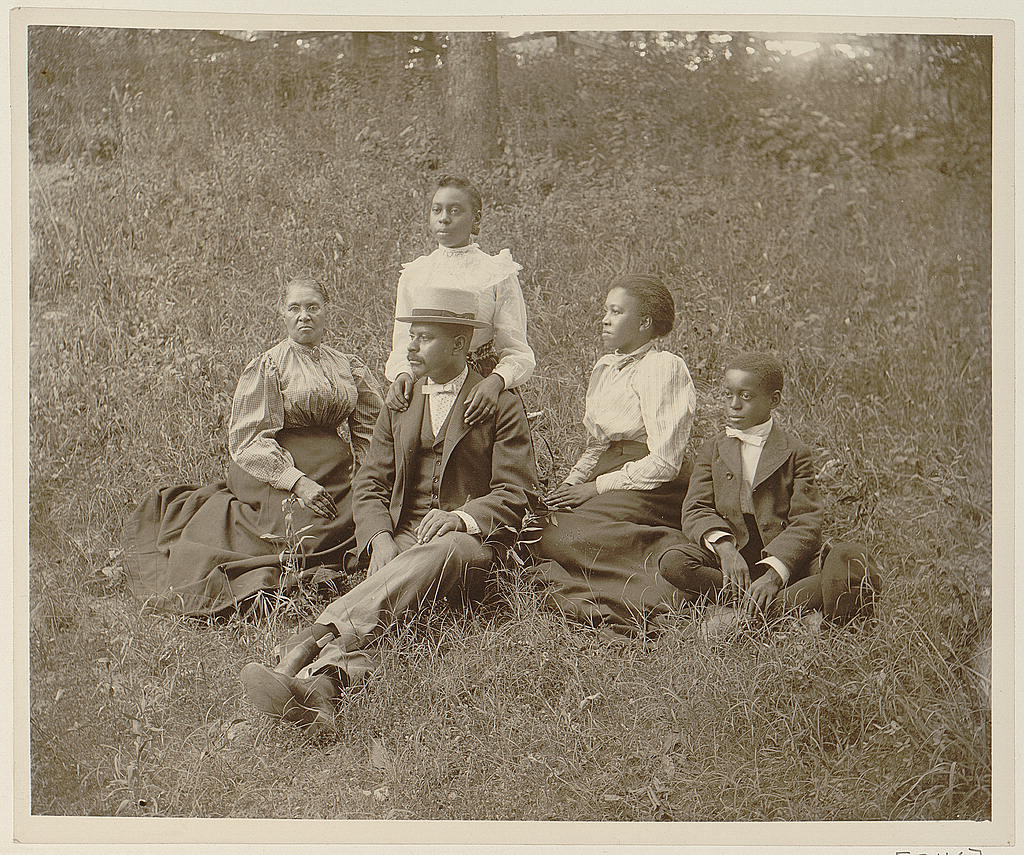
The family portrait above gives this problem a physical presence. In her Library of Congress essay, Kristi Finefield asks readers to examine both family photographs and their captions. This image's caption identifies W. E. B. Du Bois as its collector and dates it to 1899 or 1900. The surviving description includes uncertainty; preserving it is more faithful than inventing a single year.[7]
For your own photographs, review the caption and file separately. Gramps provides a Base media path for the active family tree, rather than one global location for every tree.[5] A useful arrangement is a dedicated media folder containing subfolders for portraits, certificates, and other records, with relative paths inside that collection.
For example, a reference to portraits/family.jpg is useful only if the corresponding file travels with the media folder and the destination knows where that folder begins. Open the full image after moving the collection. A filename in a record cannot demonstrate that the photograph is present.
Also inspect a scan that supports a disputed claim. Can you read the entry, reach it from the appropriate citation, and understand its description? This combines the file-transfer check with the research question that made the file worth keeping.
Restore before retiring the original
Once the imported tree passes review, make a native Gramps backup. The project recommends .gramps XML for preserving its data rather than a GEDCOM round trip.[1] For a desktop transfer that includes media, the .gpkg package combines the tree's XML with associated files.[6]
There is a consequential limit in the 6.0.8 package writer: it adds a media file only when that file exists and is readable. It then writes the XML data into the archive.[6] Packaging therefore cannot repair a photograph that was already missing. This is why inspecting media belongs before, and again after, the backup.
Restore the package into another fresh tree and reopen the same difficult examples. Try the report you ordinarily share with relatives. Keep the original application's backup and export until you can explain any differences that matter to your research.
For one researcher, or a small family group with one person maintaining the master tree, this is a manageable rehearsal. A group editing several copies also needs an agreement about who incorporates changes; repeated file transfers alone do not provide that agreement.
The satisfying moment comes when someone else can follow a claim from the person to the citation to the legible document, with your uncertainty still attached. Then the research has moved with the names.
Sources
- Gramps project, FAQ, version 6.0.8 — application purpose, GEDCOM interoperability, and native XML backup guidance.
- Vladimir Perić, “Genealogy research with Gramps,” LWN.net, July 16, 2014 — independent review and firsthand description of a source-retrieval workflow; used for research practice, not current interface details.
- Gramps Web documentation, “How Gramps organizes data” — the data model shared with Gramps Desktop, including events, sources, citations, and media; consulted October 22, 2026.
- Gramps project, GEDCOM parser, version 6.0.8 — unsupported-line handling and the creation of GEDCOM import notes, especially the ignore and message-handling methods.
- Gramps project, preferences interface, version 6.0.8 — the Family Tree media-path setting and its per-tree scope.
- Gramps project, package exporter, version 6.0.8 — PackageWriter.export, inclusion of readable media files, and the data.gramps XML member.
- Kristi Finefield, “Profiling Portraits: Family Groups in Pictures,” Library of Congress, January 11, 2019 — photographic context and the family portrait collected by W. E. B. Du Bois, digital identifier ppmsca.08762.