Imagine a small archive photographing a box of postcards. The camera stays on its stand; an operator changes the card beneath it and releases the shutter. Each photograph should arrive on the computer ready for inspection. The click is reassuring, but the software still needs to discover the resulting file and retrieve it. gPhoto2's architecture makes those steps explicit: camera control, capture notification, and file transfer have separate jobs.[1][2]
That separation explains both the project's usefulness and a familiar frustration with tethered photography: a camera can appear on the computer without supporting everything the photographer expects. Following one image through the system reveals where each promise begins.
Beneath the capture button
The names describe different pieces. gphoto2 is the command-line client; libgphoto2 is the library that applications use to communicate with cameras. Within that library's architecture, camera drivers called camlibs implement camera-specific behavior, while libgphoto2_port abstracts the communication ports. A frontend can request an operation through the library without implementing every device's protocol itself.[1][3]
The project's architecture documentation describes adding a camera through the required driver callbacks and adding a communication mechanism through the port layer. This gives maintainers somewhere specific to put a hardware quirk. It also gives application authors a shared interface around which to build an image browser, a capture window, or a script.[1]
The boundary is practical. The application decides what the archive's next postcard should be called; the camera driver handles the supported operations needed to obtain its photograph. Making the interface common does not make the underlying cameras identical.
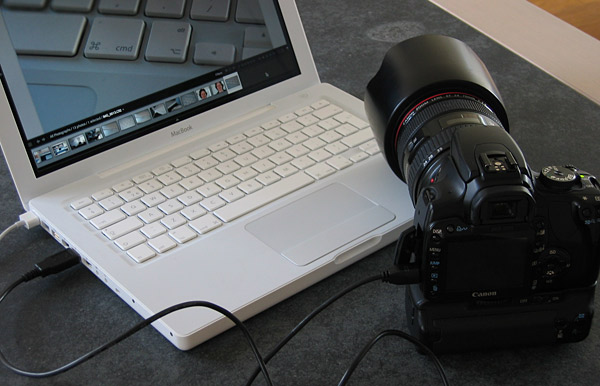
A detected camera has passed only the first test
The darktable manual provides a useful view from an application that depends on this machinery. Its troubleshooting sequence checks detection, driver abilities, a remotely initiated capture, and finally a capture triggered on the camera itself. These are separate tests because success at one stage leaves the next stage unproven.[4]
For example, gphoto2 --auto-detect identifies connected cameras, while gphoto2 --abilities reports capabilities declared by the driver. The latter reads library information rather than performing a live test of each feature.[3] darktable's documented check looks for image capture and configuration support before proceeding to actual shooting.[4]
An independent, firsthand example makes the distinction tangible. In her 2013 Linux.com walkthrough, Carla Schroder showed capability listings from her Canon EOS 7D and an older EOS 400D: both offered image capture, while the older camera's listing lacked preview support.[6] That is a historical observation about those tested setups, not a compatibility verdict on today's hardware.
For the postcard station, the implication is straightforward: finding the camera is insufficient evidence that the intended workflow works. Test the operator's actual gesture, including whether images arrive after pressing the physical shutter.
The event carries the address
At the library level, a successful gp_camera_capture() call fills a CameraFilePath output argument identifying the new file on the camera. A separate call, gp_camera_file_get(), retrieves it. The path describes an object that exists elsewhere; it is not yet a local photograph.[2]
The asynchronous route exposes another distinction. gp_camera_trigger_capture() initiates capture and returns immediately. The application then waits through gp_camera_wait_for_event(). A GP_EVENT_FILE_ADDED event supplies a file path, while GP_EVENT_CAPTURE_COMPLETE reports completion of the capture. A timeout is another possible event; it does not supply a new image.[2]
Consider what each message permits the archive's software to say. “The shutter was triggered” records a request. “A file was added” identifies something to fetch. “The download finished” establishes that a local file has arrived. Treating all three as the same success would make a missing photograph difficult to diagnose.
The command-line frontend packages these operations for different uses. --capture-image-and-download requests an image and retrieves it. --capture-tethered waits for new-file notifications, allowing the photographer to press the camera's shutter. It is equivalent to --wait-event-and-download.[3] Event support must work in the camera and its driver; a graphical capture button cannot supply a missing capability.[4]
Where the photograph waits matters
There is also a storage decision inside the camera. The project's remote-control guide describes a capturetarget setting on Canon and some Nikon cameras that can select camera RAM or the memory card. With the documented RAM behavior, the image must be downloaded during the same gphoto2 invocation: closing the connection can make it disappear.[5]
This changes the meaning of “take the picture now, collect it later.” That sequence needs storage that survives the gap. A successful exposure into temporary camera memory does not establish that a later process will find the file.
Inspect the available configuration with --list-config and the current value and choices with --get-config capturetarget where supported. The remote-control guide itself cautions that its camera list may be incomplete or incorrect.[5] Treat the particular camera, mode, and installed driver as the system being tested.
Retention after transfer is a further choice. For --capture-image-and-download and interval capture, --keep retains images on the camera's memory card; the documented default deletes them after downloading.[3] Choosing a capture destination and choosing whether to retain the downloaded original answer different questions.
Hand off a file the next program can use
The client offers a convenient integration point: a hook script receives ACTION=download after a file has been downloaded, with its local filename in ARGUMENT.[3] That is a useful moment to hand the photograph to an inspection or cataloguing process.
For a small archive with one maintained workstation, my suggested design is to keep that handoff simple: record the filename and intended postcard identifier, then let a separate worker create previews and check the result. Record any failure against that file. A downloaded image and a successfully catalogued image should remain distinguishable in the work log.
This is an application design suggestion, not a guarantee supplied by gPhoto2. An unattended station would also need someone to define recovery after a disconnected cable, a full destination disk, or an operator changing the card before capture finishes. The library's explicit stages make those questions easier to locate; the application still has to answer them.
At the end of the session, the useful evidence is a set of photographs that can be opened and matched to their postcards. The shutter click starts that record. Everything after it is part of the job.
Sources
- gPhoto, "libgphoto2, the core" — library architecture, camera drivers, and communication-port abstraction.
- gPhoto, libgphoto2 API reference, "gphoto2/gphoto2-camera.h" — capture, file retrieval, event types, and asynchronous triggering; generated reference labeled 2.5.10.1.
- gPhoto, "gphoto2" command-line manual — abilities, capture modes, file retention, and download hooks.
- darktable, version 4.6 user manual, "Troubleshooting" — separate tests for detection, abilities, remote capture, and camera events.
- gPhoto, "Remote controlling cameras" — configuration discovery, capture targets, temporary camera memory, and support limitations.
- Carla Schroder, "How to Remote Control Your Camera with Darktable on Linux," Linux.com, November 26, 2013 — independent walkthrough with observed capability listings.
- Elja Trum, "Je laptop als een groot cameradisplay gebruiken," Photofacts, March 23, 2008 — original photograph and account of a tethered MacBook setup; Dutch-language source.