A vintage knitting machine can have plenty of useful life left in its needles and carriage, even when entering a new pattern feels like operating an obsolete office appliance. AYAB—All Yarns Are Beautiful—addresses that mismatch. Its open hardware replaces the original control board, letting a computer supply the pattern. The operator still works the carriage and manages the fabric. What changes is access to the machine’s decisions about which needles to select.[1][2]
That is a substantial upgrade with a deliberately limited promise. AYAB is interesting because it connects ordinary image editing to a physical craft without pretending that a picture contains everything needed to make a garment. The project’s March 2025 release of version 1.0, following 0.95 in 2019, provides a useful point of entry: a maintained software interface for equipment whose mechanical usefulness can outlast its original electronics.[1]
Opening the pattern reader
AYAB’s early appeal was easy to understand. In its 2014 coverage, Hackaday presented the project as a way to give the Brother KH-910 capabilities associated with more elaborate machines.[3] The hardware maker’s later account describes the awkward alternatives owners had inherited: scanned picture cards on some models, sequences of button presses on others. Its AYAB Interface substituted a microcontroller board for the old controller and accepted images up to 200 pixels across.[2]
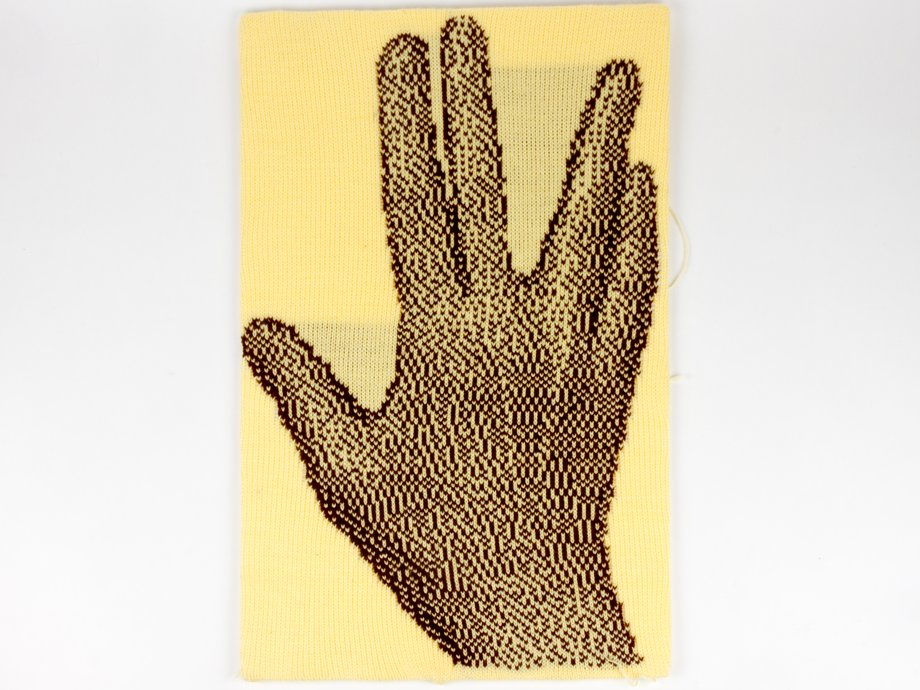
The important consequence is that a pattern becomes a file the owner can revise. A misplaced stitch can be corrected in an image editor; a motif can be rearranged before any yarn enters the carriage. This is a particularly tangible form of software freedom: the editable object is small enough to understand, and the result can be held in the hand.
There is a physical conversion behind that convenience. The project documents two established forms of hardware: an Arduino with an added shield, and an integrated interface board. The shield arrangement does not fit neatly beneath the original cover; the integrated board was designed to fit inside. The project describes both substitutions as reversible.[9] Those distinctions matter when looking at an old installation photograph: “AYAB-compatible” does not identify one universal box.
A pixel becomes a stitch, then stretches
For a basic two-color pattern, the manual describes a black-and-white PNG in which each pixel represents a stitch. Its design workflow uses a width of no more than 200 pixels, with the chosen image and active needles determining the actual working width. GIMP can edit that stitch grid; Inkscape can supply a scalable design that is ultimately exported as a raster image.[4]
The grid gives the process unusual clarity. A letter with a one-pixel stroke becomes a letter with a one-stitch stroke. But the square pixels on a screen are an imperfect preview of yarn. Stitches have proportions that depend on the knitted fabric, so the manual asks the maker to produce a gauge swatch using the intended yarn and settings, then measure stitches and rows per unit of length.[4]
For a badge of a particular width, the useful input is how many stitches the measured fabric needs across it. The software preserves the pattern; the swatch tells the maker what size it will become.
The carriage sets the pace
The computer does not simply send a whole image and disappear. In the serial protocol documented for AYAB 1.0, the controller asks the desktop program for another line using reqLine; the program supplies the row information in cnfLine. The exchange follows the machine’s progress, with carriage sensing involved in establishing readiness. A flag marks the final line.[5]
Those small messages connect two different kinds of work. The desktop application handles pattern data, while the controller exchanges signals with the machine. The person moving the carriage determines when the knitting advances. A successful file transfer therefore represents only one part of a successful piece of fabric.
The beginner tutorial makes this distinction visible. It first allows “air-knitting,” moving the carriage without yarn to observe needle selection. Later, in its yarn-worked triangle example, the final pattern row has been selected when image transmission ends, but a further pass is still needed to knit it.[6] That is a useful lesson even for readers who never touch a knitting machine: completion in software and completion in material can occur at different moments.
A sleeve still needs a knitter
AYAB’s FAQ draws a firm line around garment shaping. The software deals with stitch patterns; it does not supply the increases and decreases that turn a rectangle into a sleeve. The FAQ’s worked example uses an image wide enough for the sleeve’s eventual maximum width while the operator starts with fewer stitches and adds them as required.[7]
That division of labor also affects motion. The same example tells the operator to take the carriage beyond the configured pattern span even when the actual fabric is still narrower.[7] A file’s dimensions are therefore part of the operating setup, not merely a description of what is already hanging from the needles.
Version 1.0 makes several of these relationships easier to inspect. Selecting Simulation as the port previews needle selections without a connected machine. A progress panel displays selections as rows are sent. The Knit Side Image checkbox controls horizontal flipping, which matters when lettering must read correctly on the intended face of the fabric. Importing DesignAKnit .pat or .stp files brings in their image content, without shaping instructions.[8]
What is worth preserving
For a hobbyist or small workshop already comfortable with machine knitting, the sensible first experiment is modest: a known pattern, a compatible machine, and a sample whose needle selections and finished stitches can be checked. Simulation can help inspect a pattern, but it cannot establish that a physical mechanism is working or that a chosen yarn behaves well. The project’s own progression from image preparation to air-knitting to fabric makes a useful rehearsal.[4][6][8]
Buying hardware requires particular care with dates. The project’s hardware page says Evil Mad Scientist no longer manufactures or sells its original AYAB Interface.[9] The 1.0 announcement also requires matching firmware and notes that Arduino Mega users must move to an Uno R3.[1] An old tutorial can explain the idea accurately while pointing to a setup that needs updating.
The lasting attraction is the ability to keep changing the pattern while continuing to use a familiar machine. AYAB puts the image, the control software, and the hardware design within reach of their users. The resulting fabric still records the maker’s choices: yarn, gauge, shaping, and the next pass of the carriage.
Sources
- AYAB, “AYAB 1.0 is finally here!” (March 10, 2025)—release history, firmware requirement, hardware compatibility, and volunteer development.
- Lenore Edman, “AYAB: A new interface for vintage knitting machines,” Evil Mad Scientist Laboratories (November 27, 2016)—controller replacement, historical pattern entry, and photograph provenance.
- Brian Benchoff, “THP Entry: All Yarns Are Beautiful,” Hackaday (June 30, 2014)—independent contemporary coverage of the project’s appeal.
- AYAB Manual 1.0, “Pattern creation”—PNG stitch grids, image-editing workflow, and gauge compensation.
- AYAB Manual 1.0, “AYAB Serial Communication Specification, API v6”—host/device roles, carriage readiness, and row requests.
- AYAB Manual 1.0, “Basics”—air-knitting, the triangle sample, and the final knitting pass.
- AYAB Manual 1.0, “Frequently asked questions”—the boundary between stitch patterning and garment shaping.
- AYAB Manual 1.0, “What’s new in AYAB 1.0”—simulation, needle-selection preview, image orientation, and pattern-file import.
- AYAB, “AYAB Hardware”—shield and interface construction, reversibility, and the original interface’s discontinued manufacture; checked October 7, 2026.